TVs in Singapore: Your guide to buying a TV
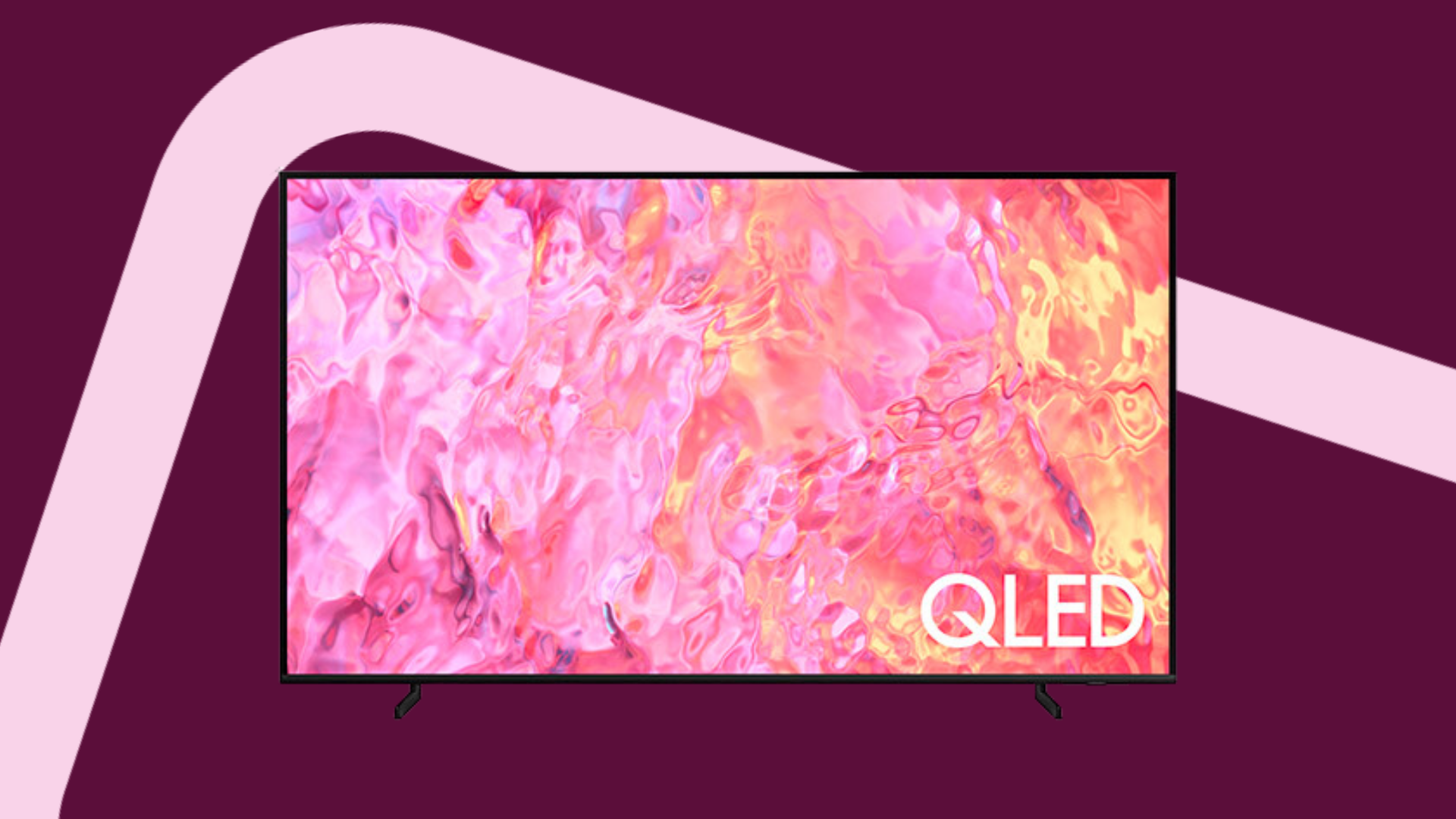
If you're trying to figure out how to choose a TV, there are a ton of things to consider.
For example: what TV sizes are there in Singapore, and what size do you need? Do you need a smart TV? What brand of TV will suit you the best?
On top of that, there’s a lot of jargon to wade through... there’s OLED vs QLED, HDR, refresh rate, and more.
If you’re looking at all the acronyms and wondering, 'How will I know which TV to buy?', don’t worry.
In this article, we’ll go through what you need to look out for when buying a new TV, as well as demystify and explain all the technical jargon.
Ready? Let’s jump right in!
In this article:
Understanding TV technologies: OLED TV vs QLED vs LED
There are 3 main TV technologies, and these are:
LED TVs
OLED TVs
QLED TVs
Think of LED TVs as the OG TVs – these have been around for quite some time. OLED TVs were released later on, and QLED TVs even later.
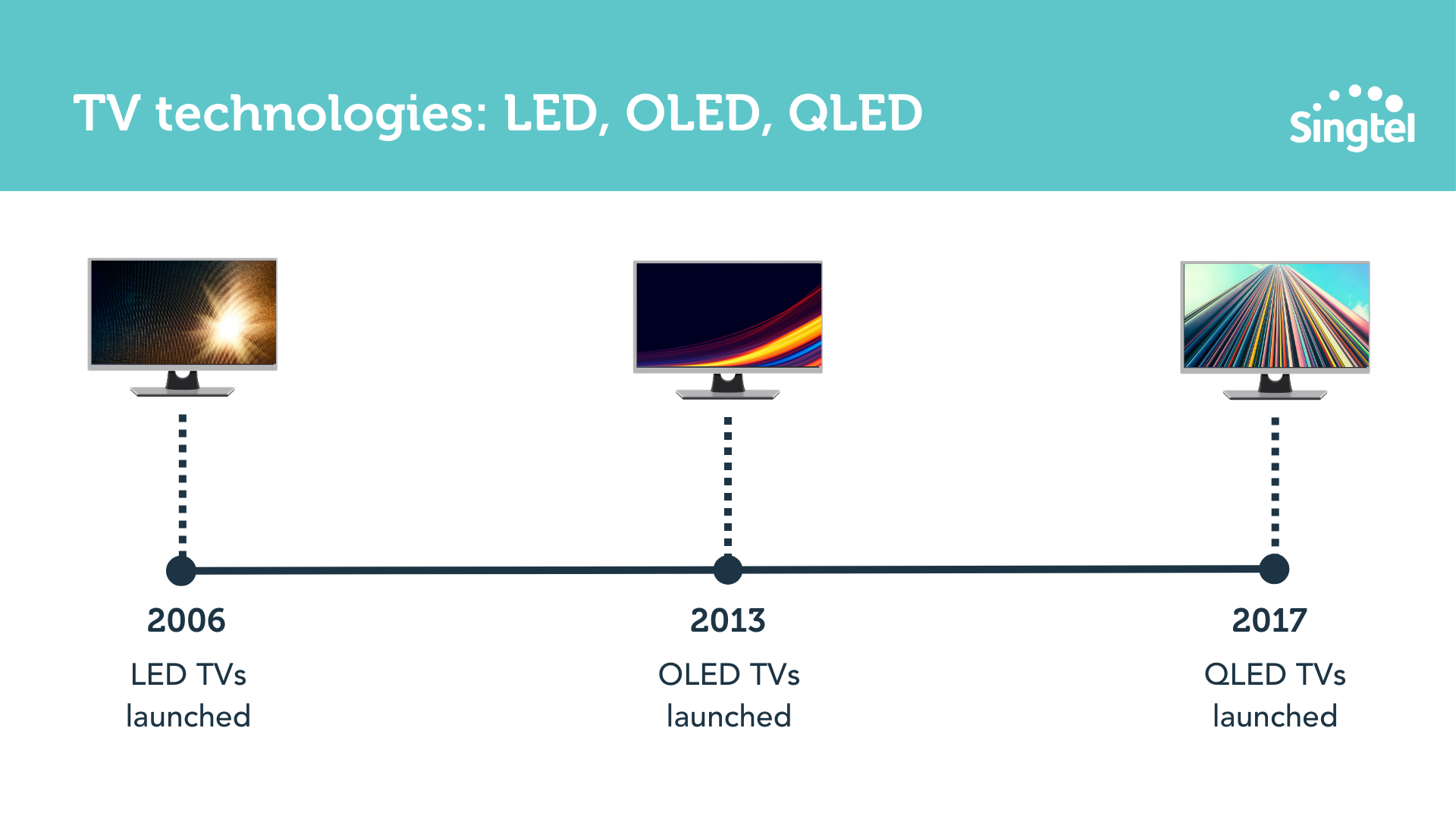
As such, LED TVs are generally more affordable, and OLED and QLED TVs are more pricey.
The key difference in these technologies lie in how they produce their images:
LED TVs use a backlight to produce an image
OLED TVs have each pixel produce its own light
QLED TVs use quantum dots to produce colors
In simple terms, this means that:
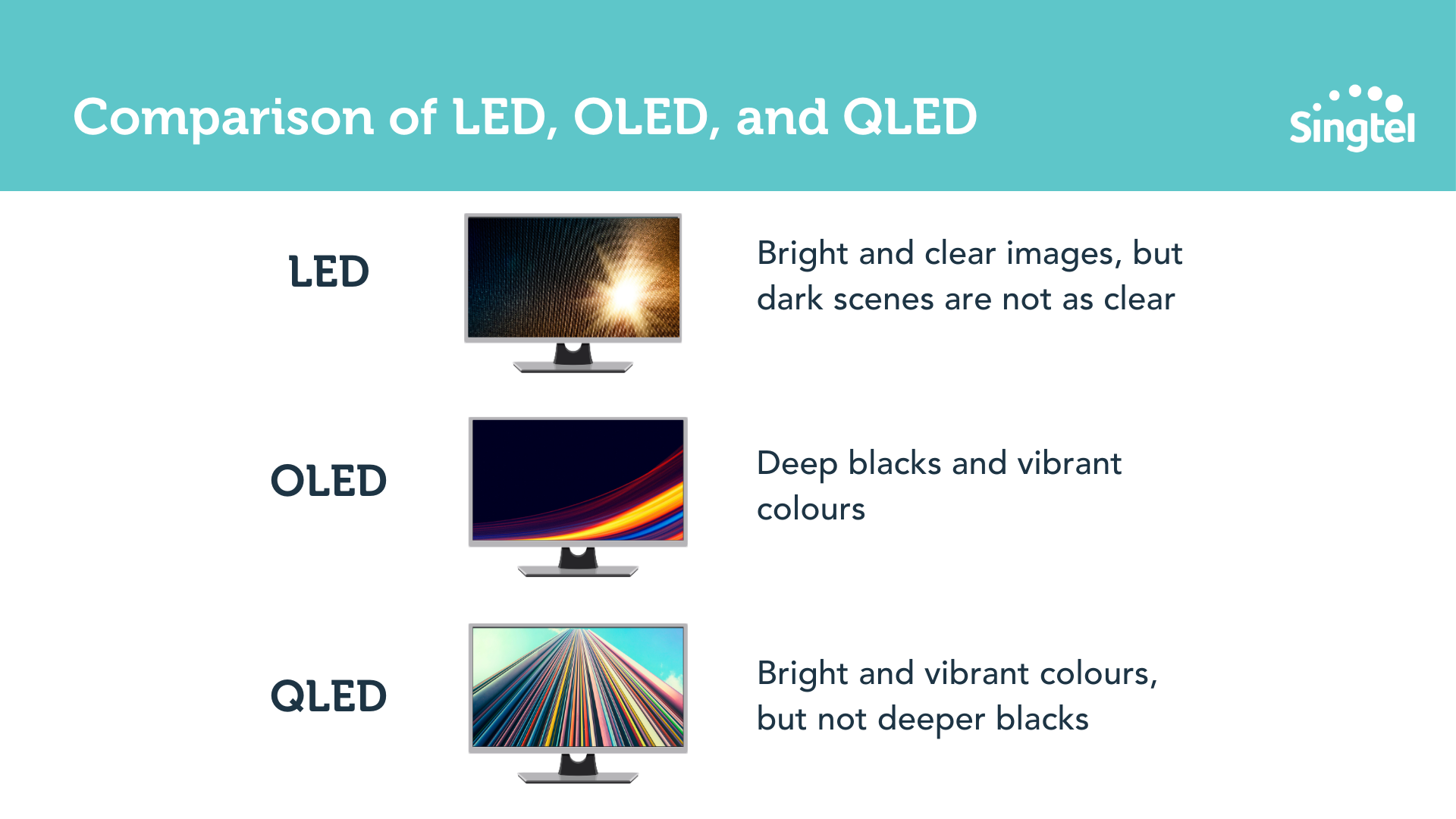
With LED TVs, you get bright and clear images, but dark scenes are not as clear
With OLED TVs, you get deep blacks and vibrant colours
With QLED TVs, you get bright and vibrant colours (but not deeper blacks)
And when you compare OLED to QLED specifically:
OLED TVs come with wide viewing angles, meaning the picture looks good no matter where you sit in the room
OLED TVs are also slim and sleek as they don’t have bulky backlights, so they can fit easily into compact living rooms and spaces
QLED TVs are more durable and less prone to burn-in
Quick aside: burn-in refers to when an image or pattern is displayed on the screen for an extended period of time, causing it to 'burn' into the screen and become permanently visible, even when other images or content are displayed.
This is typically more relevant for people who use their TV for gaming or watching channels with static logos – if that’s not you, feel free to ignore this point!
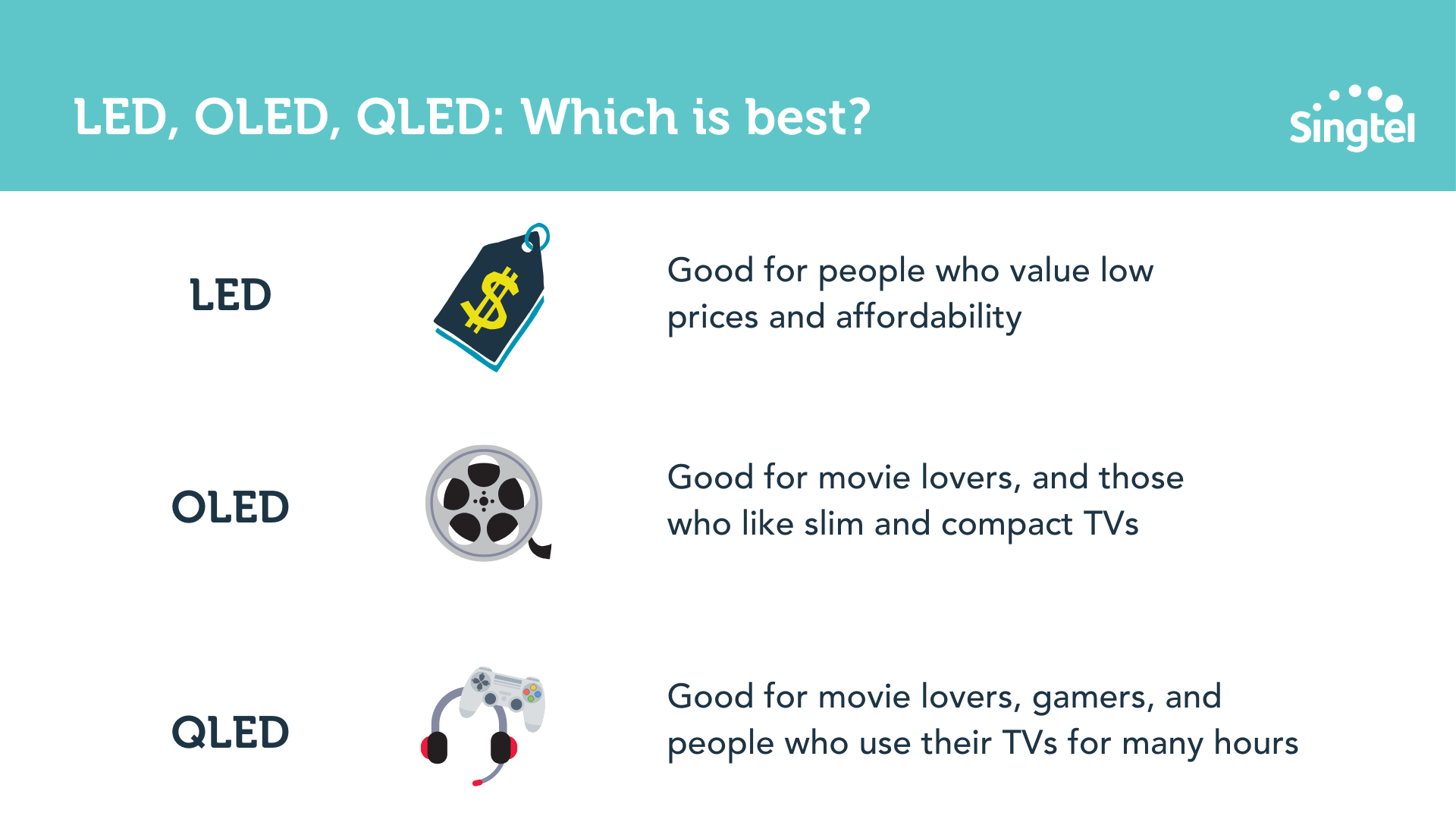
Now that you understand the key differences between LED, OLED and QLED, let’s talk about use cases for each TV technology.
With LED TVs, the main draw is the low price and affordability
OLED TVs are good for movie-lovers and also anyone who wants a slim, compact TV
QLED TVs are good for movie-lovers, gamers, and folks who use their TVs for longer periods of time
To sum it all up:
What size TV should you buy?
Now that you’re clear on the different TV technologies, let’s talk about TV sizes.
The size of TV you should buy depends on a few factors, such as:
The size of the room where you'll be using it,
Your viewing distance
Firstly, consider the size of the room where the TV will be used.
It’s all about striking a balance here – if you have a smaller room, a TV that's too big can be overwhelming, and may make it difficult to see the entire screen comfortably.
On the other hand, a TV that's too small may not provide a satisfying viewing experience in a larger room.
On top of that, your TV screen size should also be proportional to the distance between the TV and the viewer.
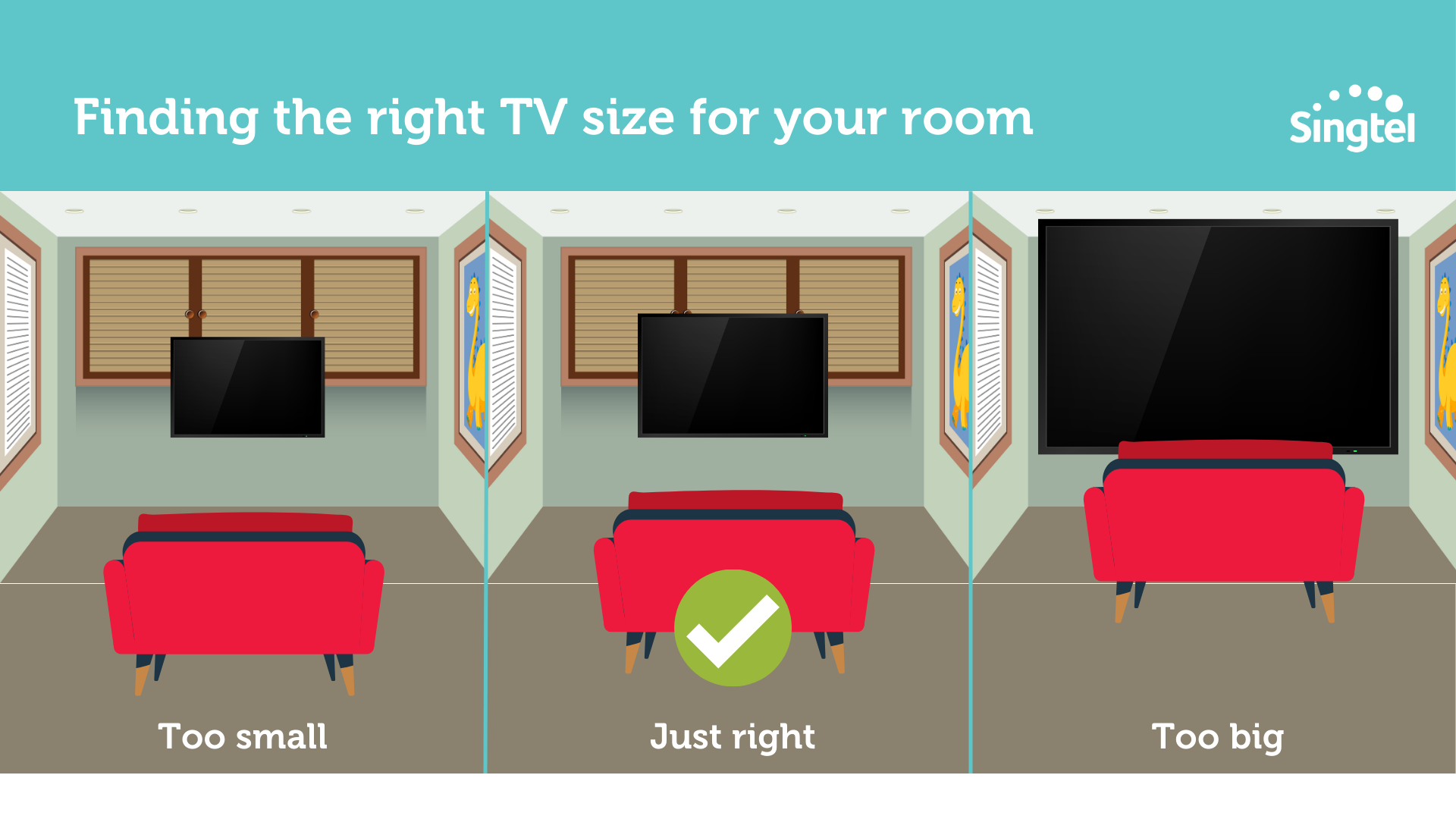
To be specific, aim for a viewing distance that is roughly 1.5 to 2.5x the diagonal screen size of the TV.
We’ve done the math for you, and here’s what it works out to:
Living Space
| Living Room Size
| TV Size Options
|
|---|---|---|
| 4-room flat | 130 sq ft | 43 inch TV or 50 inch TV |
| 5-room flat | 170 sq ft | 50 inch TV or 55 inch TV |
| Larger living room / dedicated home theatre | 180 sq ft or more | 65 inch TV or 75 inch TV |
Of course, these are just guidelines – to get a better sense of what size of TV works in your space, head down to a store and look at the different TV sizes in person.
This will allow you to visualise better, and pick the right TV size.
What TV resolution should I be looking for?
Here's a breakdown of the different TV resolutions available:
Resolution
| Pixel Count
| Description
|
|---|---|---|
| HD (720p) | 1280x720 | Basic resolution, less common these days |
| Full HD (1080p) | 1920x1080 | One of the more common resolutions today |
| 4K Ultra HD (2160p) | 3840x2160 | Offers 4x the pixels of Full HD, becoming increasingly popular as more content becomes available in 4K |
| 8K Ultra HD (4320p) | 7680x4320 | Offers 4x the pixels of 4K and is the newest resolution, but currently has limited content available |
Here, you should choose your TV resolution based on your preferences, budget, and the content you plan to watch.
If you watch a lot of HD content (cable TV, DVDs, Blu-ray), a Full HD TV should be good enough.
If you watch 4K content on Netflix** and other steaming sites (Amazon Prime Video, Disney+), then get a 4K TV.
**Do note that not all Netflix shows are 4K – some of the older shows may only be available in HD.
Finally, if you have a larger budget and want the highest resolution available, you can consider an 8K Ultra HD TV.
However, keep in mind that there is limited content available for 8K!
TV features to look out for
TV size and resolution aside, here are some features to look out for:
HDR (High Dynamic Range)
Refresh rate
Smart TV
Audio quality
Connectivity
HDR
Firstly, HDR (High Dynamic Range) is a feature that enhances the contrast and color of the TV picture.
In simple terms, it makes the dark areas of the image appear darker, while making the bright areas appear brighter and more vibrant.
There are several HDR standards, including:
HDR10
Dolby Vision
HLG
Advanced HDR by Technicolor
HDR10+
SL-HDR1
We won’t unpack the differences between the HDR standards, because it’s super technical.
As long as you’re getting a TV that’s HDR compatible, this means your picture should be more vivid and lifelike.
Refresh rate
What’s refresh rate? It’s the number of times per second that a TV screen refreshes the image on the display, measured in Hertz (Hz).
A higher refresh rate = a TV that displays more images per second = smoother and more fluid motion.
Take these two TVs, for example:
One with a refresh rate of 60Hz
One with a refresh rate of 120Hz
If you’re watching fast-paced action scenes, sports, or playing video games, you’ll definitely get a better experience from the TV with 120Hz refresh rate.
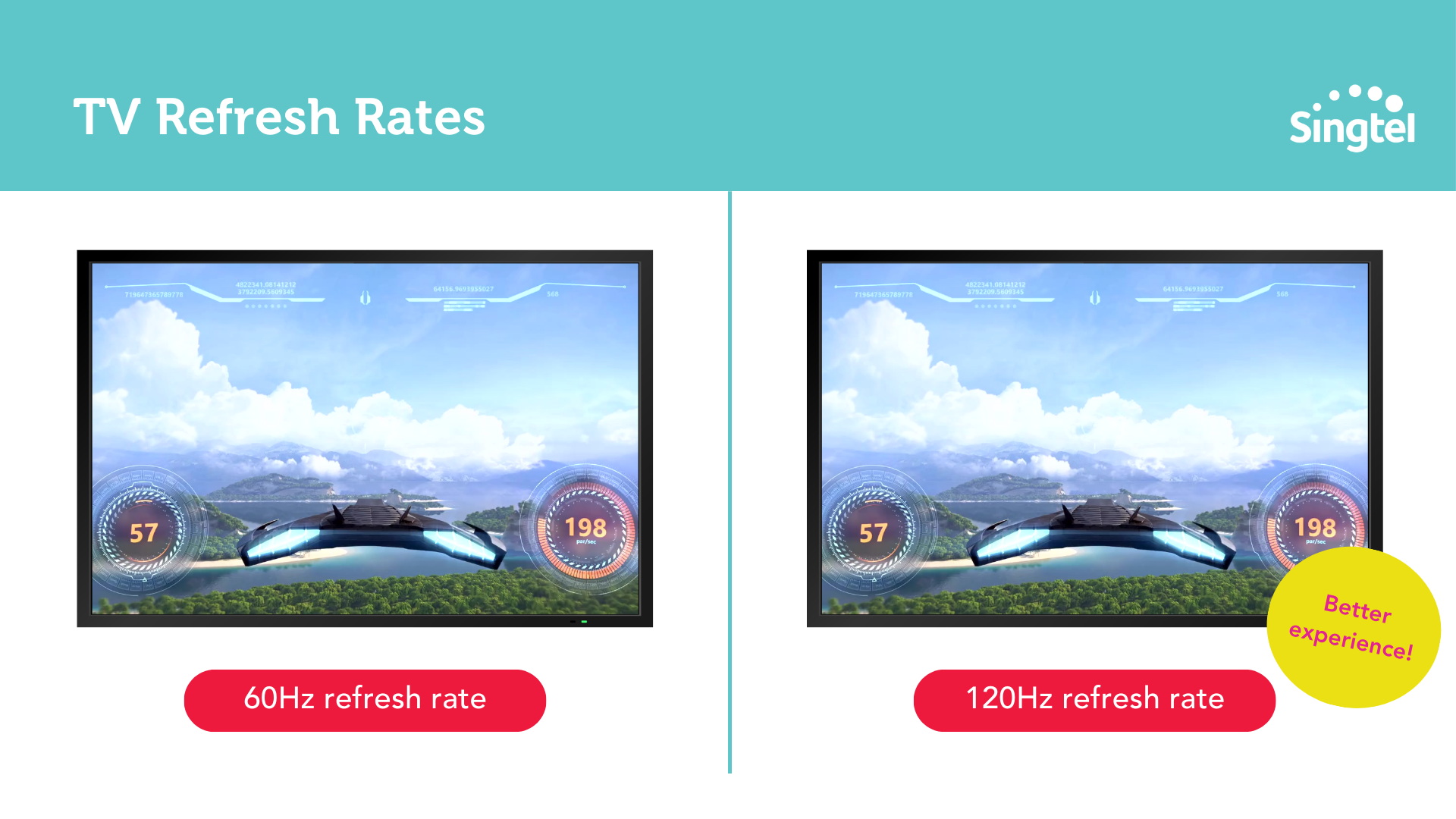
If you’re wondering what’s a good benchmark, aim to look for a TV with a refresh rate of at least 60Hz.
Smart TVs
These days, almost everyone has a Smart TV in Singapore.
Smart TVs are basically TVs that are equipped with an internet connection and built-in apps such as Netflix, YouTube and Spotify.
These apps aside, here are some other common features of Smart TVs:
When it comes to smart TVs, note that the operating system you’ll be using depends on the TV brand and model you choose.
Here’s a comparison of the three most common OS:
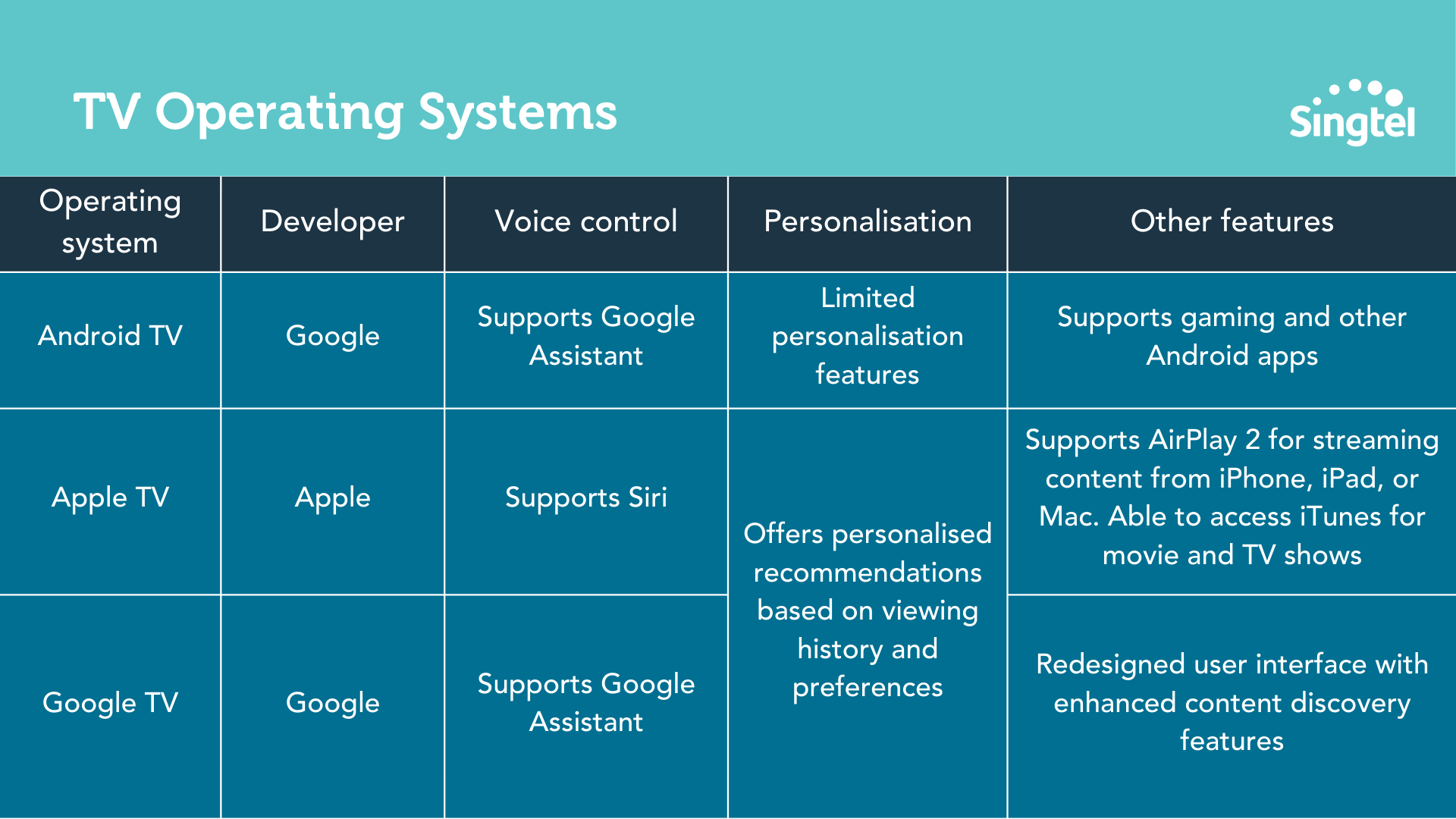
One major factor here is compatibility and ease of use.
If you’re an iPhone user, for example, you’ll find it easy to use Apple TV because you can easily stream or cast content from your iPhone.
And if you’re a Pixel user, the same goes - you can easily stream content from your Pixel phone to your Google TV or Android TV.
Sound quality
Is sound quality a crucial factor when you're buying a TV? It depends.
Here, think about your TV usage:
Do you use your TV to stream music from Spotify, or do you have a separate sound system to play your favourite Spotify playlists?
Do you watch a lot of movies or TV shows that require clear dialogue, or are you content with just basic sound quality for casual viewing?
If you do want to optimise your sound quality from your TV, there are two routes you can go:
Option 1: Purchase a higher-end TV that comes with an advanced speaker system
Option 2: Purchase external speakers (eg a soundbar) to utilise with your TV
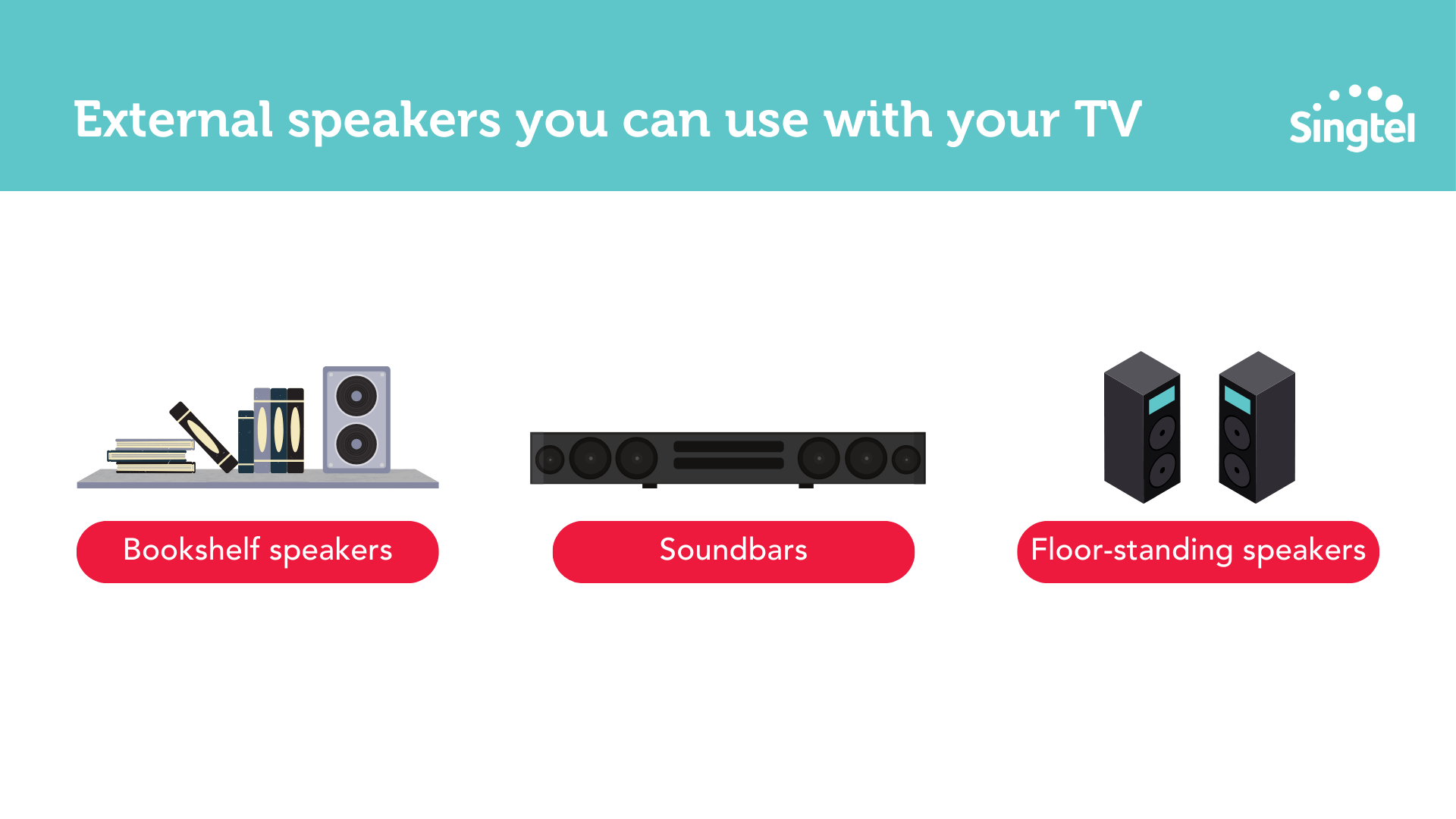
Between the two options, Option 1 will be more straightforward – since the TV and speaker system is integrated together, there will be less setup and fewer compatibility issues to deal with.
However, with Option 2, it’s easier to find external speakers that deliver higher quality sound than built-in speakers.
While it is possible to get a TV with an advanced speaker system, your options are limited and costly.
Samsung TVs: Which are the best?
Now that we’ve discussed all the different TV features to keep in mind, let’s do a deep dive on the different TV brands... starting with Samsung TVs!
A quick TLDR on Samsung TVs:
If you’re looking for a trustworthy and reliable TV brand, Samsung is the way to go.
Fun fact: Samsung has been named the #1 Global TV manufacturer for the 16th consecutive year – it’s really loved by consumers worldwide!
Shop Samsung DU7000 Crystal UHD 4K Smart TV on Singtel now.
PRISM+ TVs: Which are the best?
On the other end of the spectrum from Samsung, we have PRISM+ TVs.
PRISM+ is a local Singaporean brand, and they’re not stocked in consumer electronic stores such as Harvey Norman – instead, they sell directly to consumers via their eCommerce store.
The theory is: since they’re cutting out the middlemen, they can offer quality products at decent prices, resulting in a win-win.
While PRISM+ has been around since 2017, they became a lot more well-known in 2020, when they made headlines for being the first Singapore brand to launch Smart 4K Android TVs.
As compared to other brands, PRISM+’s 4K Android TVs retail at about 50% of the standard price – which is pretty mind-boggling.
While the low prices are tempting, as always, do your research and due diligence before going ahead with your purchase.
Xiaomi TVs: Which are the best?
Then we have Xiaomi TVs – like PRISM+ TVs, these are affordable, but they’ve been around for longer and generally have a better reputation.
A quick TLDR on Xiaomi TVs:
Sony TVs: Which are the best?
Finally, we have Sony, which is also a highly regarded brand in the TV industry.
A quick TLDR on Sony TVs:
Sony sells three different series of TVs in Singapore – the BRAVIA 4K LED TVs, the BRAVIA XR 4K LED TVs, and the BRAVIA XR OLED TVs.
Guide to buying a TV in Singapore: FAQs
Still have some burning questions about buying a TV in Singapore? Keep reading to get them answered.
Q: What are the standard TV sizes in Singapore? Are there 60 inch TVs?
A: The standard TV sizes in Singapore include:
32 inches
40 inches
43 inches
50 inches
55 inches
65 inches
75 inches
While there are 60 inch TVs in Singapore, this size isn’t common.
Some examples of 60 inch TVs in Singapore include:
SHARP 60' 4K UHD ANDROID TV 4T-C60DK1X
SHARP 60' UHD 4K ANDROID TV 4T-C60CK1X
SHARP 60' UHD 4K ANDROID TV 4T-C60BK1X
Q: What is a cheap smart TV brand?
A: If you’re looking for a cheap smart TV brand, your options include Xiaomi, PRISM+ and TCL.
If you’re looking for the cheapest brand out of these three, there’s no definitive answer – it all depends on what promotions they’re running.
Q: What is Apple TV? How does it work?
A: Apple TV is a streaming device that allows you to access various streaming services (like Netflix!) and watch TV shows, movies, and other content on your TV.
The device connects to your TV via HDMI, and it allows you to buy or rent content from the iTunes Store, play games, and access other apps.
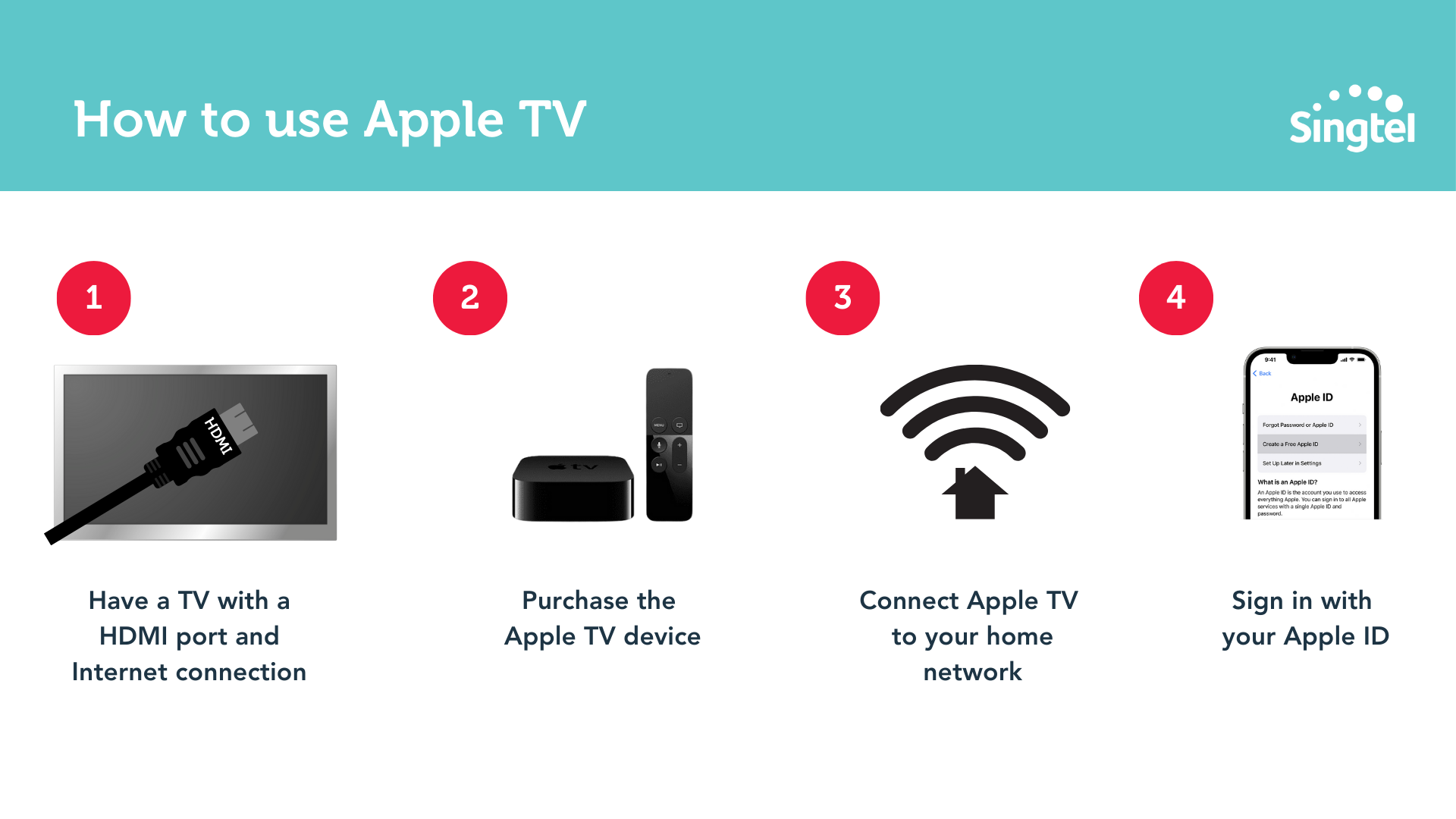
To use Apple TV, you need to:
Have a TV with an HDMI port and a reliable internet connection
Purchase the Apple TV device
Connect Apple TV to your home network
Sign in with your Apple ID
Q: Where can you buy Apple TV?
A: You can buy the Apple TV device from the official Apple store, consumer electronic stores such as Harvey Norman, and online platforms such as Shopee and Lazada.
Q: What is Apple TV+? How does it work?
A: Apple TV+ is a subscription-based streaming service that offers original TV shows and movies produced by Apple.
Think of Apple TV+ as another Netflix or Amazon Prime Video – it's basically a place for you to watch TV shows and movies.
Here’s the main difference between Apple TV+ and the other platforms: Apple TV+ offers mostly its own original content, instead of licensed content.
If you want to watch iconic TV shows or sitcoms such as Big Bang Theory, Friends, or How I Met Your Mother – Apple TV+ isn’t for you, we’d recommend you to stick to Netflix instead.
But if you want to check out original titles and new content, it’s worth giving Apple TV+ a shot.
A final word on how to buy a TV in Singapore
Congrats, you’ve made it all the way to the end of this ultimate guide. You’re practically an expert on TVs now! 😉
A TV is one of those purchases that will last you a while – hopefully 5 years or more.
So take your time to weigh your options – the last thing you want to do is to rush into a purchase, then realise that you’ve made the wrong choice.
PS: Want to make your TV purchase more affordable?
With Singtel PayLater, you can pay for your appliances & devices in instalments of between 12 to 36 months, and there are no interest payments or bank charges on your bill!
Shop TVs on Singtel now: