Got the keys? Here’s how to plan broadband for your new home

You have finally collected the keys to your new home.
As you walk through the empty rooms, you begin imagining where everything will go. The sofa will sit opposite the television, one bedroom may become a study, and the empty corner near the kitchen could be perfect for a smart home hub.
Then someone asks:
“Where should we put the WiFi router?”
That question quickly leads to several more.
“Which broadband plan should we choose?”
“Will the WiFi reach every bedroom?”
“Do we need mesh WiFi?”
Broadband may not be the most exciting part of planning a new BTO, HDB flat, condominium or landed home. However, it supports almost everything you will do there—from working and streaming to gaming and using smart home devices.
Here is what you should consider before moving in.
What should you plan before renovating your new home?
Start by locating the Fibre Termination Point, commonly called the TP. This is where the fibre connection enters your home.
According to NetLink Trust’s residential connection information, the TP in a residential development is normally installed by the building developer or owner during construction.
Before confirming your renovation layout:
Keep the Fibre Termination Point accessible.
Plan where the broadband equipment and router will be placed.
Prepare sufficient power points.
Consider data points for the study, television or gaming area.
Discuss cable and router placement with your interior designer.
Avoid permanently covering the broadband equipment with carpentry.
Planning these details early can help you avoid visible extension cables, inconvenient router locations or changes to your newly installed cabinets later.
Which broadband plan is suitable for your household?
The best broadband plan is not necessarily the one with the highest advertised speed. It should match how your household uses the internet.
Before comparing fibre broadband plans in Singapore, consider:
How many people will live in the home?
How many devices may be connected at the same time?
Will anyone regularly work or study from home?
Does the household stream HD or 4K content?
Does anyone play online multiplayer games?
Will you install security cameras or smart home devices?
A household with lighter internet usage may not need the same plan as a large family that works, studies, streams and games simultaneously.
Household needs | What to consider | Why it matters |
|---|---|---|
| Browsing, video calls and everyday streaming | An entry-level fibre plan with a suitable router | May support lighter usage and fewer simultaneous activities |
| Working, studying and streaming across several devices | A higher-speed plan with WiFi 7 or mesh options | Provides more capacity for a busy household |
| Heavy gaming, 4K streaming or many connected devices | A premium high-speed plan with wider coverage options | Better suited to demanding activities happening together |
Singtel offers all-in WiFi 7 fibre broadband options from 3Gbps to 10Gbps. You can compare the latest Singtel fibre broadband plans based on your usage, home layout and budget.
Plan availability, pricing, promotions and included equipment may change. Check the plan page for the latest information and terms.
Does faster broadband mean stronger WiFi in every room?
Not necessarily.
Fibre broadband is the internet connection delivered to your home. WiFi is the wireless signal distributed by your router to your devices.
This means a fast broadband plan can still have weak WiFi coverage if the router is poorly positioned.
Walls, metal objects, large furniture, enclosed cabinets and distance from the router can weaken the signal. Where possible, place your router:
In an open and central area
At an elevated position instead of on the floor
Outside the distribution board or enclosed cabinets
Away from large appliances and metal objects
Near the rooms where the internet is used most often
If you are preparing a new BTO flat, see this guide to WiFi 7 router placement in a 4-room BTO.
Do you need mesh WiFi or Fibre to the room?
Not every home needs additional WiFi equipment.
However, mesh WiFi may help if your home has several rooms, thick walls, a long layout or areas located far from the main router. A mesh system uses multiple compatible devices to distribute the WiFi signal across a wider area.
For larger, multi-storey or more complex homes, you can also consider Fibre to the Room, or FTTR. Instead of relying mainly on wireless signals travelling through walls, FTTR extends fibre connectivity directly to selected rooms.
Singtel FibreEverywhere is designed to support more consistent connectivity across different parts of the home.
To understand the available wireless options, read Mesh networks vs WiFi extenders: Which is better?.
Is WiFi 7 worth considering for a new home?
Your new home may eventually have more connected devices than you expect, including phones, laptops, smart televisions, gaming consoles, security cameras, digital locks and connected appliances.
WiFi 7 is designed to deliver faster speeds, lower lag and greater capacity than earlier WiFi generations. This can help a busy household manage more devices and simultaneous online activities.
Older devices can still connect to a WiFi 7 router, although each device will operate according to the highest WiFi standard it supports.
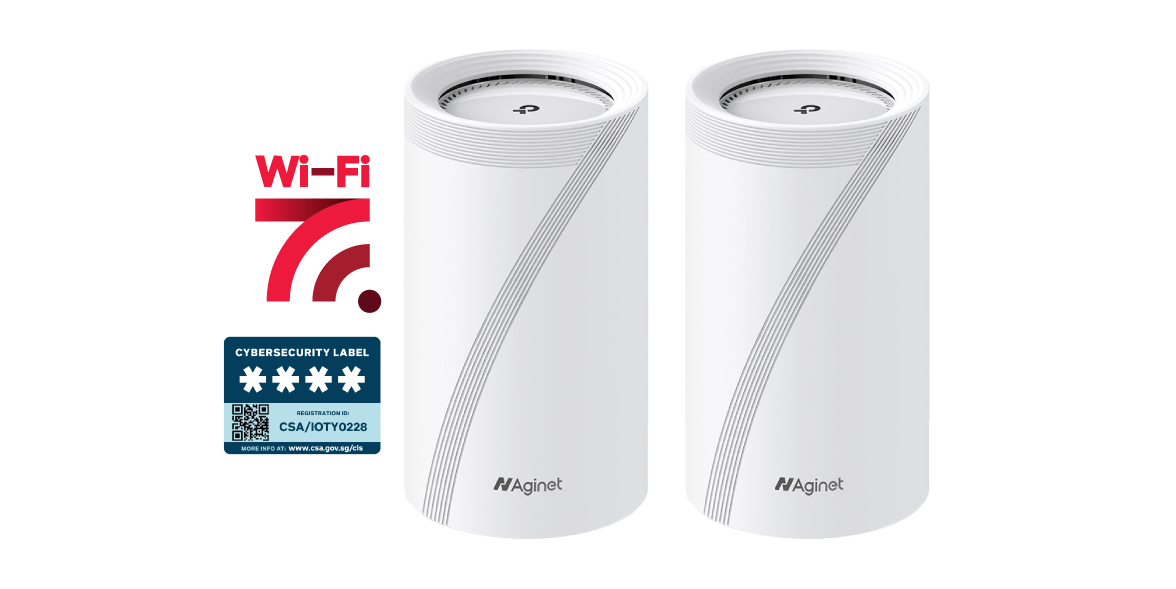
Singtel’s WiFi 7 routers have also achieved Level 4 certification under Singapore’s Cybersecurity Labelling Scheme. The scheme helps consumers understand the cybersecurity provisions of registered smart devices.
Learn more about its features and compatible plans on the Singtel WiFi 7 page.
When should you arrange broadband installation?
Start planning once you have a clearer renovation and move-in schedule. Do not wait until moving day.
Depending on the setup at your new address, you may need a NetLink Trust appointment before the Singtel installation can take place. Appointment availability may vary, so arranging the service early reduces the risk of moving into a home without an active internet connection.
Check the latest installation information and get assistance through Singtel Broadband Support.
If you already use Singtel Fibre Broadband, you may be able to relocate your existing service. Submit your relocation request at least seven days in advance, as appointment slots are subject to availability.
Review the latest requirements on the Singtel service relocation page.
Frequently asked questions about broadband for a new home
What broadband speed do I need for my home?
The suitable speed depends on the number of users, connected devices and simultaneous activities. A smaller household with lighter usage may need less capacity than a large family that regularly works, streams and games online at the same time. Compare the latest Singtel fibre broadband plans based on your household’s needs.
How early should I apply for broadband before moving into a new home?
Apply once your renovation and move-in dates are clearer. Your home may require NetLink Trust activation before Singtel can complete the broadband installation, and appointment availability may vary. Arranging it early reduces the risk of moving in without an active internet connection.
Does a new BTO flat already have a Fibre Termination Point?
The Fibre Termination Point is normally installed by the building developer during construction. Check its location and condition before completing your renovation, and keep it accessible for installation or maintenance work.
Do I need mesh WiFi for an HDB flat or condo?
Not every home needs mesh WiFi. It may be useful if your home has multiple rooms, thick walls, a long layout or weak WiFi areas far from the main router. First place the main router in an open and central location, then consider mesh WiFi if coverage remains weak.
Can I transfer my Singtel Fibre Broadband to a new address?
Yes, existing customers can request to relocate their Singtel Fibre Broadband service. Submit the request at least seven days in advance, as appointment slots are subject to availability. Check the latest requirements on the Singtel service relocation page.
Make broadband part of your new-home plan
It is finally moving day.
The boxes are still everywhere, but the television is streaming, your work call connects smoothly from the study, and your family can use the internet without searching for the strongest WiFi spot.
That is when the new home begins to feel complete.
Plan your broadband alongside your renovation, choose a plan based on your household’s actual needs and arrange the installation early. These simple steps can help you enjoy better connectivity from the day you move in.
Ready to connect your new home? Explore Singtel broadband plans and current new-home offers.