We tried the Galaxy AI features in the latest Samsung Galaxy S24
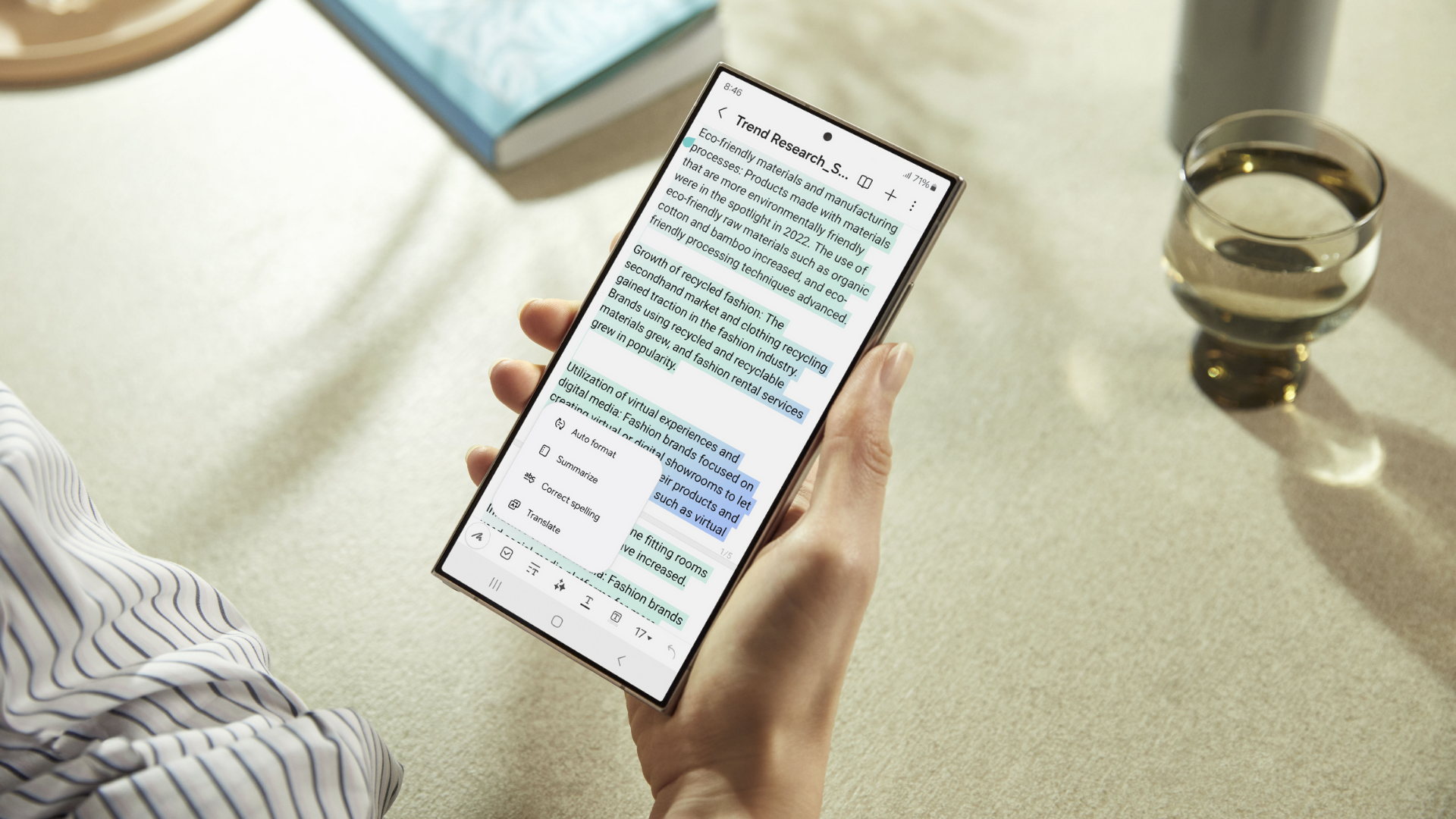
Unless you’ve been living under a rock, you’ve probably heard of the Samsung Galaxy S24 series, which was launched in early 2024.
And with this launch also came... Samsung Galaxy AI!
In a nutshell, Samsung Galaxy AI consists of a set of AI-powered features to enhance the user experience.
In this article, we tested out several Galaxy AI features for ourselves, including:
PS: The Galaxy AI features mentioned in this article were tested on a Samsung Galaxy S24 Ultra. Your experience may differ based on various factors including but not limited to the model of your device, software updates, network connectivity, and individual usage patterns.
P.S: Shop the Samsung Galaxy S24 Ultra with a Phone Plan or without a Phone Plan.
Samsung Galaxy AI Feature #1: Browsing Assist
What Samsung says:
“Browsing Assist is part of the Samsung Internet app that helps to summarise long online articles and webpages, streamlining your reading experience by highlighting key points.”
We tried it:
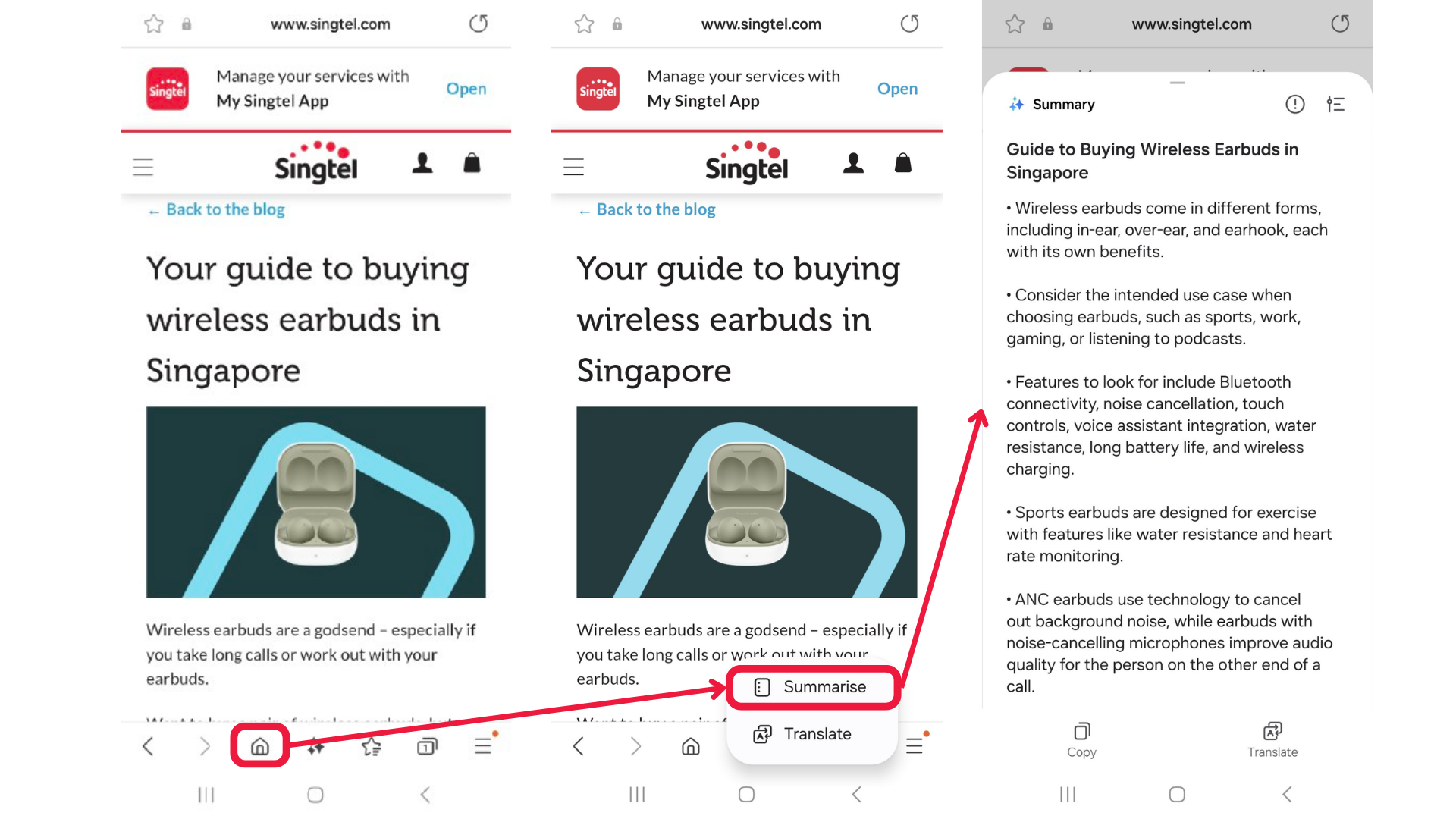
As you can see, Browsing Assist summarised our article in just a few clicks!
This is a great feature for those who are all about speed and efficiency.
Samsung Galaxy AI Feature #2: Transcript Assist
What Samsung says:
As you can see, Browsing Assist summarised our article in just a few clicks!
We tried it:
The feature worked perfectly, turning our voice recording into a memo.
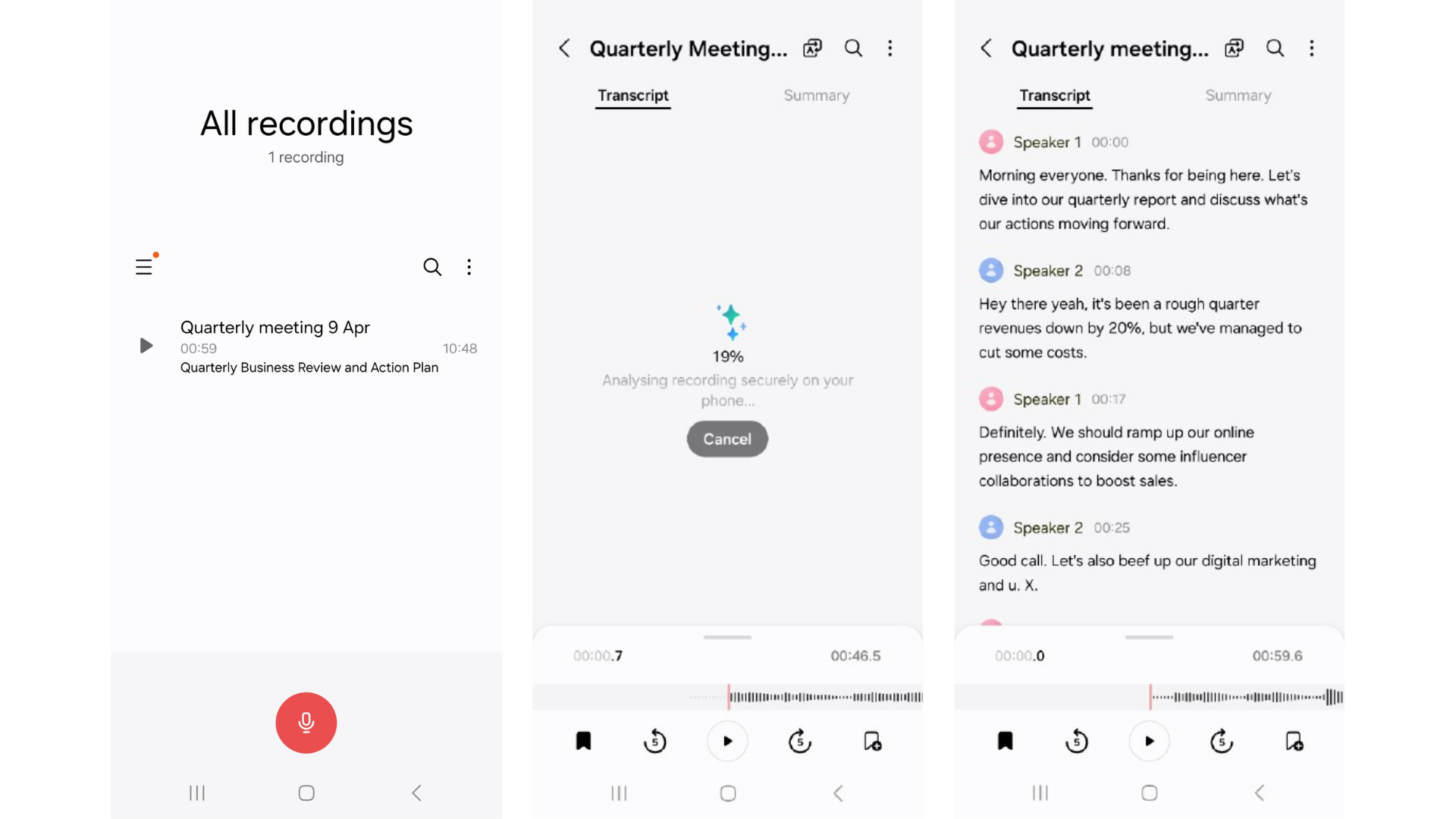
It was also able to accurately identify the two different speakers in our recording, which was pretty impressive!
Pro-tip: After you’ve created your transcript, you can also get AI-powered summaries of your transcripts or translate them into your desired languages.
Samsung Galaxy AI Feature #3: Note Assist
What Samsung says:
“Note Assist generates summaries for long notes, creates note templates with pre-defined formats, and produces note covers for a quick review.”
We tried it:
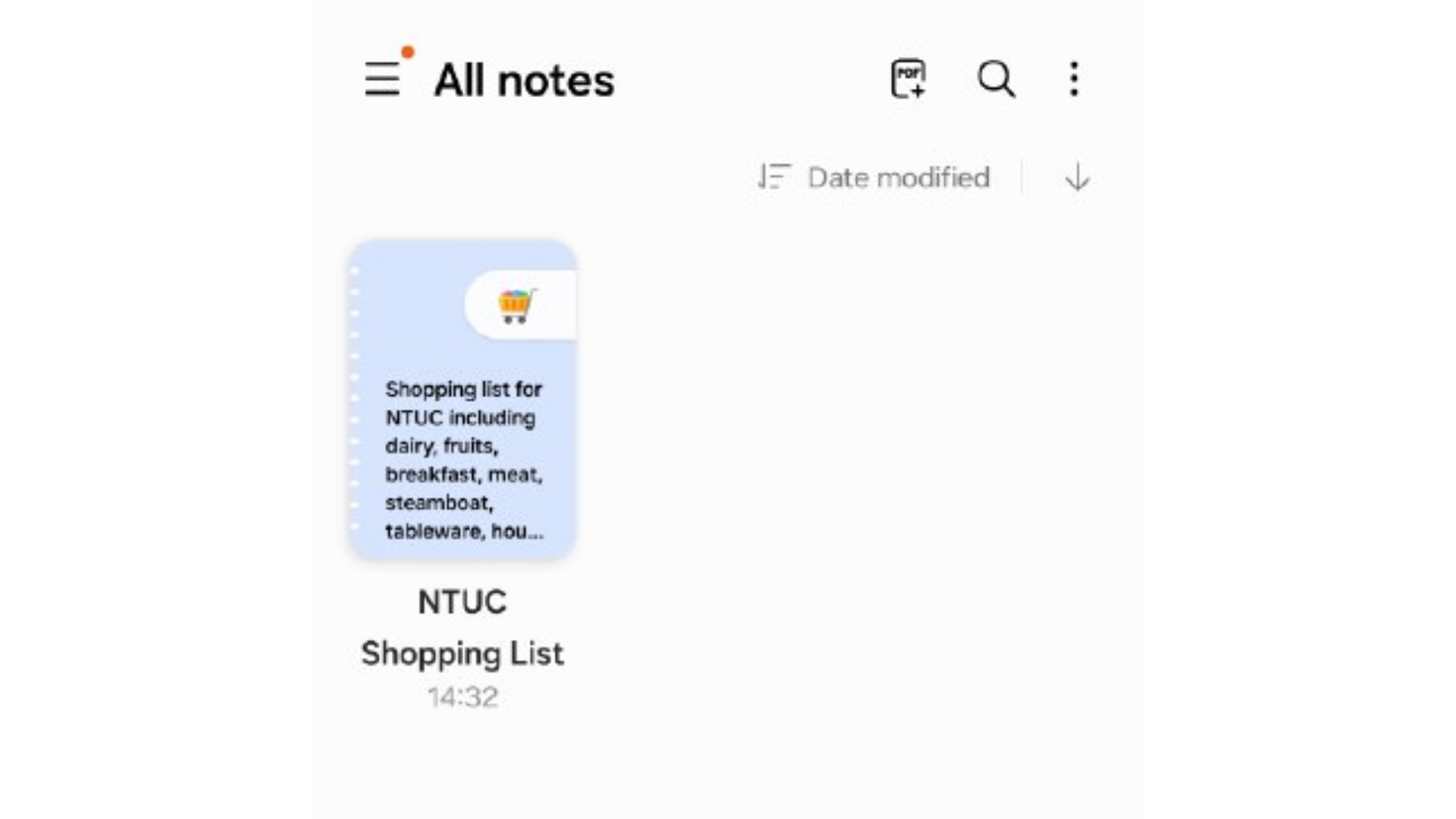
Our notes have never looked better.
We gave it a messy grocery list – and it transformed that into a more structured list, with the groceries split out into different categories.
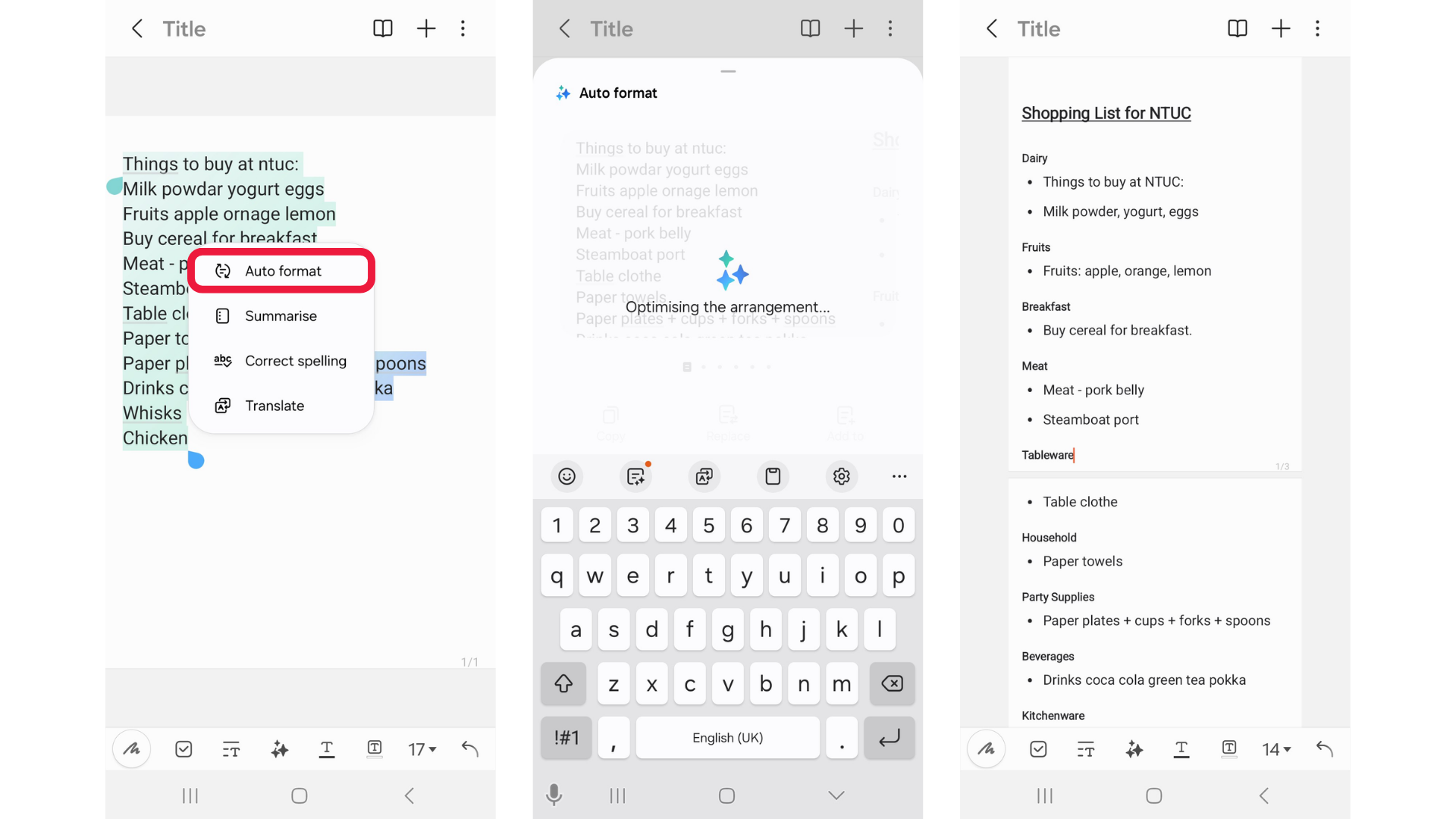
Plus, Note Assist will also create a unique thumbnail for your note. How cute is that?
Samsung Galaxy AI Feature #4: Chat Assist
What Samsung says:
“Chat Assist facilitates message exchanges and Real-time text translations, enhancing cross-language communication with international family, friends, and colleagues. Plus, Galaxy AI can help pick the right tone for your text.”
We tried it:
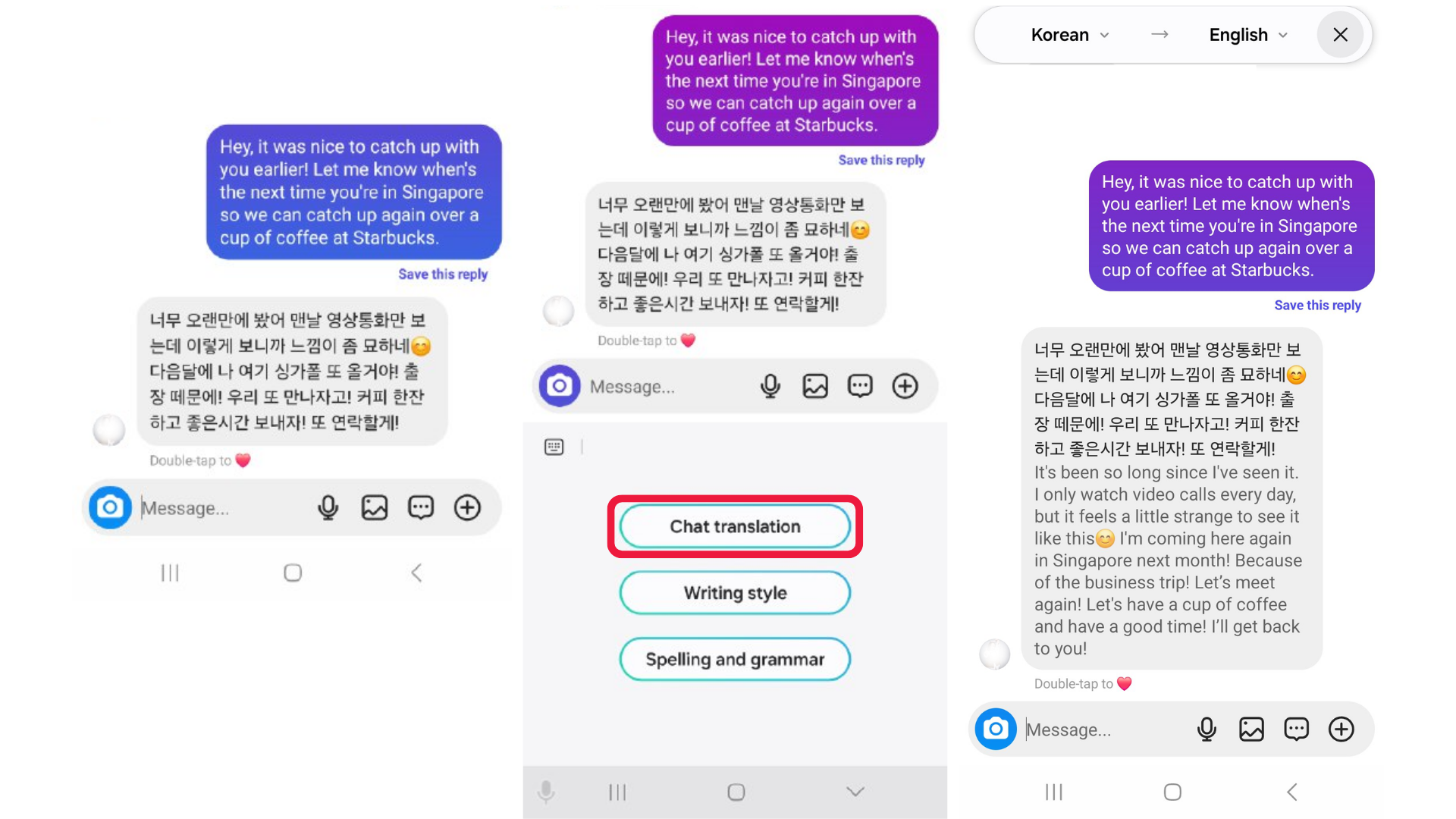
We tried messaging a Korean friend, and the Chat Assist feature seamlessly translated her message to English for us.
Samsung Galaxy AI Feature #5: Photo Assist
What Samsung says:
“If you find yourself uncertain about editing photos or videos in the Gallery app, AI Edit Suggestion guides you with an instant editing recommendation to enhance the image such as removing reflections.”
We tried it:
With this, anyone can turn into a photo-editing pro in seconds.
Here’s the picture we used AI Edit on:
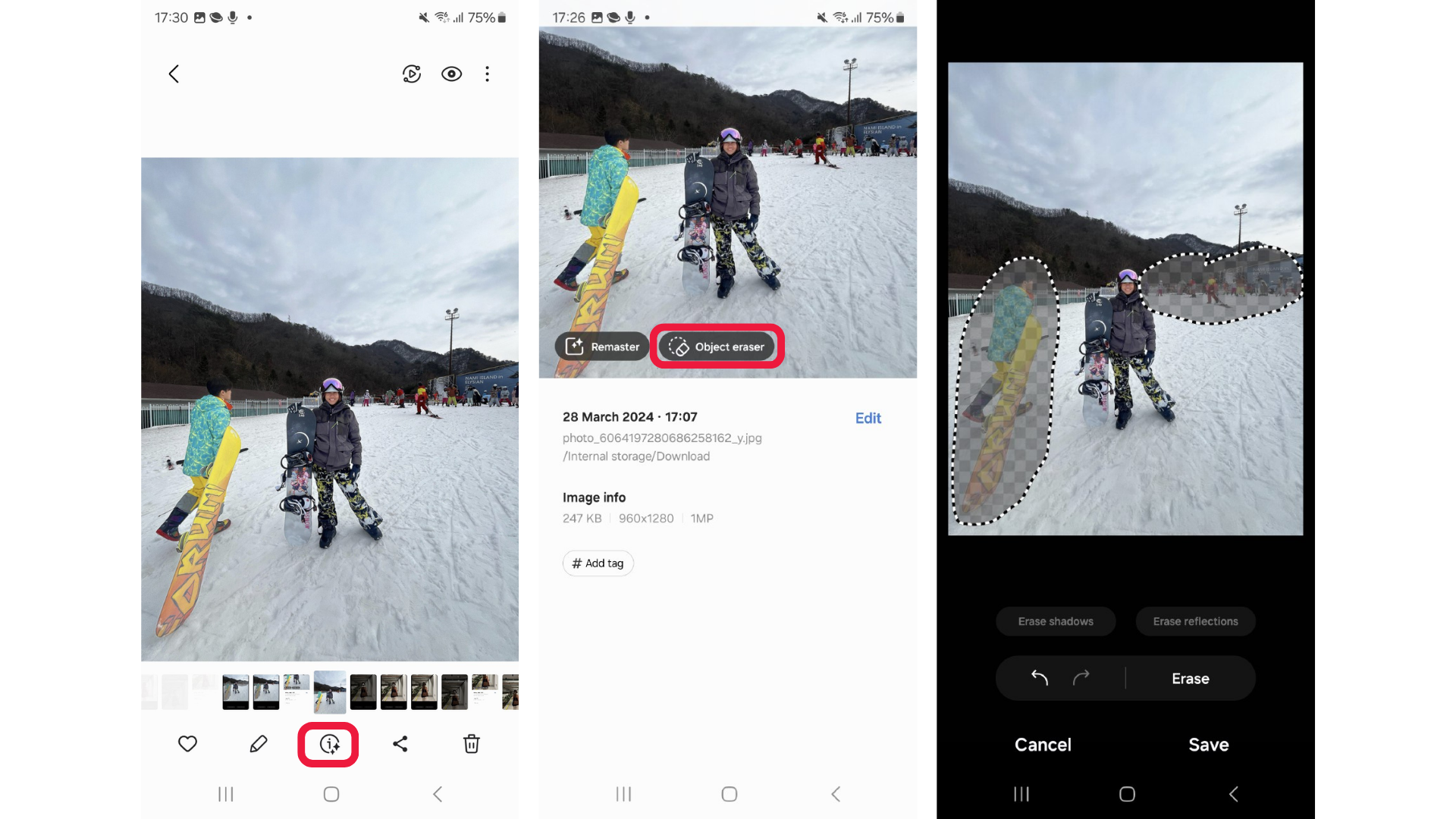
AI Edit suggested that we remove distracting objects in the image, resulting in a cleaner image:

Comparing the original vs the edited image, we’d definitely post the edited image on Instagram!
Samsung Galaxy AI Feature #6: Generative Edit
What Samsung says:
“Generative Photo Editing analyses an image and regenerates a new background as you resize, remove, or move an object to seamlessly fill the gaps and spaces.”
We tried it:
In this picture, we wanted to make the goat look bigger.
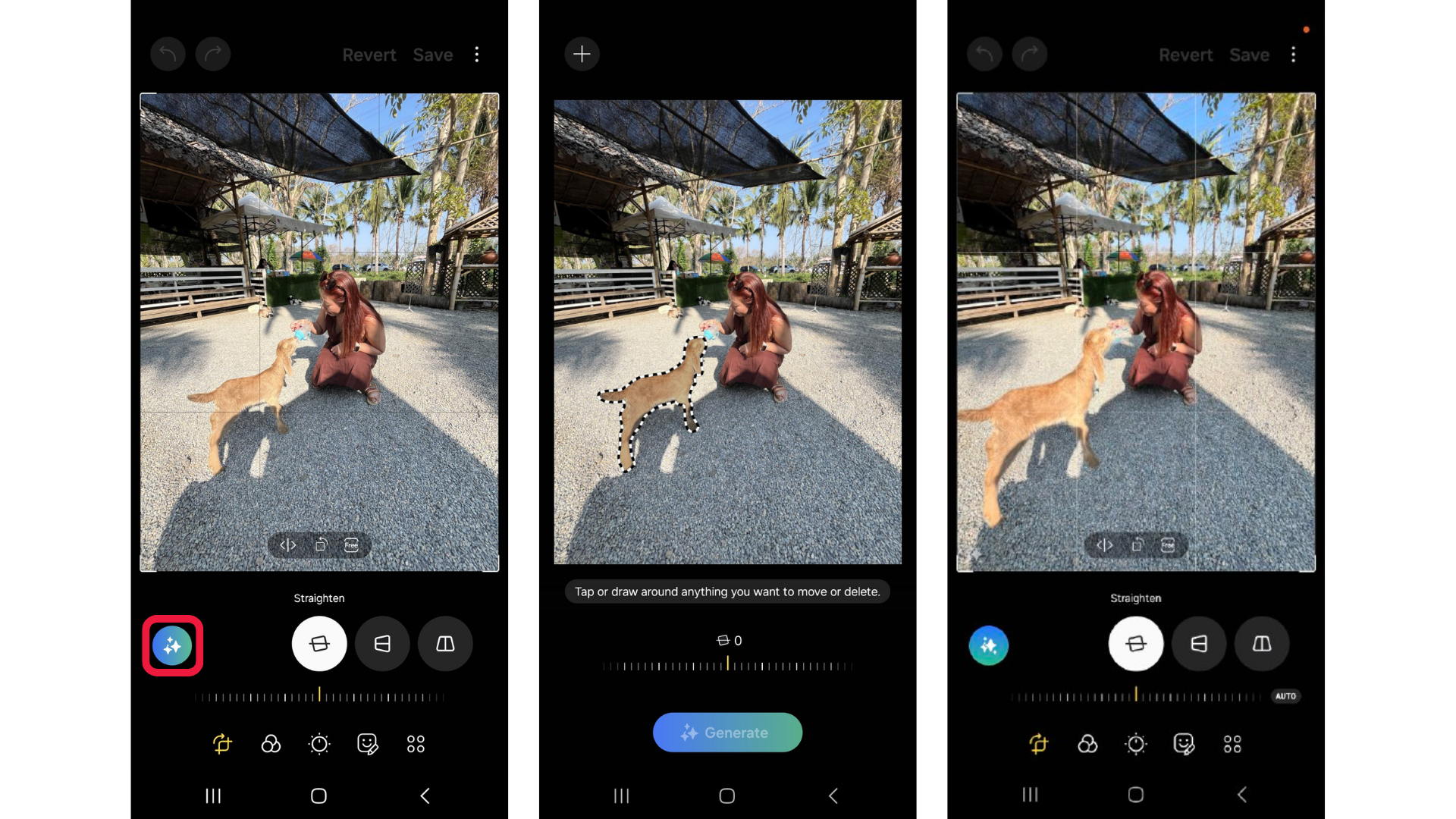
By tapping and drawing around the goat in Generative Edit mode, we were able to move it around, and even make it bigger.
It’s that simple!
A final word on Samsung Galaxy AI
In testing the new Samsung Galaxy AI features on the Samsung Galaxy S24 series, we were truly impressed.
Samsung Galaxy AI does seem like a gamechanger – these features truly make your life easier.
Want to get your hands on the Samsung Galaxy S24 series?
Get them here!
Samsung Galaxy S24:
Samsung Galaxy S24 Plus:
Samsung Galaxy S24 Ultra: