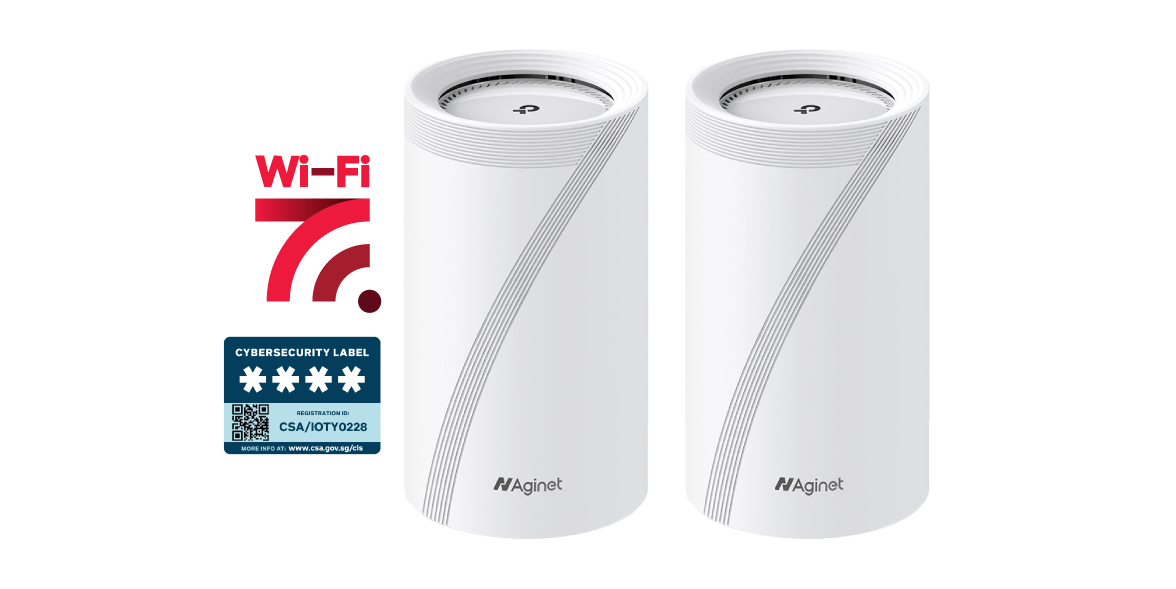
Should I put my Wi-Fi 7 router in the DB box or living room for a 4-room BTO?

Part of the Tech Decoded guide series by Singtel, helping Singaporeans make smarter home tech decisions.
Tech Decoded is an editorial guide series that transforms Singtel from a connectivity provider into a trusted technology guide—helping Singaporeans understand, troubleshoot and make confident technology decisions at every stage of their connected life.
Planning your home Wi-Fi setup before you move in? One of the biggest decisions you'll make is where to place your Wi-Fi router.
For most 4-room BTO flats, the best place for your Wi-Fi 7 router is in the living room, not inside the Distribution Board (DB) box.
While the Distribution Board (DB) box is where your fibre connection and other utility services usually enters your home, it isn't designed to provide the best Wi-Fi coverage. Metal enclosures reinforced concrete walls and sometimes some electrical equipment can weaken wireless signals before they reach the rooms where you use them most.
The good news? A few smart decisions during renovation or installation can improve your Wi-Fi coverage for years to come. It’s a decision you’ll thank yourself for later.
Quick recommendation
Not sure where your Wi-Fi router should go? Start here.
If...
| Recommendation
| |
|---|---|---|
| You are setting up a typical 4-room BTO | Place your Wi-Fi router in the living room | |
| Your fibre connection enters through the DB box | Keep the ONR there, but relocate the Wi-Fi router using Ethernet where possible | |
| Your home already has Ethernet points | Use them to provide more flexibility for router placement | |
| Some rooms still have weak Wi-Fi after relocating the router | Improve Wi-Fi coverage rather than moving the router back into the DB box | |
| You are renovating | Plan your router location and Ethernet points before renovation is complete |
Not sure? Start with good router placement first. If you still experience weak Wi-Fi in parts of your home, our guide on Mesh router vs Wi-Fi extender for thick concrete walls in older HDB flats will help you decide what to do next.
You can also explore Singtel fibre broadband plans with Wi-Fi options for different home sizes and layouts.
Why router placement matters
Most new BTO flats are designed with a fibre termination point inside the DB box near the entrance of the home. It's a practical location for networking equipment, but not necessarily the best place for broadcasting Wi-Fi.
Think of your Wi-Fi signal like light from a lamp.
Place the lamp in the middle of the room and the light spreads evenly. Put the lamp inside a cupboard and the room becomes dark.
Your Wi-Fi router works in much the same way.
Even with the latest Singtel Wi-Fi 7 technology, wireless signals still have to travel through walls, doors and furniture. In Singapore homes, reinforced concrete walls can reduce signal strength further, particularly on the faster 5GHz and 6GHz bands.
That is why router placement can make just as much difference as the router itself.
Imagine this...
Imagine you're watching Netflix in the master bedroom while someone else is gaming in Bedroom 2.
If your router is inside the DB box near the entrance, both devices have to receive Wi-Fi through multiple concrete walls.
Move that same router to the living room, and both rooms are closer to the Wi-Fi source, often improving signal strength without changing your broadband plan.
From the Singtel team 💡
If you're renovating a new BTO, think about your home network before your renovation is complete.
Planning where your Wi-Fi router will go and making sure there's an Ethernet point nearby can give you stronger Wi-Fi today while making future upgrades, like mesh Wi-Fi, much easier.
What’s the best Wi-Fi setup for a 4-room BTO?
Option 1: Living room (Recommended for most homes)
For most 4-room BTO layouts, placing the Wi-Fi router in the living room delivers the best overall coverage.
Why?
More central placement
Better coverage across bedrooms
Fewer walls blocking the signal
Better performance for streaming, gaming and video calls
Avoid placing the router behind a television, inside a cabinet or directly on the floor where possible.
Option 2: Inside the DB box
Keeping the router inside the DB box can create a cleaner-looking setup, but it also comes with trade-offs.
Wi-Fi signals may be weakened when the router is:
Behind a metal door
Inside an enclosed cabinet
Surrounded by electrical equipment
Located near the entrance and far from the bedrooms
You may notice:
Slower speeds in bedrooms
Weaker signal in bathrooms
More dead spots
Devices switching to mobile data in certain areas
This setup may still work if you're using wired access points or a mesh Wi-Fi system connected via Ethernet backhaul.
When does the DB box make sense?
There are situations where keeping networking equipment inside the DB box is the right choice.
For example:
Your Optical Network Router (ONR) remains inside the DB box.
Your Wi-Fi router is connected by Ethernet and relocated to the living room.
You're installing wired mesh nodes throughout the home.
You're using ceiling-mounted wireless access points.
In these setups, the DB box acts as a networking hub, not the place where Wi-Fi is broadcast.
What if some rooms still have weak Wi-Fi?
Moving your router to the living room solves the problem for many homes. But every home layout is different.
If you're still getting weak Wi-Fi in the bedrooms or study after relocating your router, it's a sign that router placement alone may not be enough.
Rather than moving the router back into the DB box, the next step is usually to improve Wi-Fi coverage across your home.
There are different ways to do this, depending on your home's layout, construction and where you use the internet most.
Continue reading: Mesh Wi-Fi vs Wi-Fi extender for older HDB flats.
Looking for an easier setup?
If you'd like a simpler way to enjoy strong Wi-Fi throughout your home, Singtel Broadband plans are available with whole-home Wi-Fi options designed for different home sizes and layouts.
Whether you're setting up a new BTO or improving coverage in an older HDB, we'll help you choose the right setup from the start.
Explore Singtel Wi-Fi 7 or view Singtel fibre broadband plans.
Before you decide where to place your router
Run through these quick checks first :
Check | Why it matters | What to look for |
|---|---|---|
| Router location | Central placement improves coverage | Avoid placing the router inside enclosed cabinets where possible |
| DB box | Metal can weaken Wi-Fi signals | Keep Wi-Fi broadcasting equipment outside the DB box if practical |
| Ethernet points | Gives you more placement options | Check whether your living room has an Ethernet point |
| Home layout | Walls affect signal strength | Think about where you work, stream and game most often |
| Future expansion | Makes upgrades easier | Leave room to add mesh Wi-Fi if your needs change |
Frequently asked questions
Where should I place my Wi-Fi router in a 4-room BTO?
For most 4-room BTO flats, place the Wi-Fi router in an open and central area in the living room. This usually provides better coverage than placing it inside the DB box near the entrance.
Can I leave my ONR inside the DB box?
Yes. In many Singapore homes, the ONR remains inside the DB box while the Wi-Fi router is connected by Ethernet and placed in the living room for better wireless coverage.
Will Wi-Fi 7 solve poor router placement?
Not completely. Wi-Fi 7 provides faster speeds, lower latency and greater capacity, but walls, enclosed cabinets and long distances may still weaken the signal. Good router placement remains important.
You can learn more about Singtel Wi-Fi 7 and how it supports faster and more reliable home Wi-Fi.
Can I move my fibre point?
Relocating the fibre termination point is possible but usually requires professional installation. It's often simpler to relocate the router using existing Ethernet cabling where available.
Is the living room always the best place?
Not always. The best location depends on your home's layout and where you use Wi-Fi most. In most 4-room BTOs, however, a central, open location provides better overall coverage than a router kept inside the DB box.
Does putting my router in the living room mean more cables?
Sometimes.Many newer BTO flats already include Ethernet points in the living room, allowing you to relocate the Wi-Fi router without visible cabling.
If not, speak to your installer about the available options before your renovation is complete.
I'm renovating my BTO. What should I plan for?
If possible, plan your Ethernet points before renovation work is completed.
Running Ethernet from the DB box to the living room gives you more flexibility for router placement today and makes future upgrades much easier.
The bottom line
For most 4-room BTO flats, placing your Wi-Fi 7 router in the living room—not inside the DB box—will provide stronger, more consistent Wi-Fi throughout your home.
Every home is different, but understanding how walls, distance and router placement affect wireless signals can help you get more from your broadband without changing your plan.
And if you're still unsure, you don't have to figure it out alone.
Whether you're setting up a new home, relocating your router or planning a whole-home Wi-Fi solution, Singtel's broadband specialists can help you choose a setup that fits your home's layout and how your family uses the internet.
Explore more Tech Decoded guides, or get in touch with us if you need a hand.
---------------------------------------------------
Not sure what's right for your home?
Home networking doesn't have to be complicated.
If you need help choosing the right setup, troubleshooting a connection or getting the most from your broadband, Singtel's team is here to help, with online guides, technical support and friendly advice when you need it.
Explore our broadband support resources
Explore Singtel broadband solutions
Talk to us →
Chat with us: help.singtel.com/chat
Call us at 1688 (8:30am-6:00pm daily)