Change Singtel service maintenance appointment
Important to note: Any appointment change has to be made at least 2 hours in advance. For cancellations, do so at least 1 day in advance.
Follow these steps:
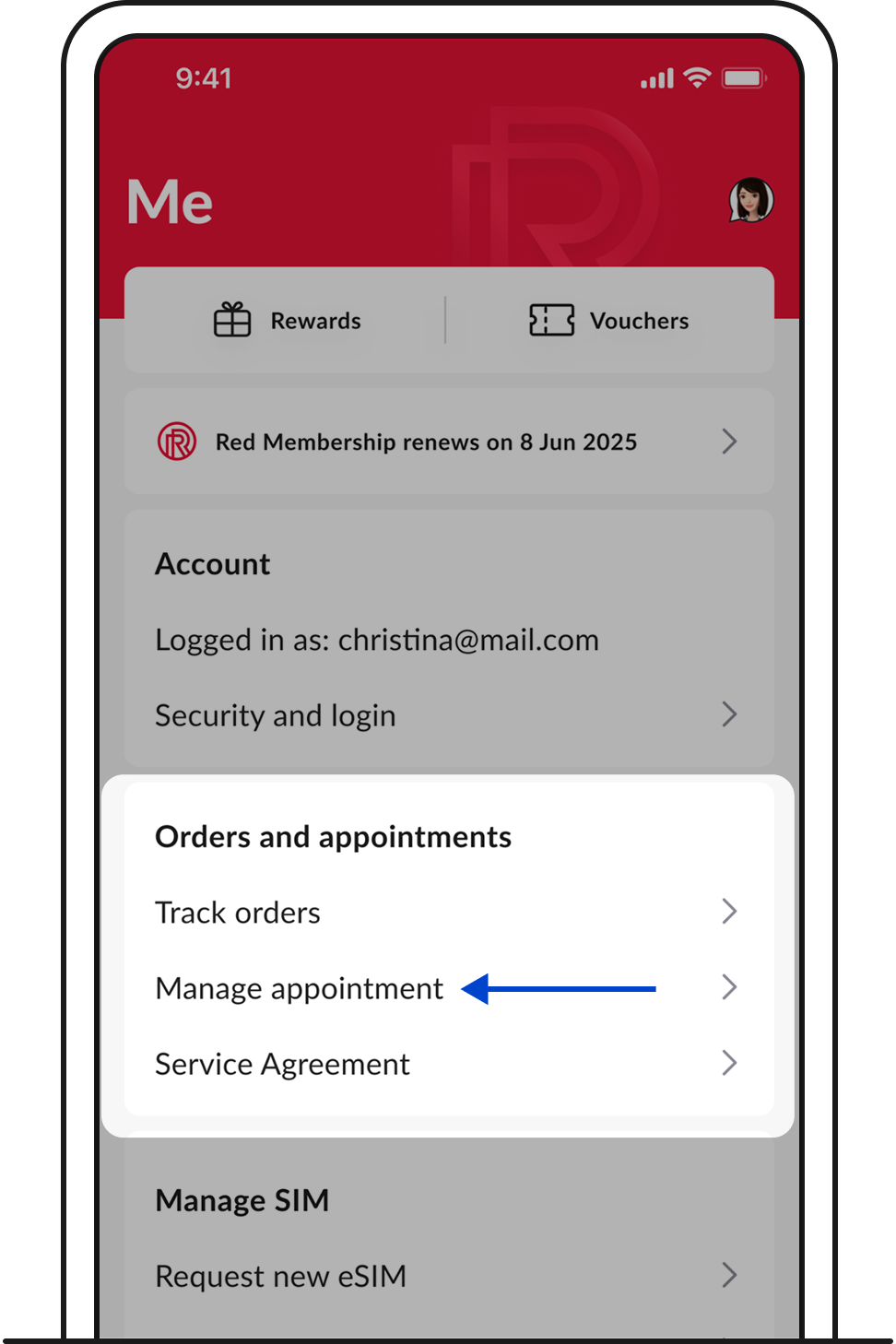
1. Log in to My Singtel app. Go to Me > Orders and appointments > Manage appointment.
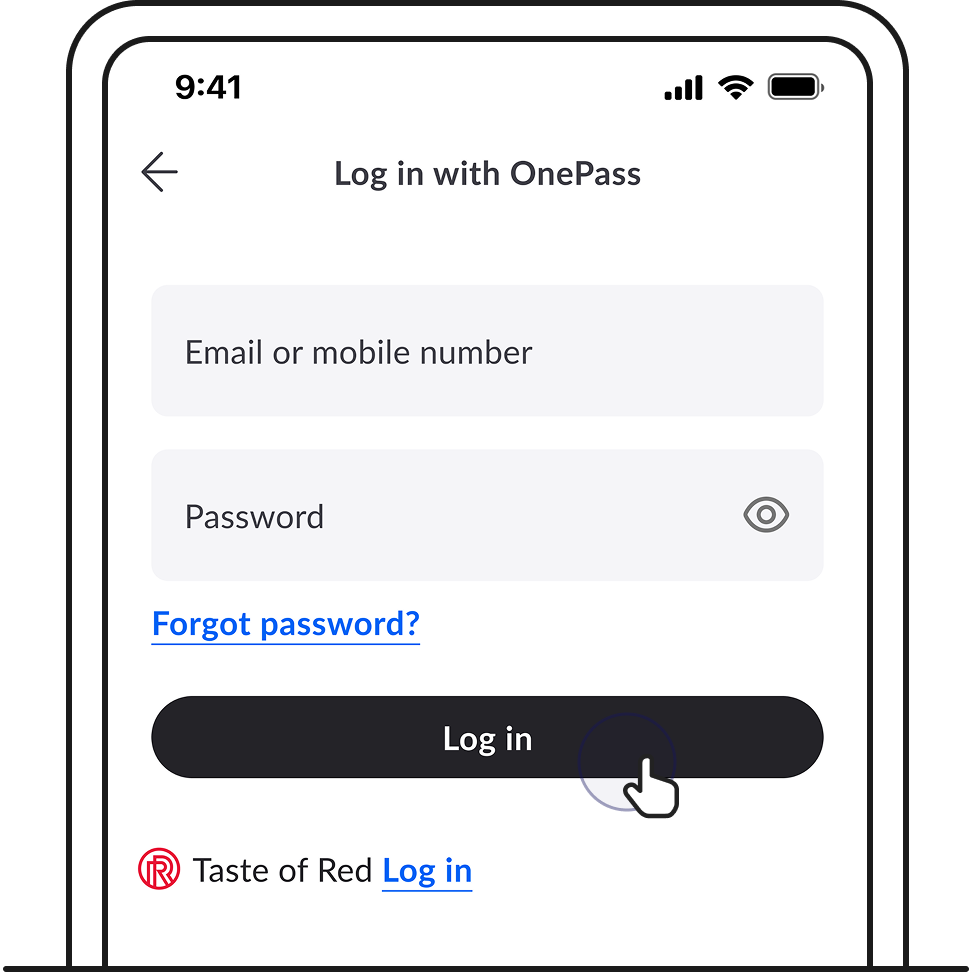
2. You’ll be brought to a login page. Log in with your Singtel OnePass.
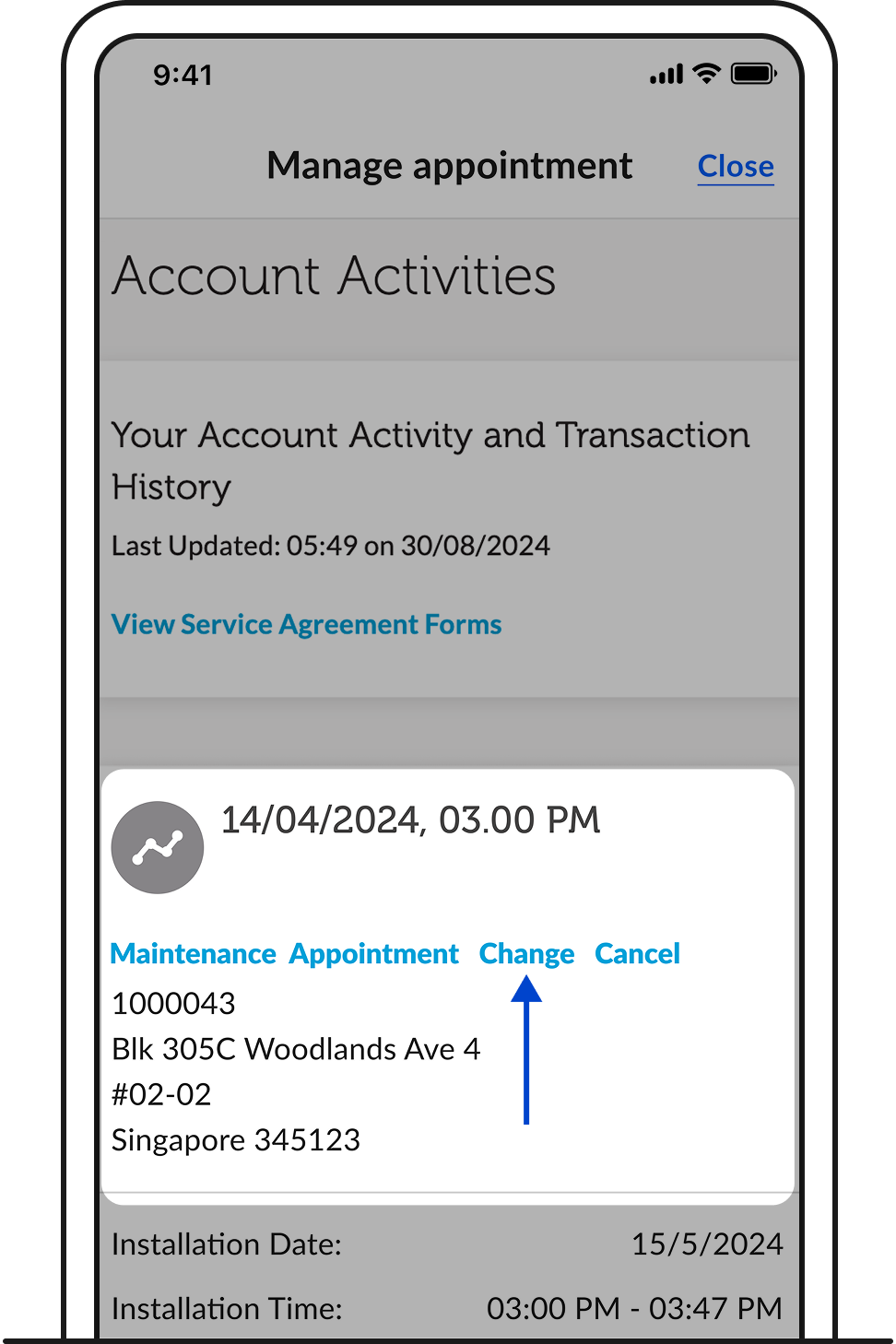
3. Tap Change.
Related articles
Didn’t find what you are looking for?
Let us know what you need and we’ll connect you to the right team.
Call us
Available from 8:30AM–6:00PM
(Technical help: 24 hours daily)