Galaxy Z Flip5 Review: We tried the new Samsung Galaxy Z Flip5.
Interested to learn more about Samsung’s latest launch, the Galaxy Z Flip5?
You're in the right place. In this Galaxy Z Flip5 review, we tell you all about Samsung’s latest flip phone, and how it compares to other phones.
In this Z Flip5 review, we’ll cover:
PS: Want to get your hands on the Z Flip5 series? Shop them here:
Galaxy Z Flip5 Specs
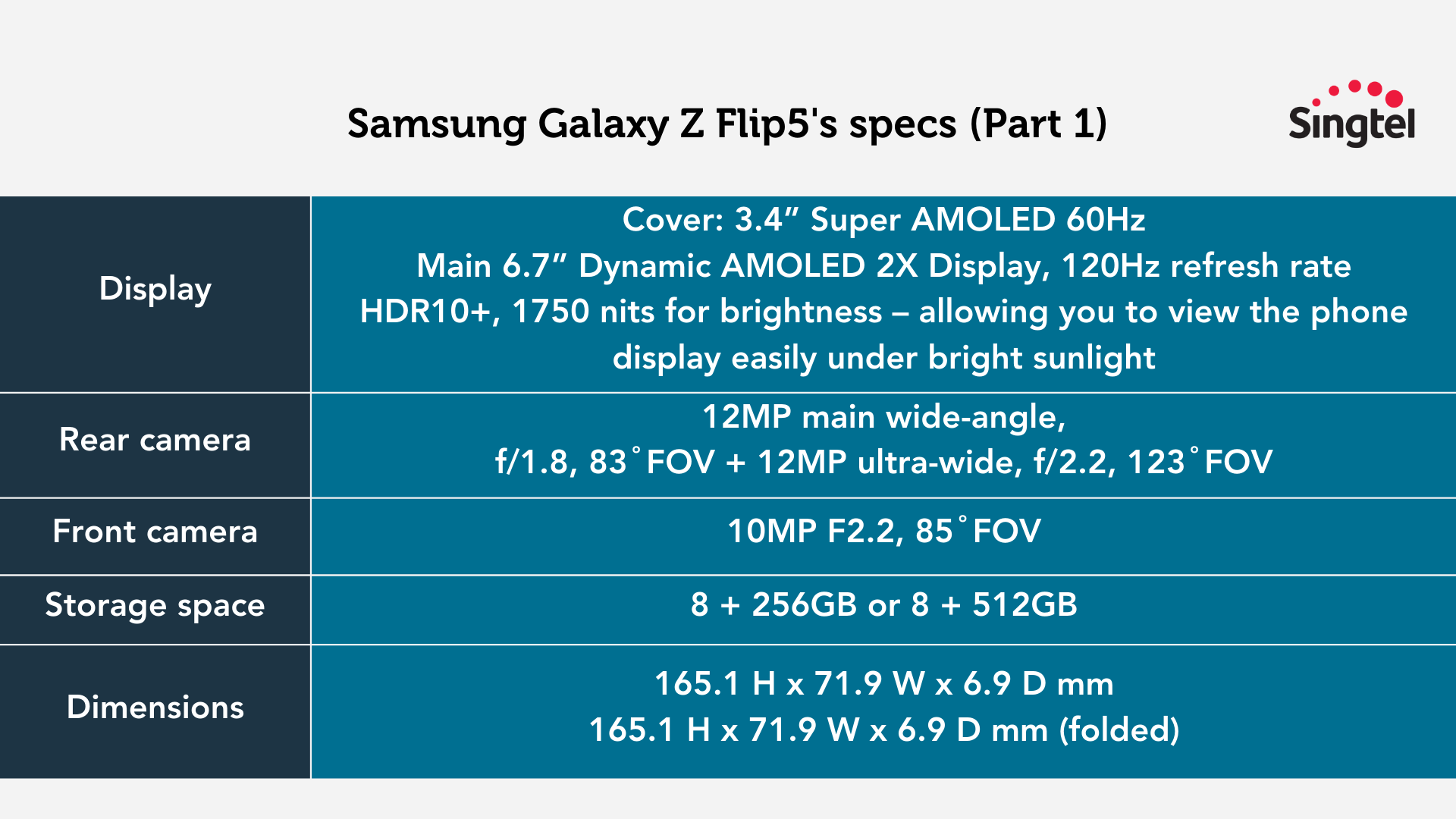
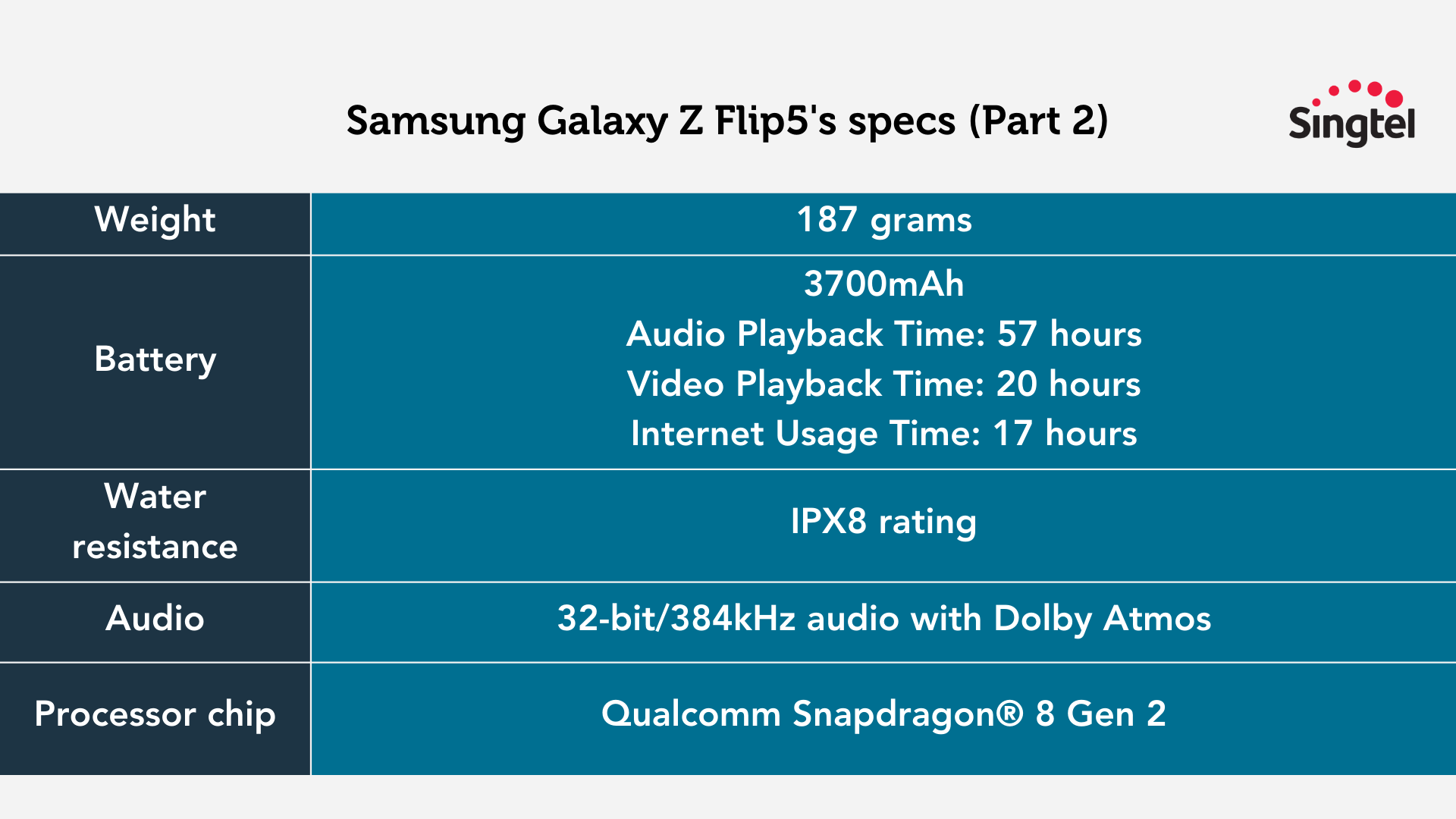
To kickstart our Z Flip5 review, here are the Flip5's specs:
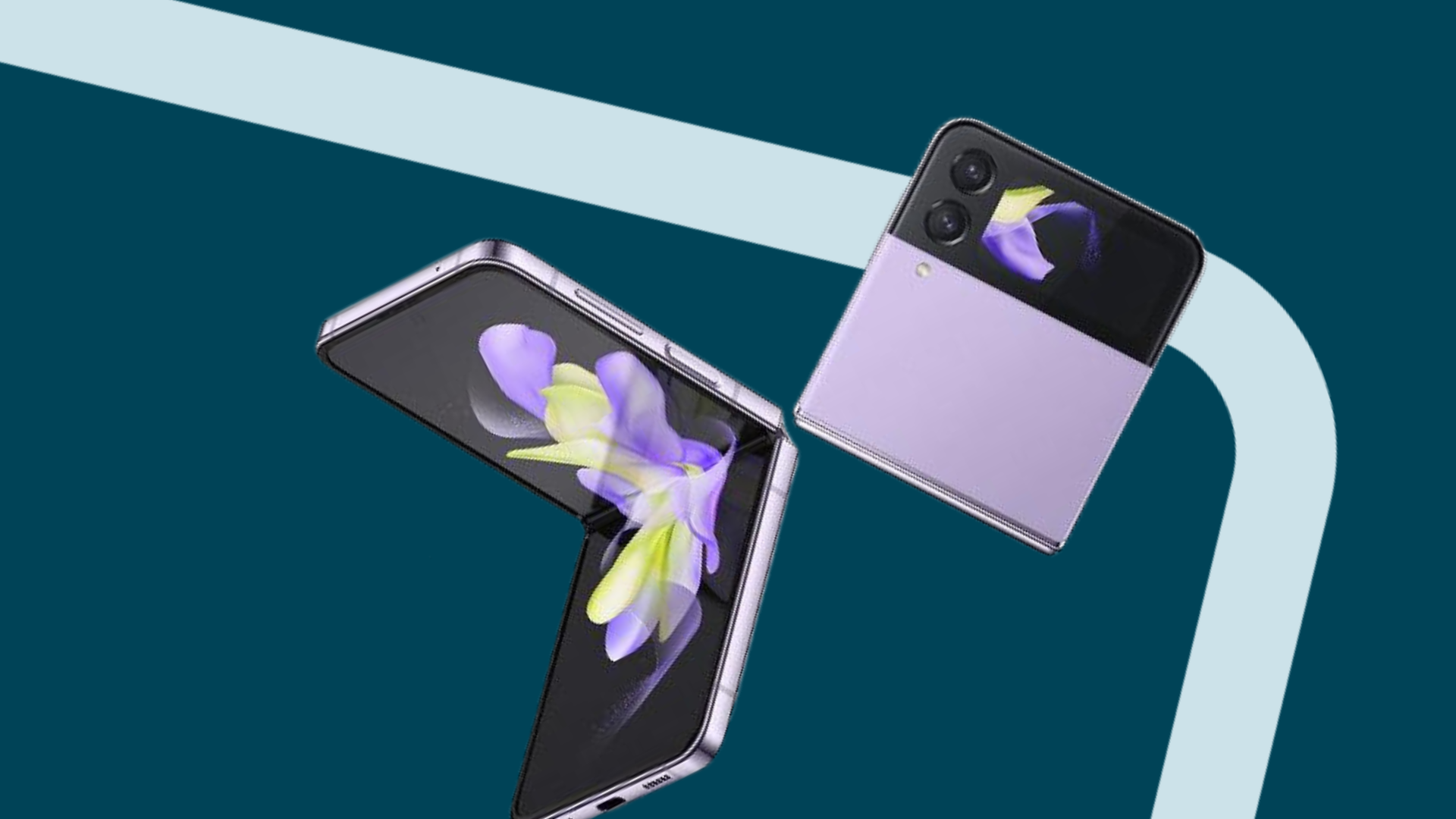
The Galaxy Z Flip5 (and the evolution of flip phones)
If you haven’t heard, flip phones are making a comeback.
Major brands like Samsung, Motorola, and OPPO are leading the charge in bringing flip phones back into the mainstream market.
Obviously, Samsung is the most popular out of these three brands. If you’re a flip phone user or have considered using a flip phone before, you were probably looking at one of Samsung’s phones.
The latest addition to Samsung’s Galaxy Z series is the Galaxy Z Flip5, which marks a revolutionary step for Samsung (for reasons that we’ll expand on later in our Flip5 review).
You’ll soon see that this phone is nothing like Samsung’s flip phones from the 2000’s.
In any case – if you’re new to the world of flip phones, technology has progressed to the point where they’re not just a novelty.
They’re now sophisticated devices that are equipped with advanced features and capabilities - and they can hold their own against flagship phones.
And if you've been using flip phones for a while, you'll likely notice the remarkable improvements that have taken place.
Galaxy Z Flip5's slimmer, more pocketable Flex Hinge
The Galaxy Z Flip5 is the first phone in the Z series to fully close, which translates into greater durability and stability.
In earlier models like the Galaxy Z Flip4, there was a noticeable gap between the folded screens, which often caused dust accumulation.
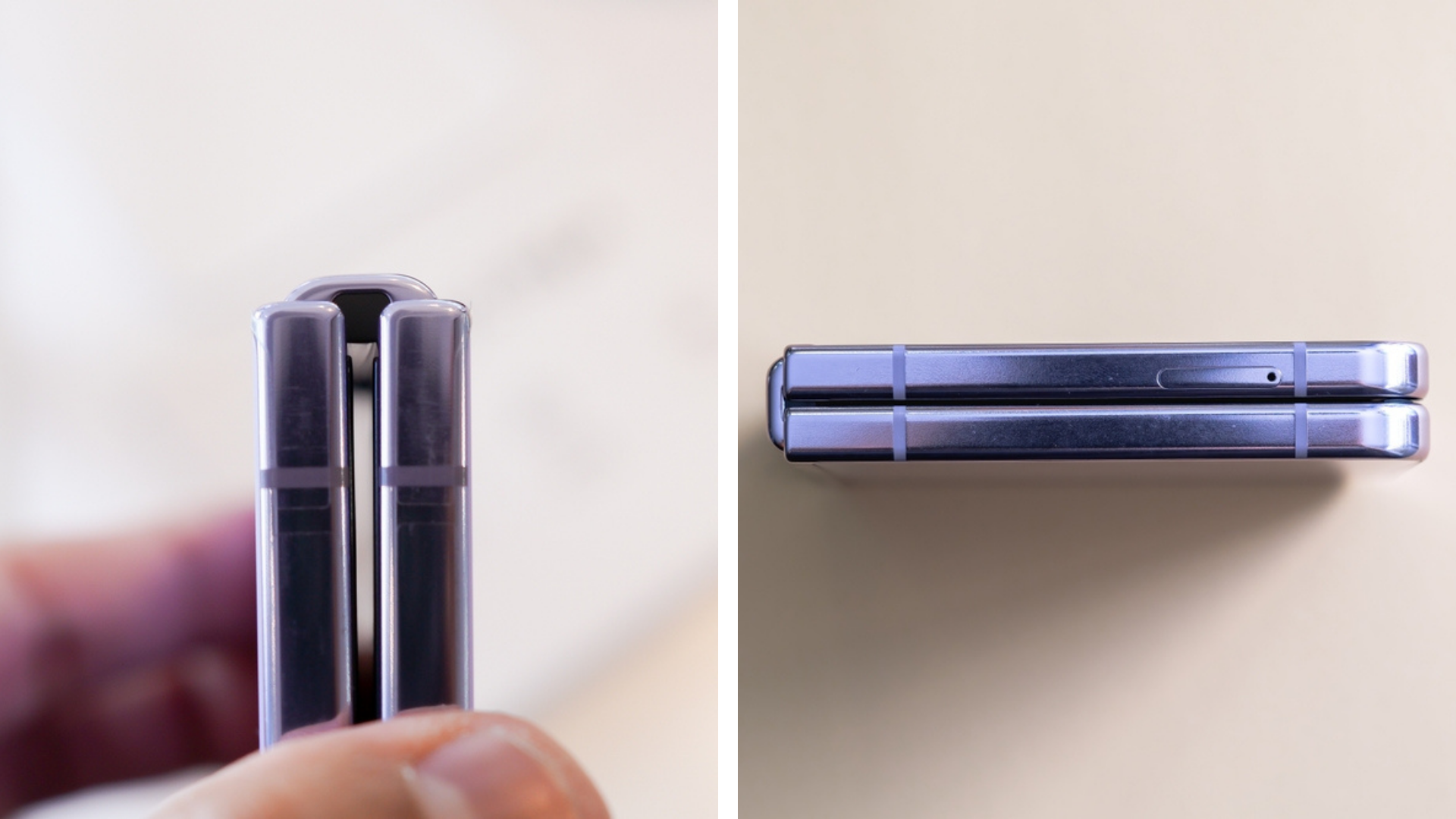
ome users even reported their flip phones splitting in half at the hinge!
Samsung has addressed these concerns with the Galaxy Z Flip5, by expanding the internal mechanism to perfect the hinge design.
This makes the phone more durable and allows it to fully close.
With this change, you get no more gap, and the screen is less exposed to dust, scratches, and moisture.
Galaxy Z Flip5’s new Flex Window
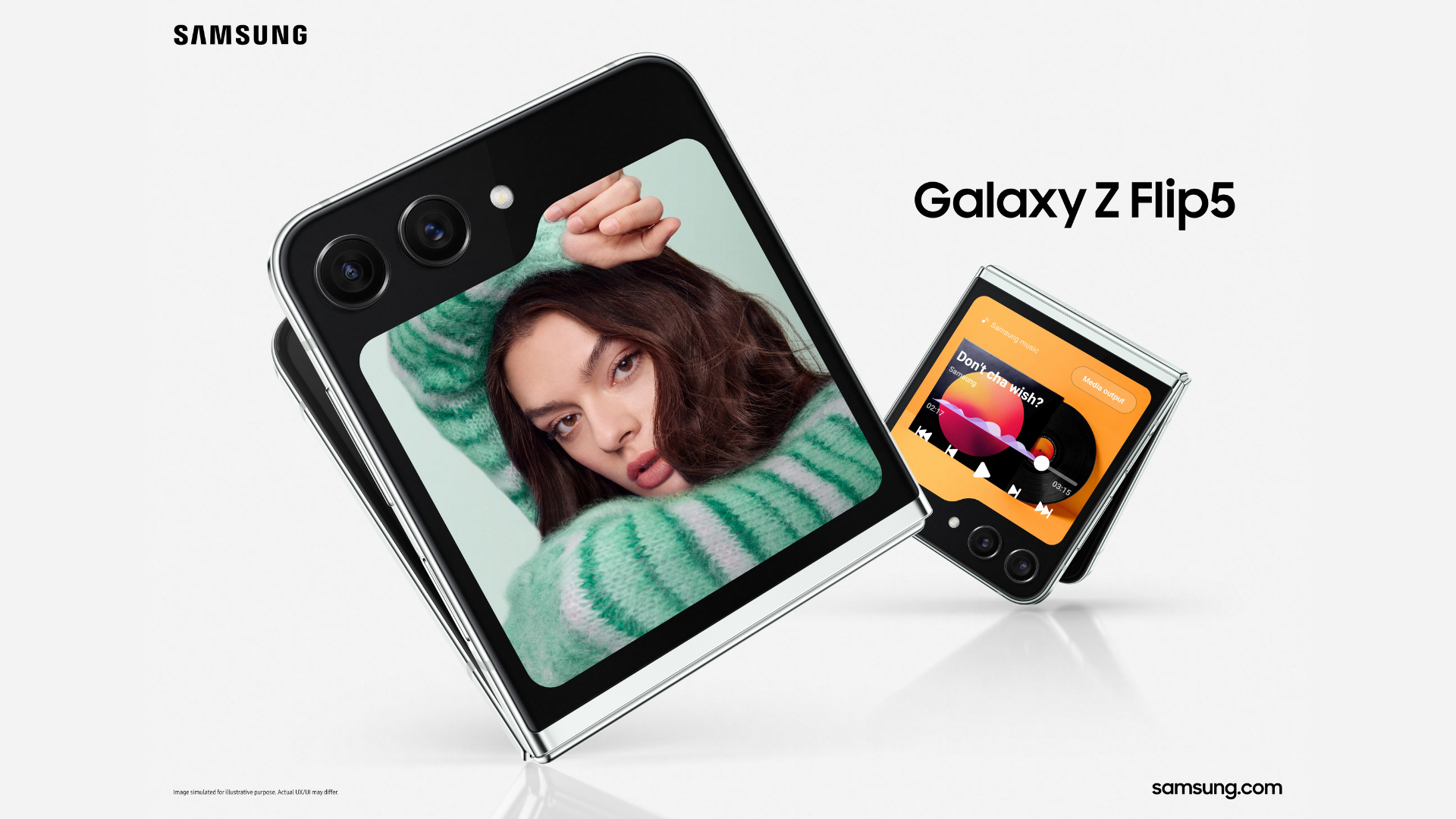
Unlike the older versions of Samsung’s flip phones, the Galaxy Z Flip5 has a much bigger cover screen, called the Flex Window.
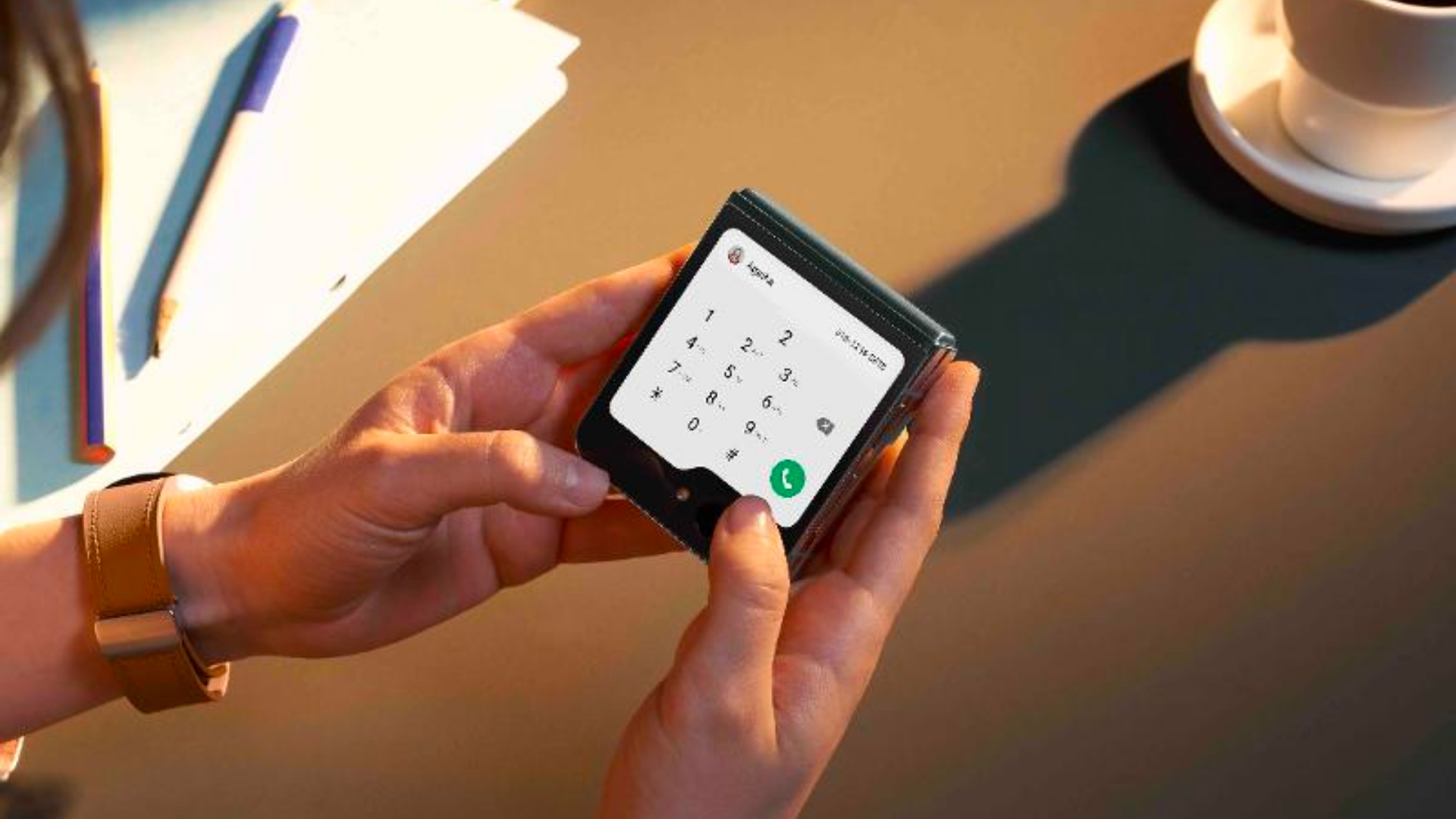
The Flex Window display measures 3.4 inches diagonally and offers a resolution of 720 x 748 pixels.
It’s >3.5x the size of the Z Flip4’s cover screen, which translates into a lot of added productivity.
At first glance, Samsung's Flex Window looks similar to the cover screen of the Motorola Razr+, which also offers similar functionality.
But Samsung takes it up a notch.
With the old cover screen on the Flip4, you were only able to check your notifications – and even that wasn’t a great user experience.
But with the new Flex Window on the Flip5, you can reply to messages, take photos, and use other widgets from the Flex Window – all without opening your phone.
This is a great feature for those who are all about speed and efficiency.
In the week that we were reviewing the Z Flip5, we found that we were much more focused on our tasks than we would otherwise have been.
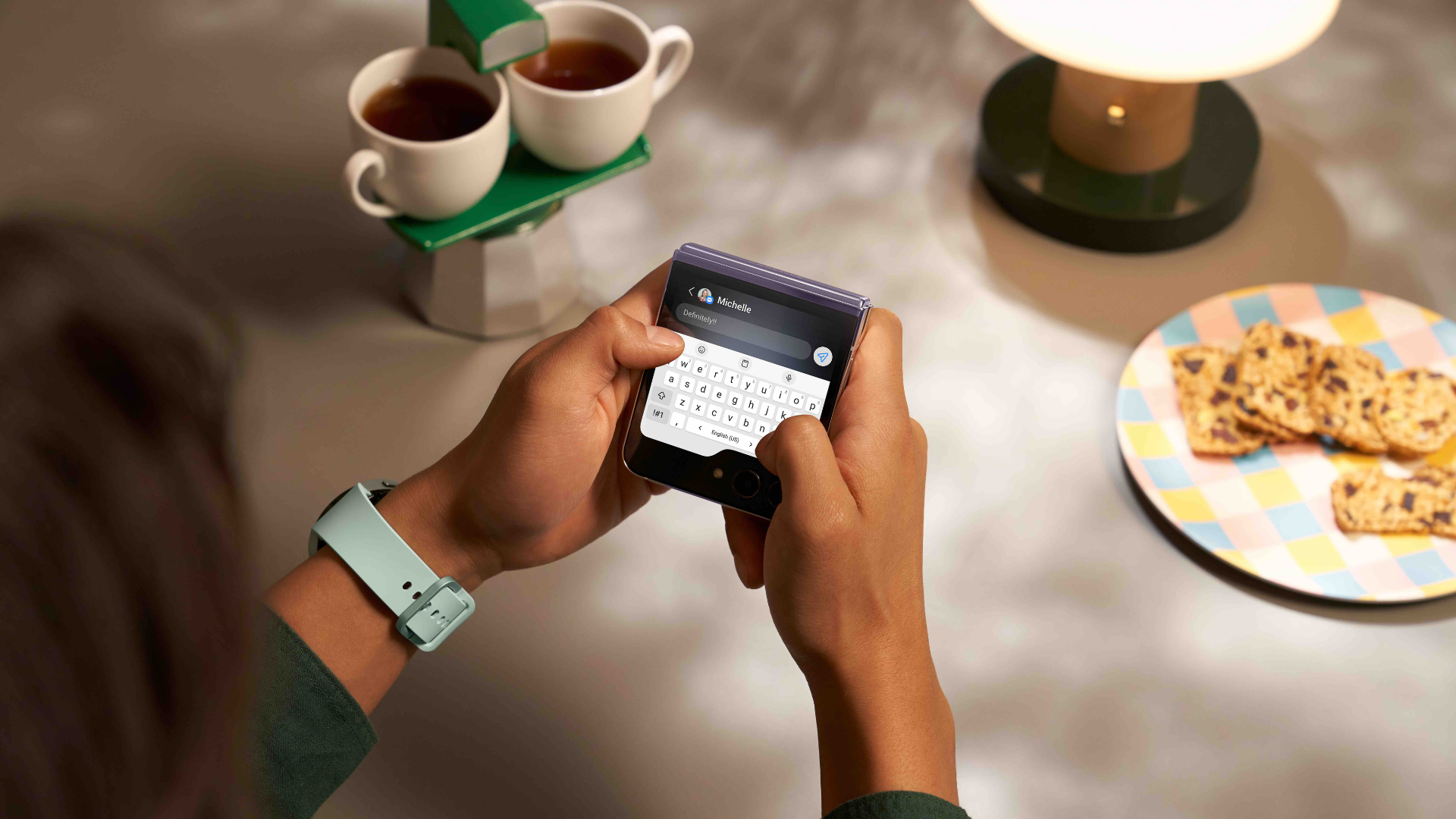
If we had to check our calendar or reply to a message, we could do that directly on the Flex Window.
We didn’t need to unlock our phone and go into the phone (which would then tempt us to check our social media notifications, open TikTok... you know how it goes.)
The only thing to keep in mind is that there’s a limited list of widgets that you can add to your Flex Window. This includes Maps, Messages, and YouTube.
If you want to unlock more widgets on top of what’s available, you’ll have to download an app like CoverScreen OS.
Widgets aside, you can also take photos from the Flex Window.
Just tap on the screen to snap a picture, or a video.
If you want to take shots from further away (not selfies), you can put the phone into Flex Mode (that’s what it’s called when the two halves of the phone are angled at a right angle, so that the phone is propping itself up).
Then move to wherever you want to and hold up your palm – this triggers the phone to start a self-timer, and take a picture:
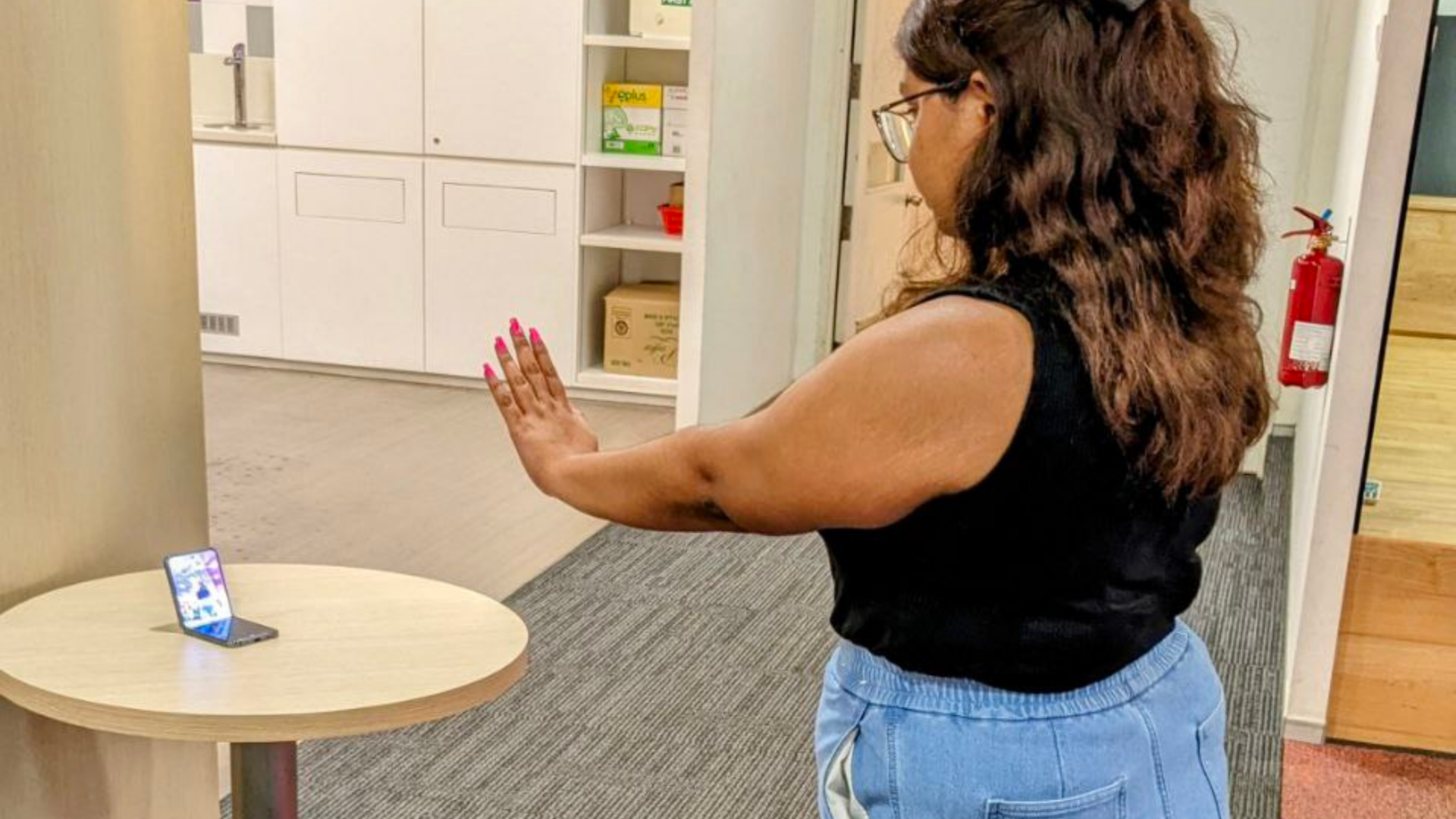
Other than holding your palm up, you can also trigger the self-timer by using voice commands like 'Smile' or 'Cheese'.
This is really useful – it basically eliminates the need for a tripod stand and a self-timer.
You can easily take pictures with big groups of friends, take OOTD pictures, or even film videos for TikTok.
Galaxy Z Flip5: Display
This Samsung clamshell phone features a resolution of 1080 x 2640 pixels, with a pixel density of around 425 PPI.
Generally speaking, the higher the pixel density, the better. The Flip5 has a similar PPI density with the Samsung Galaxy S22, and it falls just short of the S23.
For context, this is to be expected – we would have been VERY surprised if the Galaxy Z Flip5 were to surpass the Galaxy S23 in its display, camera capabilities, or processing power, simply because flip phones have limited space for integrating components.
All in all, we find that the Flip5’s display performs well – it renders bright and vibrant images, allowing colours to stand out in whatever content you’re viewing.
Galaxy Z Flip5: Customisations & split screen
It’s easy enough to customise your Z Flip5 based on your preferences.
You can tweak the colour palette of the phone display, which will update the colours of icons and notifications on your phone.
You can also change the theme of the display, which will alter your wallpaper, lock screen and icons.
That aside, the new Samsung flip phone also comes with a split screen feature for multitasking purposes.
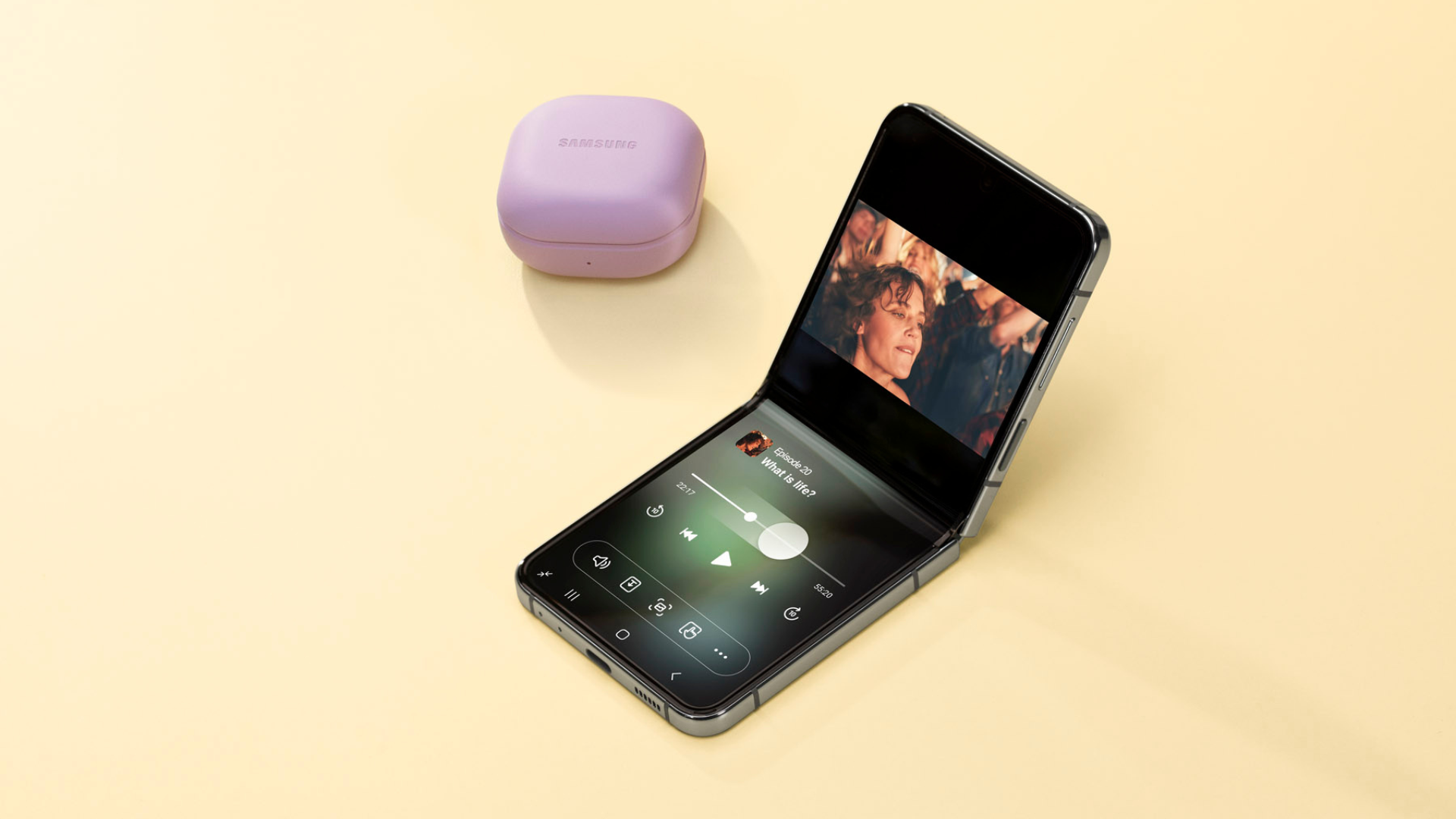
This isn't anything new (it's available on most Samsung phones), but you can make the most of it when you’re using the Galaxy Z Flip5 in Flex Mode.
Personally, we found this feature useful in many ways.
When we were working on-the-go, we could easily take work calls from our phone. We had the video call displayed on the top half of the screen, with the Notes app on the bottom half so that we could jot down notes.
While we were editing photos, we were able to display the editing app on the top half of the screen, while referencing another photo (for inspiration) on the bottom half of the screen.
We also appreciate how easy it is to use the split screen feature.
You don’t need to drag the apps or resize them manually. Just go into split screen mode by tapping the app icon on the first app, then clicking on 'Open in split screen view'.
The app will attach to the top half of your screen, and you can then choose which app you want to appear on the bottom half.
Galaxy Z Flip5: Battery life
The Galaxy Z Flip5 has a Li-Po 3700 mAh battery, and when it comes to charging time, the phone performs amazingly.
It’s said to be able to fully charge within an hour, with that charge being able to last up to 20 hours.
We tested it out for ourselves, and this was indeed true.
We also ran a test to see how long it would take for the battery to drain while we were streaming videos.
The results were impressive – the battery only drained by 1% after streaming a video for 16 minutes.
(We also performed this same test with the Galaxy Z Flip4, and it only took 2 minutes of streaming a video for the battery to drain by the same 1%).
Galaxy Z Flip5: Camera
The Samsung Galaxy Z Flip5 has a 12-megapixel main camera, 12-megapixel wide and ultrawide cameras, and a 10-megapixel selfie camera.
These camera specs are the same as what you’d find on the Galaxy Z Flip4 - no changes there.
However, the Galaxy Z Flip5 comes with a new Qualcomm Snapdragon 8 Gen 2 for Galaxy chip (as compared to the Galaxy Z Flip4’s Qualcomm Snapdragon 8 + Gen 1 chip), and this helps to improve image quality.
When we were testing out the cameras on both the Galaxy Z Flip4 and Z Flip5, we found that the Galaxy Z Flip5 captures more vibrant and clearer images.
Daylight photography
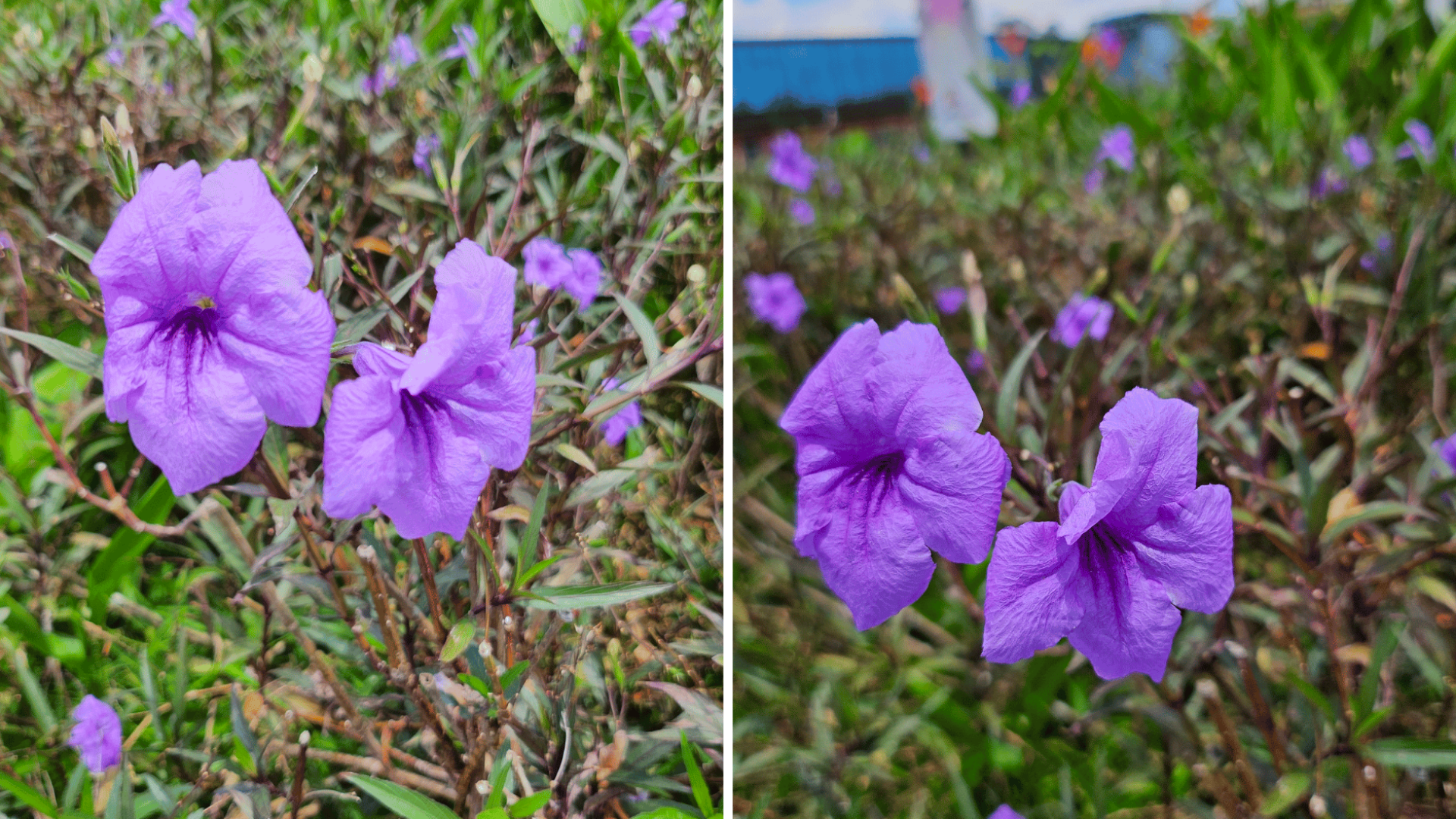
When it comes to daylight photography, the Galaxy Z Flip4 produces brighter photos, whereas the Galaxy Z Flip5 emphasises the focal point of the image to produce a more dramatic image.
Low light photography
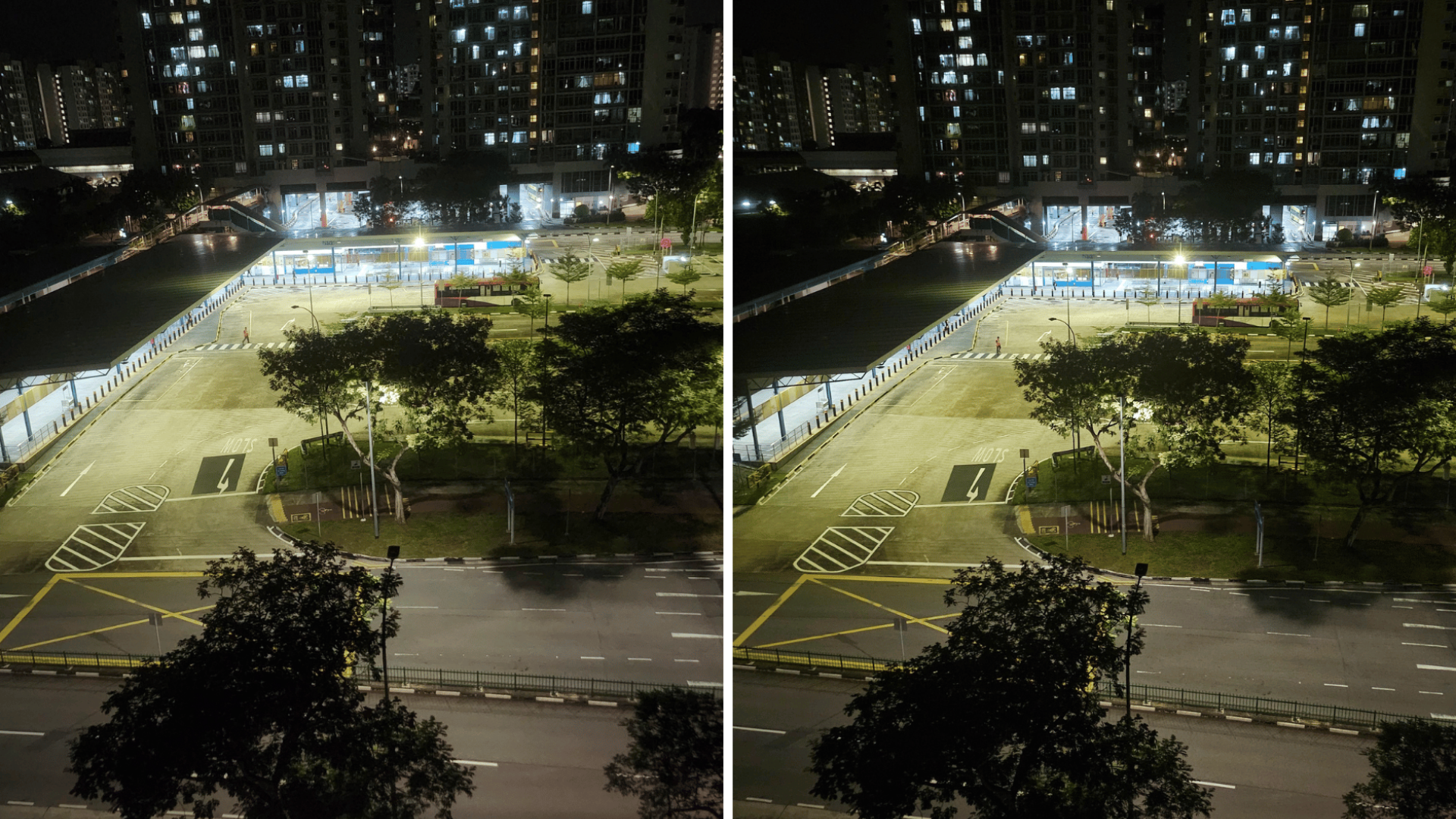
Both the Galaxy Z Flip4 and Z Flip5’s cameras work well in Night Mode.
Both phones enhance the subject of the photo to be more prominent, even when the lighting is low.
However, the Galaxy Z Flip5’s image is sharper and has less noise.
Selfies
We found quite a big difference in the selfies we took with the Galaxy Z Flip4 vs Z Flip5.
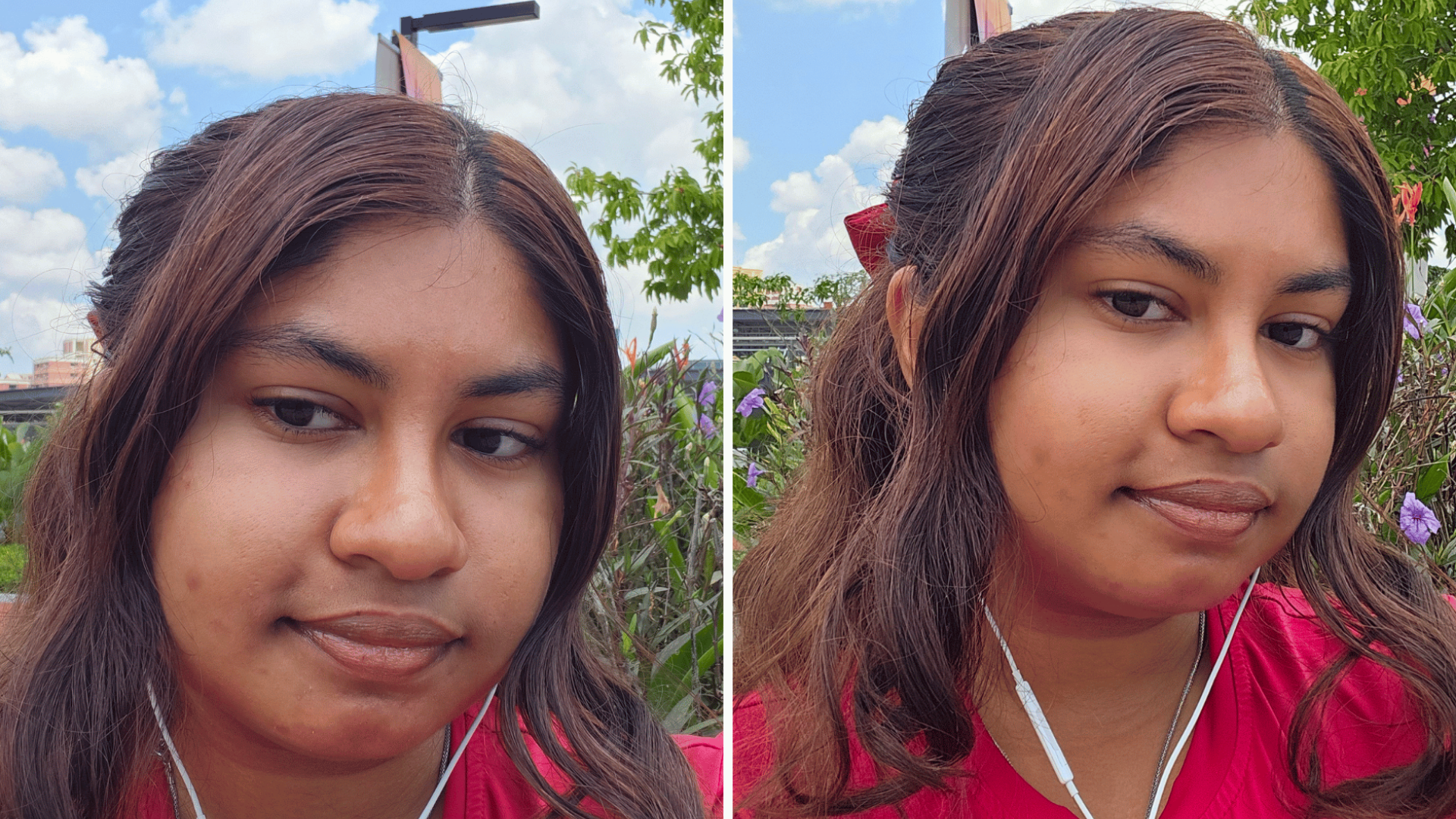
With the Galaxy Z Flip4, you get a pretty good selfie.
It strikes a fair balance – not too sharp that you see every little pore on your face, yet not overly smooth that you end up looking like a ghost.
The Galaxy Z Flip5, however, produces selfies that are more flattering.
The selfie taken on the Galaxy Z Flip5 looks smoother, and our writer’s face even appears a bit slimmer (and this is without Beauty Face mode).
Galaxy Z Flip5: Audio
When it comes to audio, the Galaxy Z Flip5 has a pretty impressive high-resolution speaker.
The phone has a 32-bit/384kHz audio sampling rate.
As a benchmark, the standard audio sampling rate for music on most iPhone devices is 24-bit/192kHz.
This means that you get to enjoy deeper, more detailed and nuanced sounds on the Z Flip5.
Galaxy Z Flip5: Responsiveness
One way of measuring responsiveness is with refresh rate. The higher the refresh rate, the more responsive your phone is.
With the Z Flip5, you get a refresh rate of 120Hz, as compared to the iPhone 14’s 60Hz refresh rate.
This checked out when we were using the Z Flip5 - we found that the phone was super quick and responsive, with no annoying delays even when we opened many apps and switched from app to app.
We also tried playing Call of Duty on the Z Flip5.
This game features detailed graphics and complex gameplay mechanisms, and it’s known to be a high-bandwidth game that slows down your phone.
When playing Call of Duty, the Z Flip5 continued to be responsive, with no signs of freezing or slowing down.
A final word on our Galaxy Z Flip5 review
This brings us to the end of our Galaxy Z Flip5 review – we hope we’ve given you a good idea of how the phone works, and how it compares to other smartphones out there!
In the past, we found flip phones an intriguing idea, but they just weren’t well-constructed enough or feature-rich enough to compete with the convenience and capabilities of traditional smartphones.
But with the new Samsung flip phone, it’s a different story.
Samsung has successfully addressed all major consumer complaints (such as the vulnerability of the hinge mechanism), and in doing so, potentially propelled flip phones into the mainstream.
If you’re itching to get your hands on the Samsung Galaxy Z Flip5, and flip away to your heart’s content, you can snag one here!
Together with the Galaxy Z Flip5, you can also get Singtel-exclusive CASETiFY Samsung Galaxy Z Flip5 Impact Clear Cases.
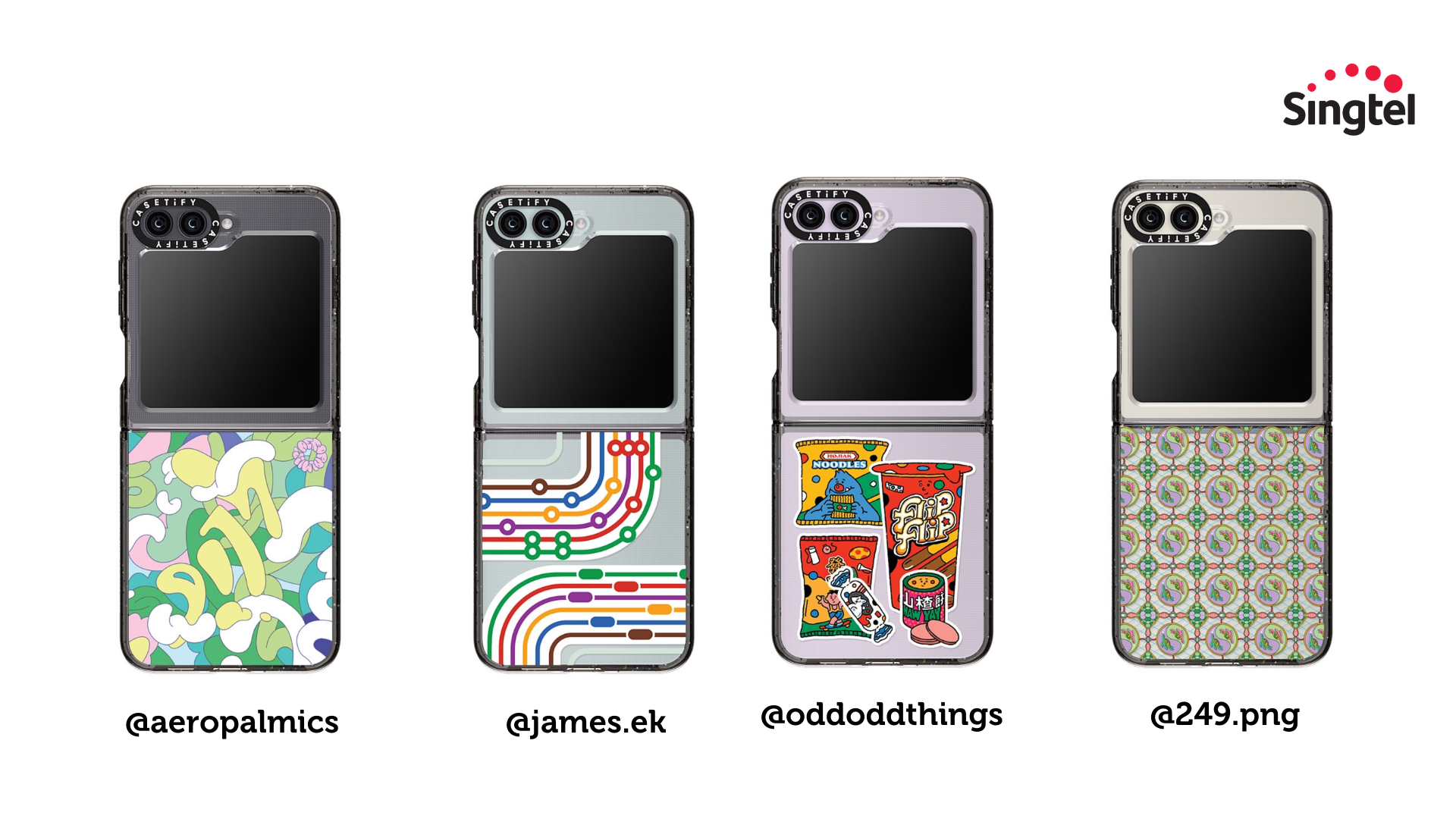
There are 4 designs which you can choose from, created by local artists @oddoddthings, @james.ek, @aeropalmics and @249.png.
These are available in limited quantities, so get your hands on them before they sell out.
Join the Flip Side today!