How to redeem your Singtel recontract voucher (and other vouchers!)

Received a Singtel recontract voucher, Singtel Red voucher, Singtel Prestige voucher or another Singtel voucher that you want to use?
Here’s a step-by-step guide on how to do it online:
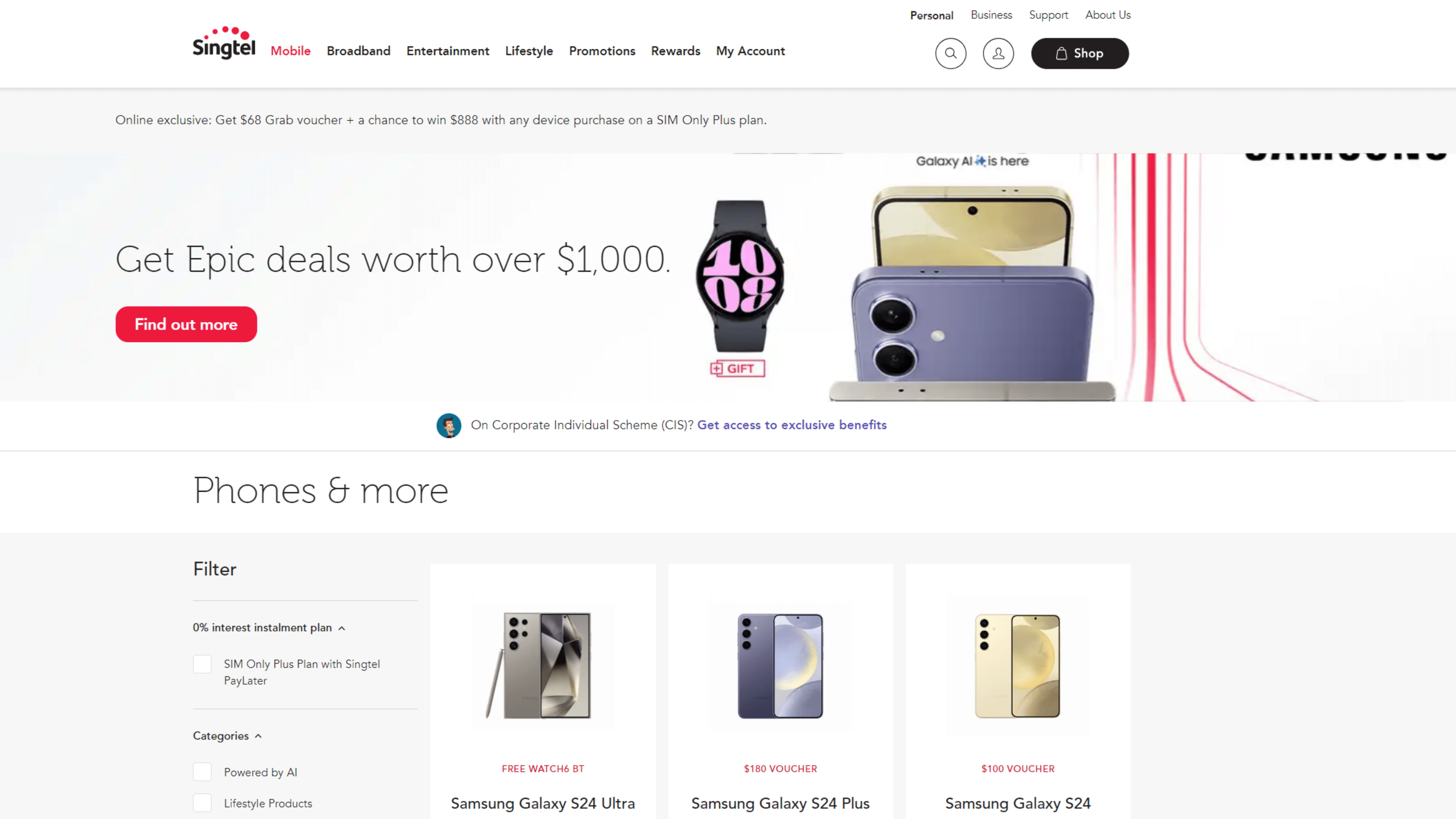
Step 1: Select the phone you want to purchase on Singtel.
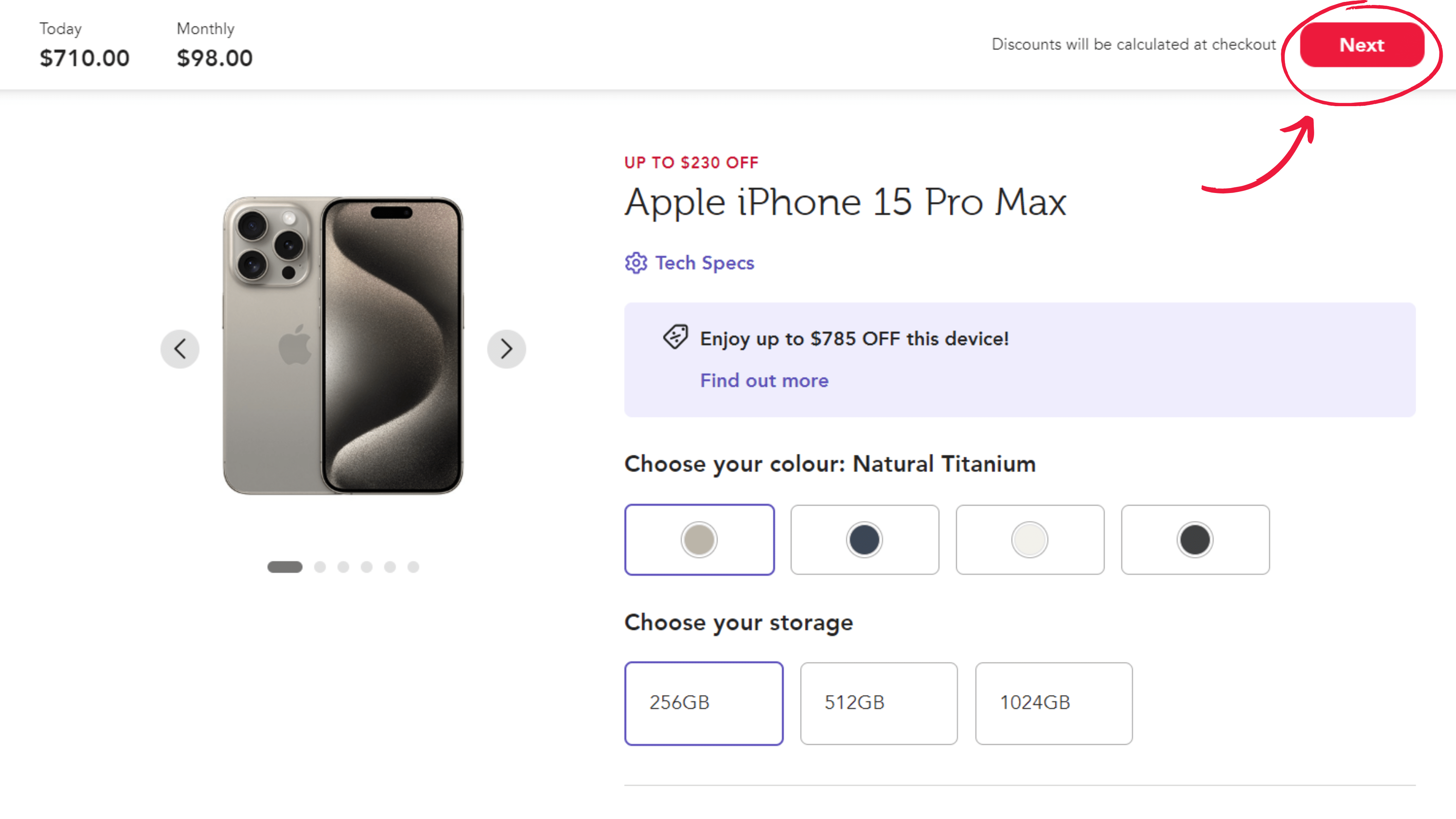
Step 2: Choose the plan you want to recontract with and the colour/storage of the phone, then click on “Next”
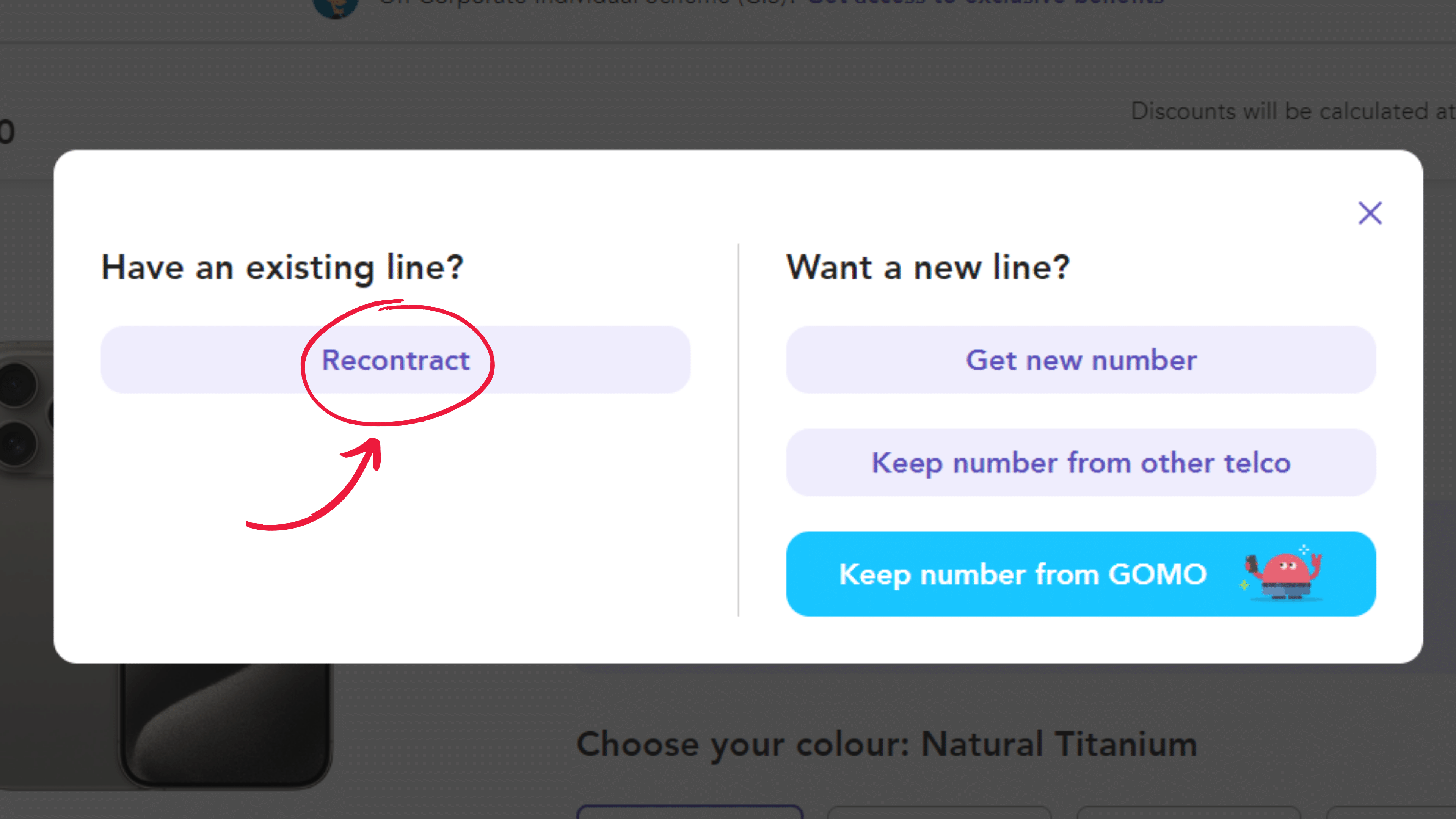
Step 3: On the pop-up, select the “recontract” option.
Step 4: Login with your SMS OTP, so that Singtel can retrieve your vouchers. Once you’re logged in, you will be able to see your vouchers on the right.
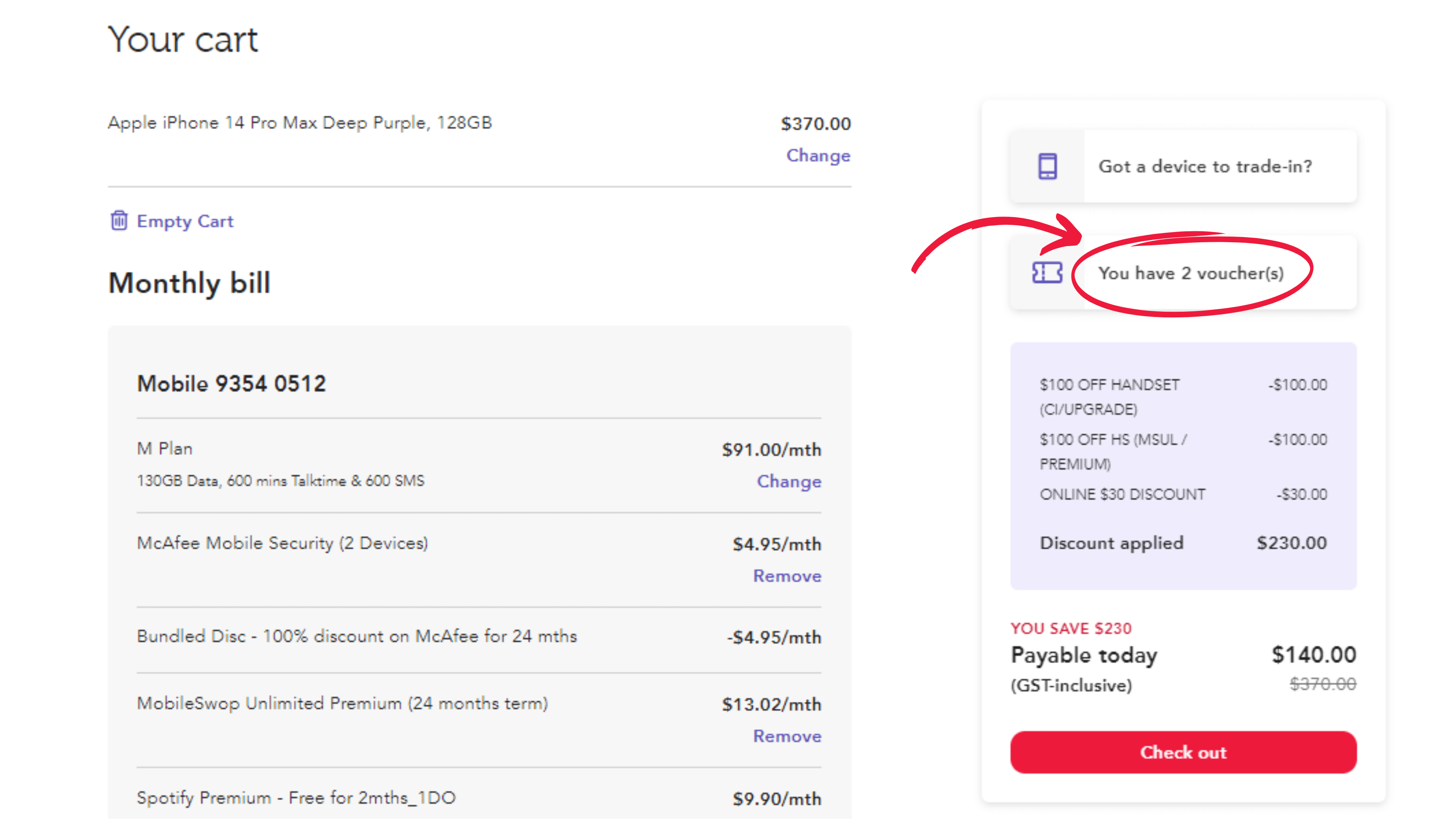
Step 5: Click in and choose which vouchers to apply to your transaction.
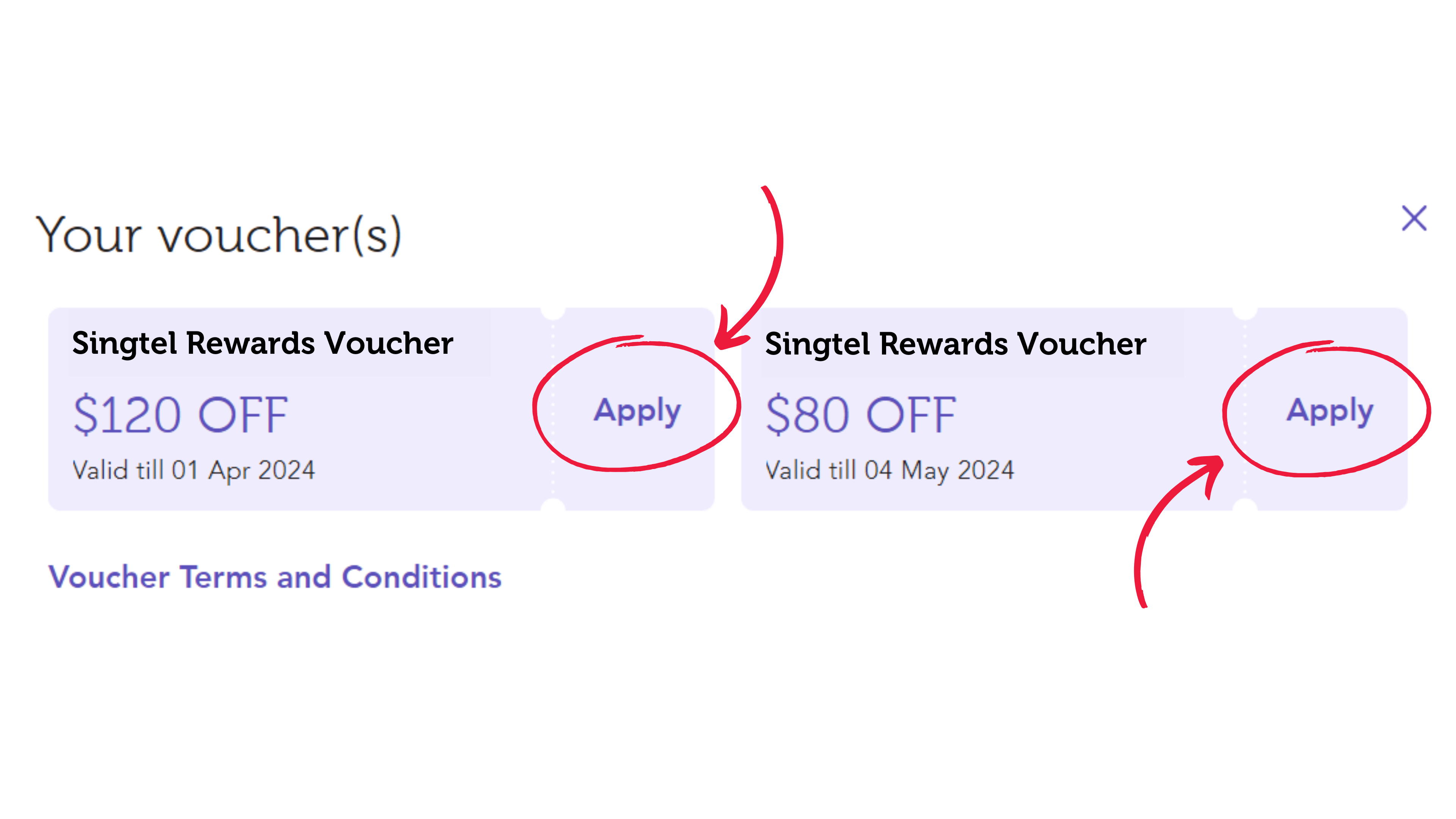
Don’t forget to use your vouchers before they expire, and happy shopping!
PS: Looking for Singtel recontract promotions and deals?
One way of saving money when you recontract and purchase a new phone is to utilise Singtel’s trade in program, and trade in your existing phone or device.
This gives you credit that you can use to offset your next purchase.
For example, if you want to trade in an iPhone 14 (256GB), you can get a trade-in value of up to $620.*
You can then recontract and use that $620 to offset the purchase of your next phone..
*Accurate at time of publishing, but please refer to the trade in calculator for the latest information.
PS: Not sure when you can recontract with Singtel?
You can check your Singtel recontract details on My Singtel App:
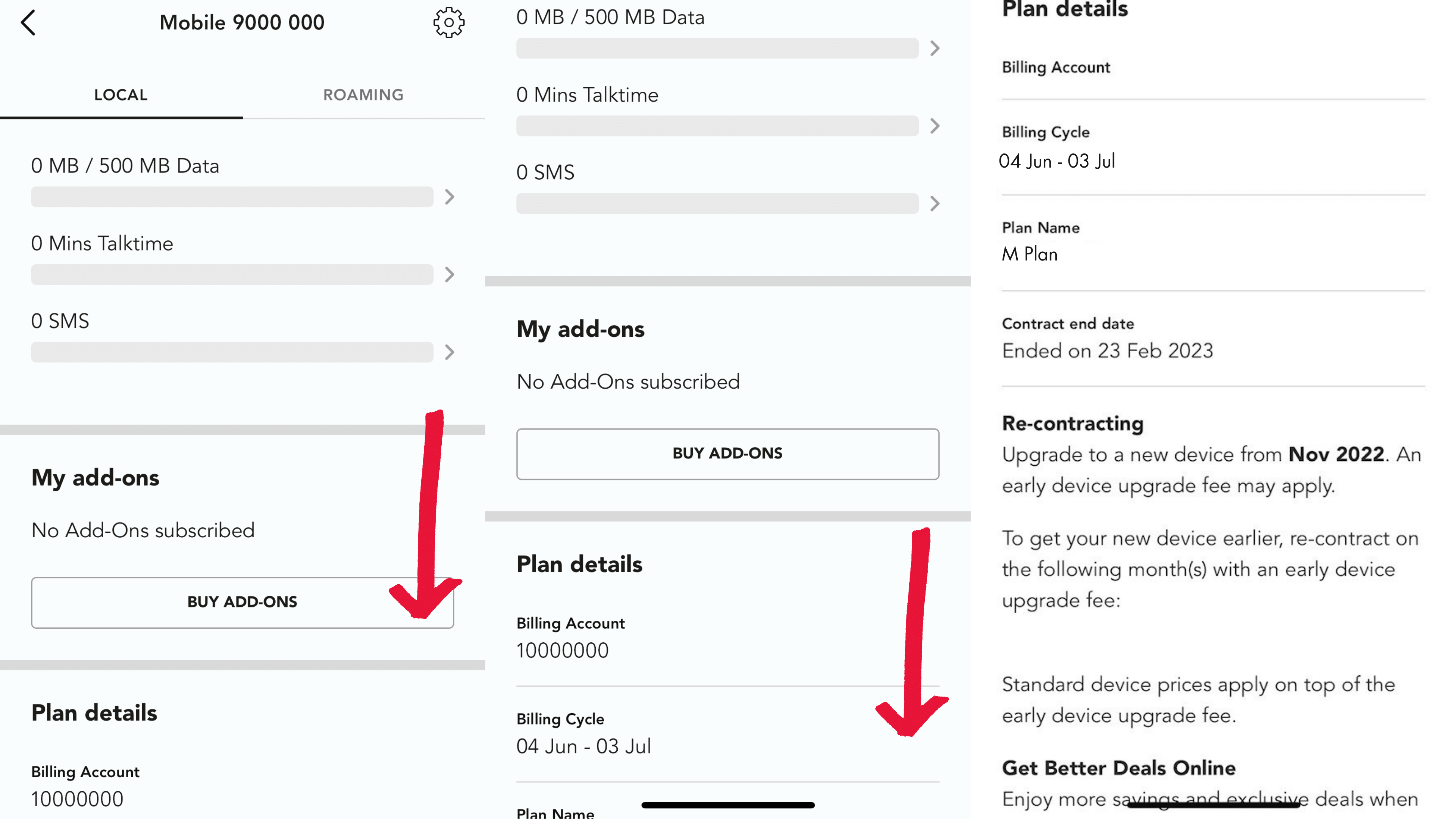
Just scroll down to the “Re-contracting” section, which will tell you when you’re eligible to recontract!
Those on Singtel’s Corporate Individual Scheme (CIS) are also eligible for recontract vouchers in addition to their discounted monthly recurring charges via their staff plans.
A final word on redeeming your recontract vouchers
Assuming you’re utilising your recontract vouchers AND trading in your old device, you'll be able to save quite a bit on the purchase of your next phone.
What are you waiting for? Shop phones on Singtel now!