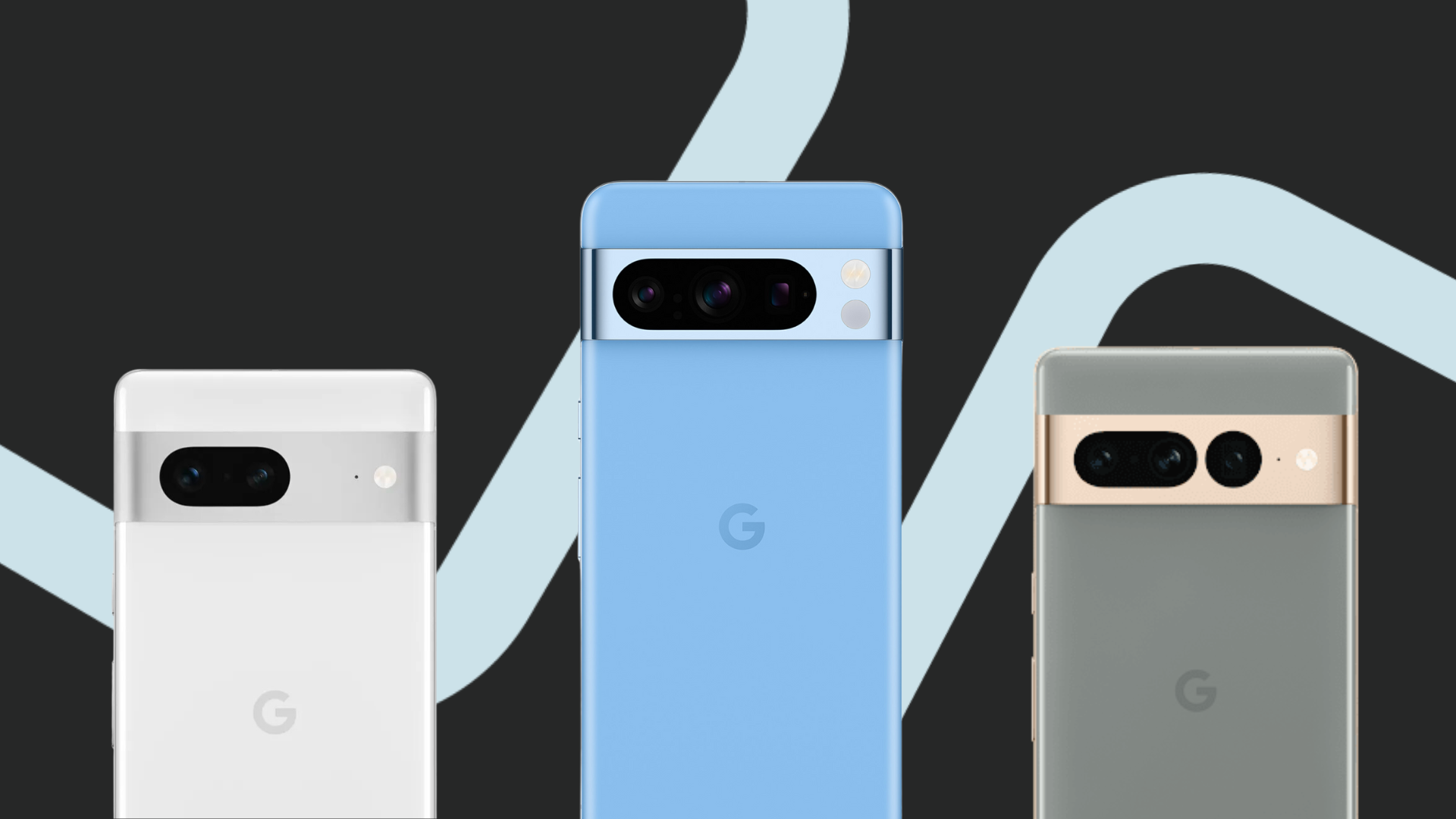
Google AI: We tried it and here were the results

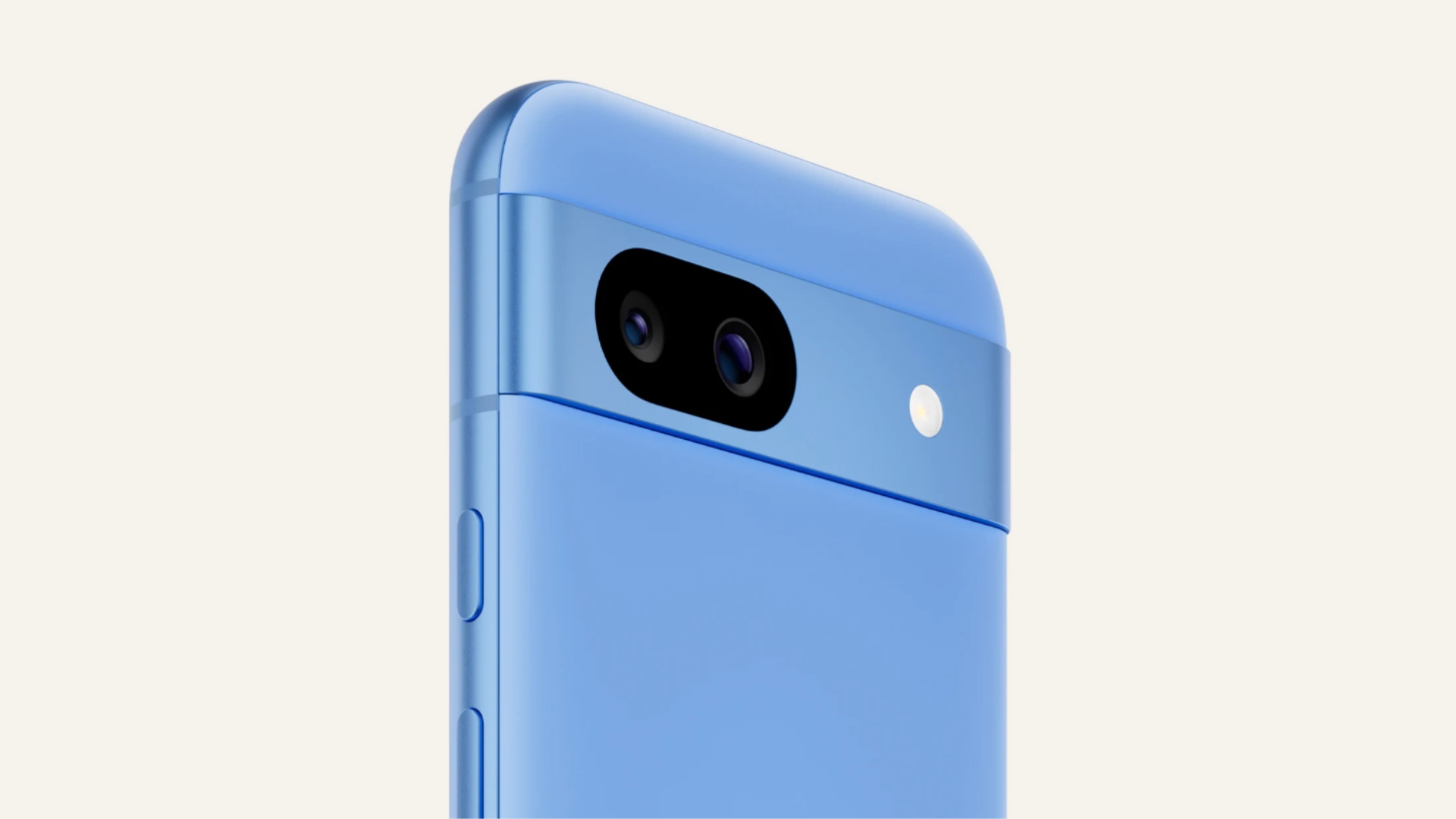
With features built to help you save time, Pixel 8a helps you get more things checked off your to-do list so you can spend more time doing things that matter most to you.
In this article, we’ll test out several Google AI features for ourselves, including:
PS: The Google AI features mentioned in this article were tested on a Google Pixel 8a. Your experience may differ based on various factors including but not limited to the model of your device, software updates, network connectivity, and individual usage patterns.
TLDR: You can also shop for the latest Google Pixel 8a with a Phone Plan or without a Phone Plan, of course!
Google AI: Gemini
What Google says:
“Gemini is the redefined digital assistant that brings about the best of Google AI’s capabilities. You can talk, text or share images to get help with all of your tasks, so you can focus on what matters most to you.”
We tried it:
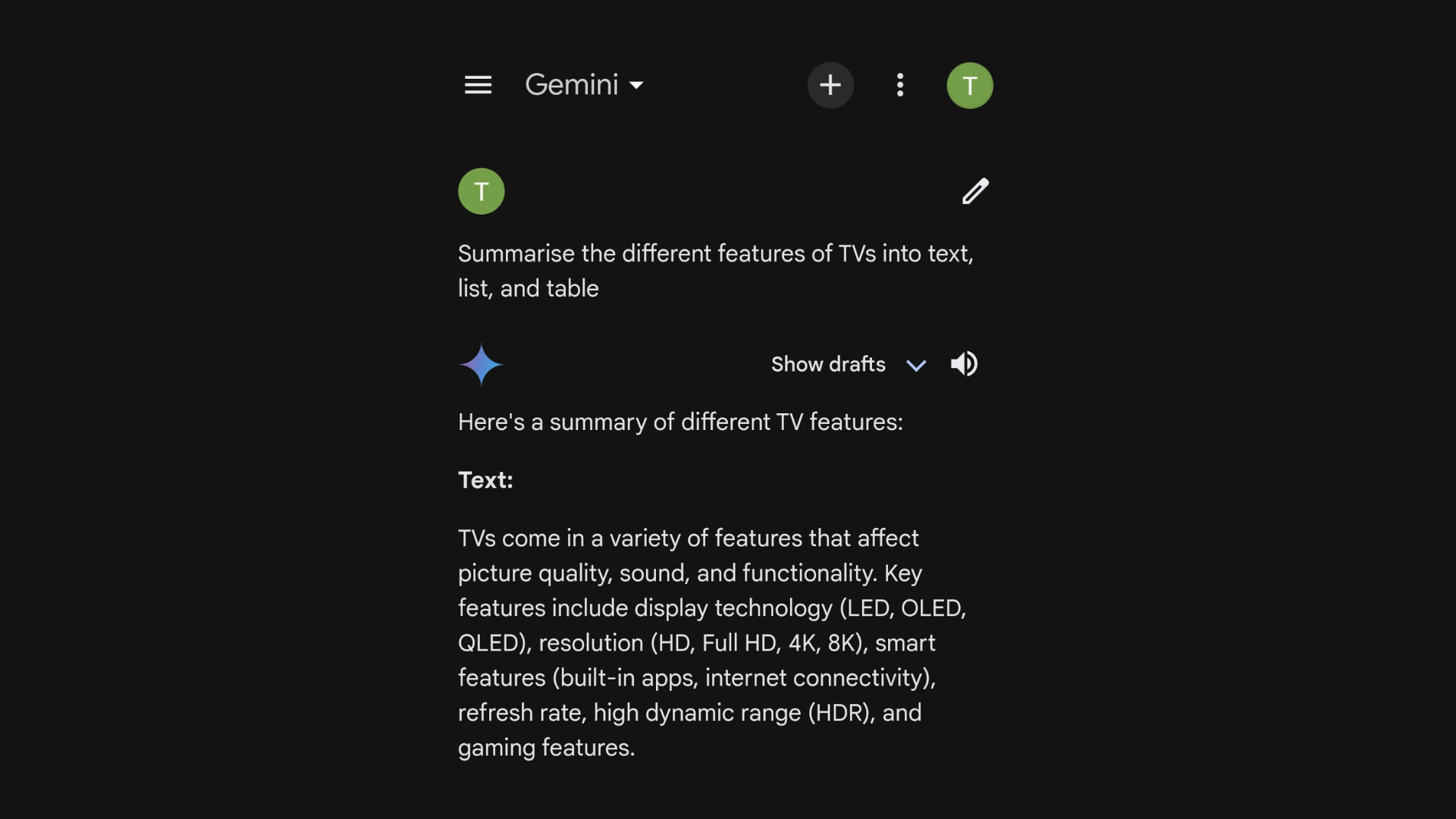
The first thing we asked Gemini to do was to summarize some text for us, and it worked like a charm.
You can even choose what type of summary you want – such as a list, a table, etc.
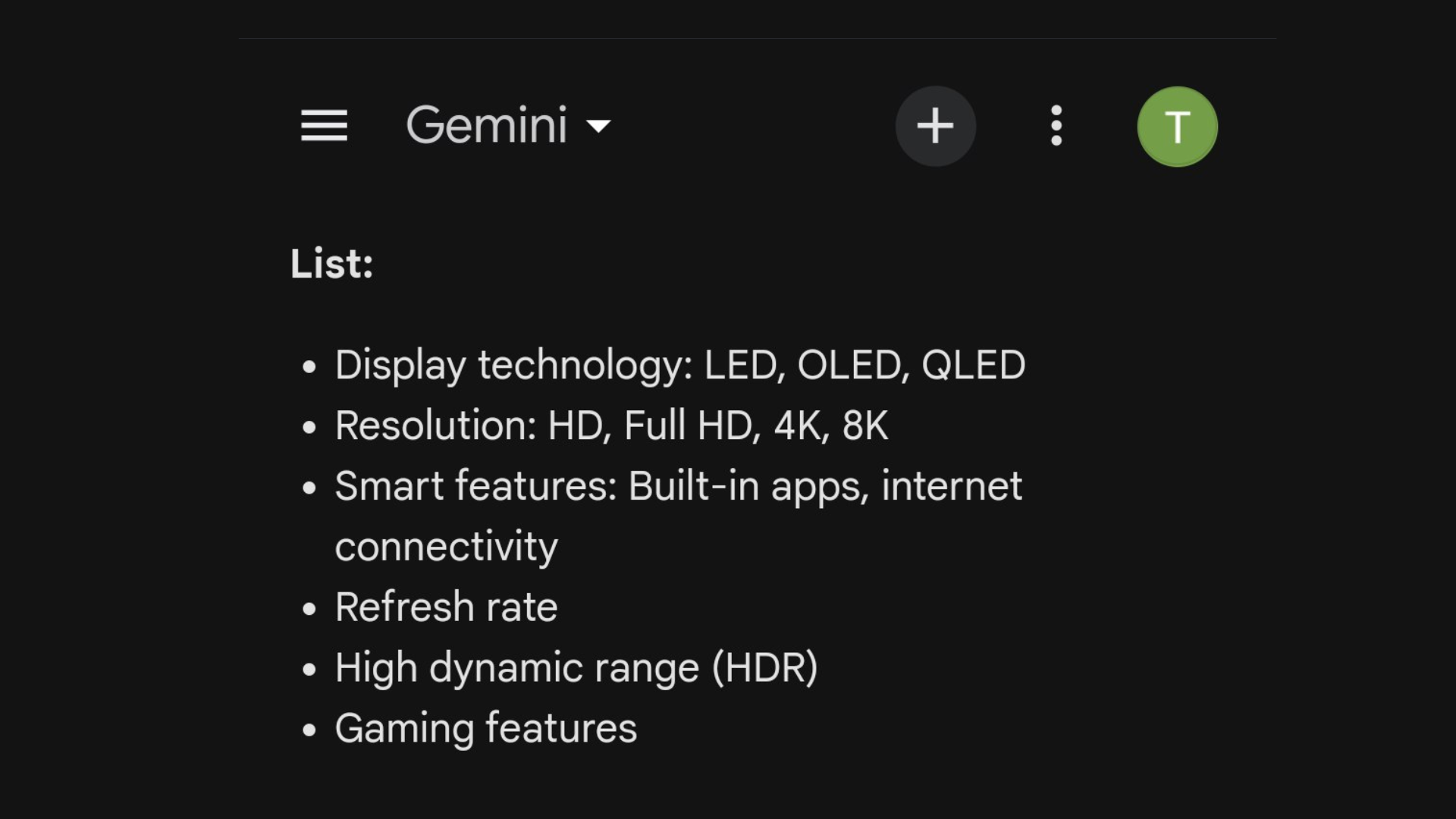
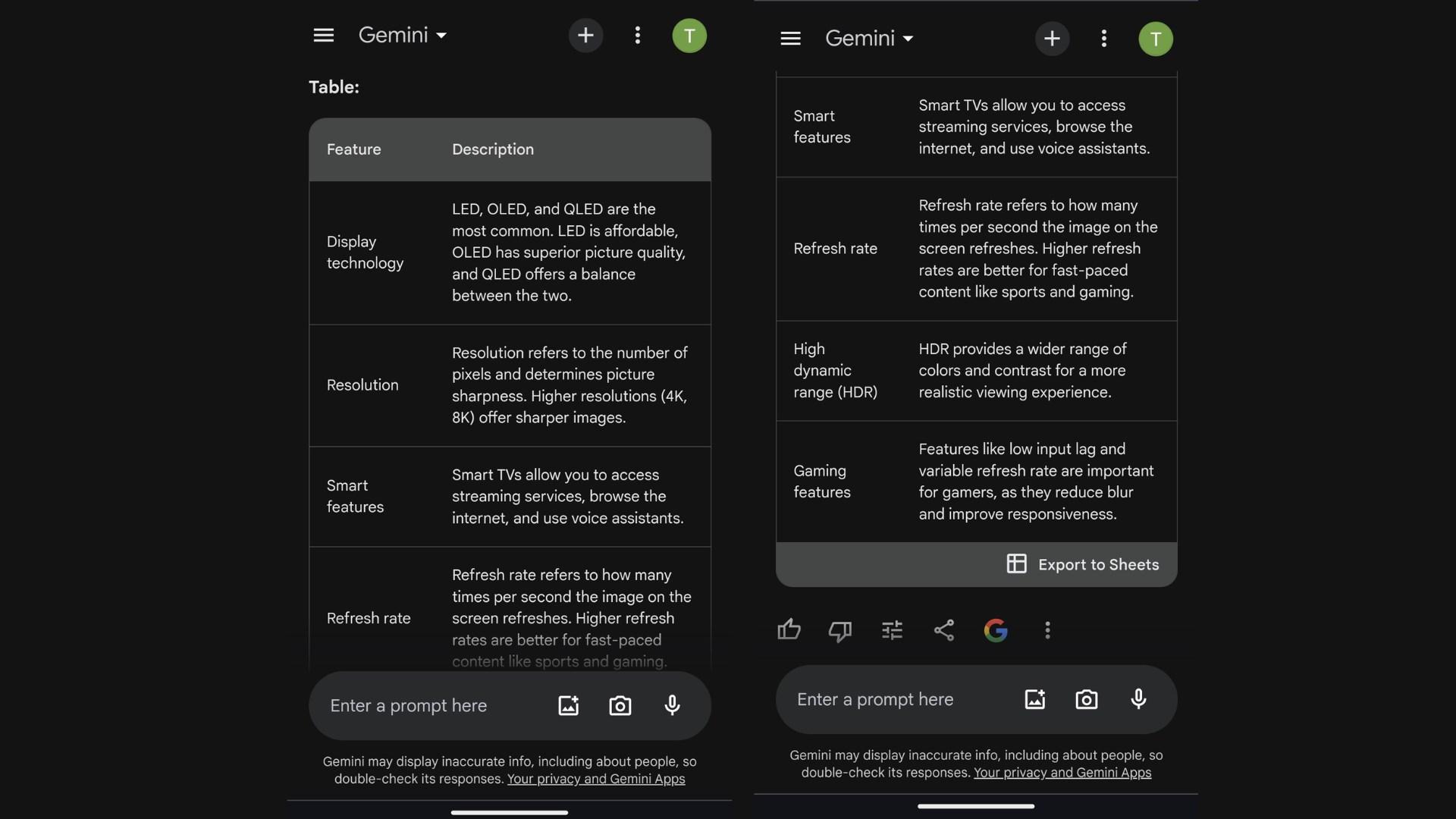
Next, we used Gemini to help us find a dinner reservation.
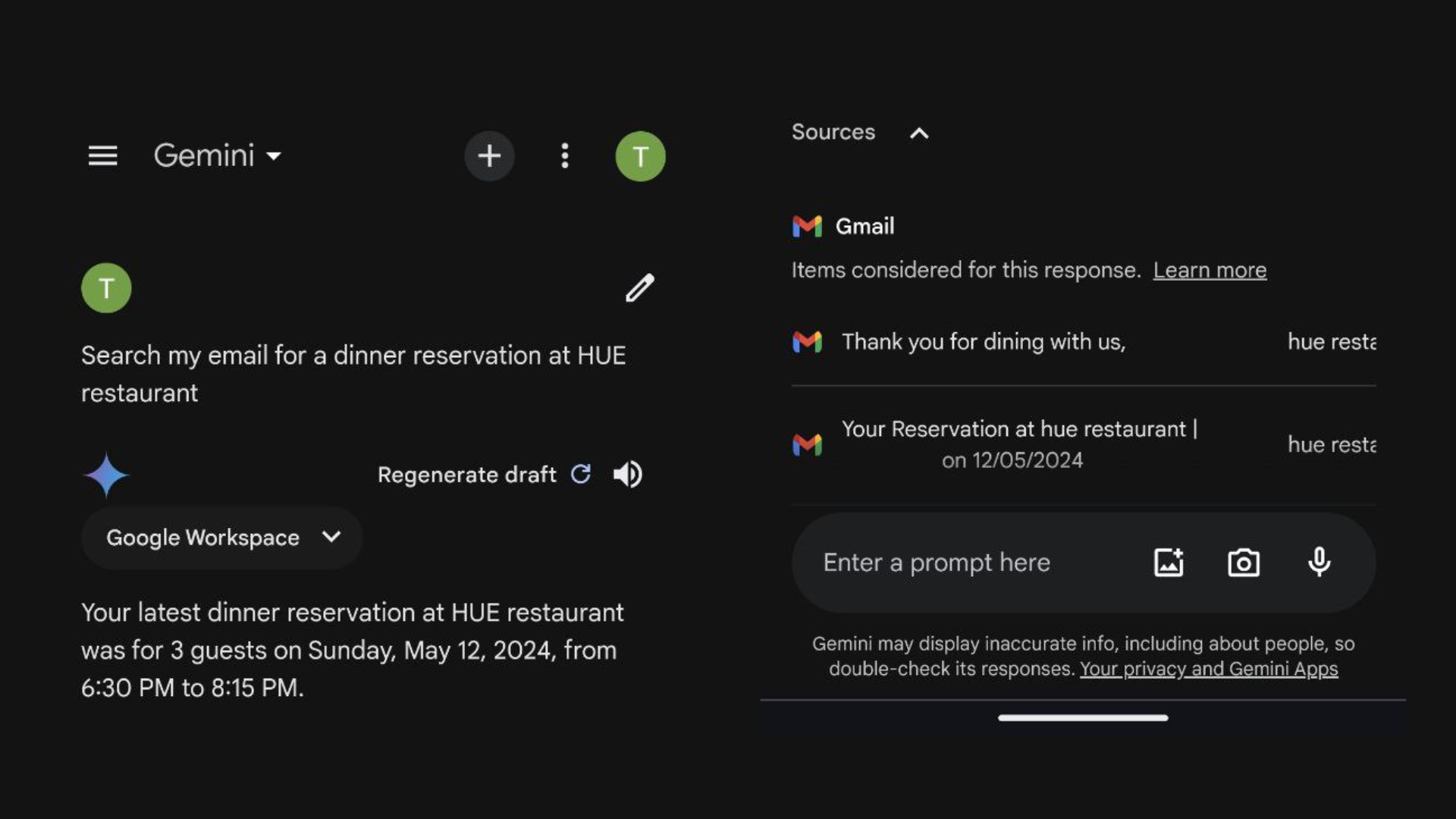
No issues here – Gemini was able to find the reservation quickly and accurately.
Last but not least, we asked Gemini to create a custom itinerary for a trip to China.
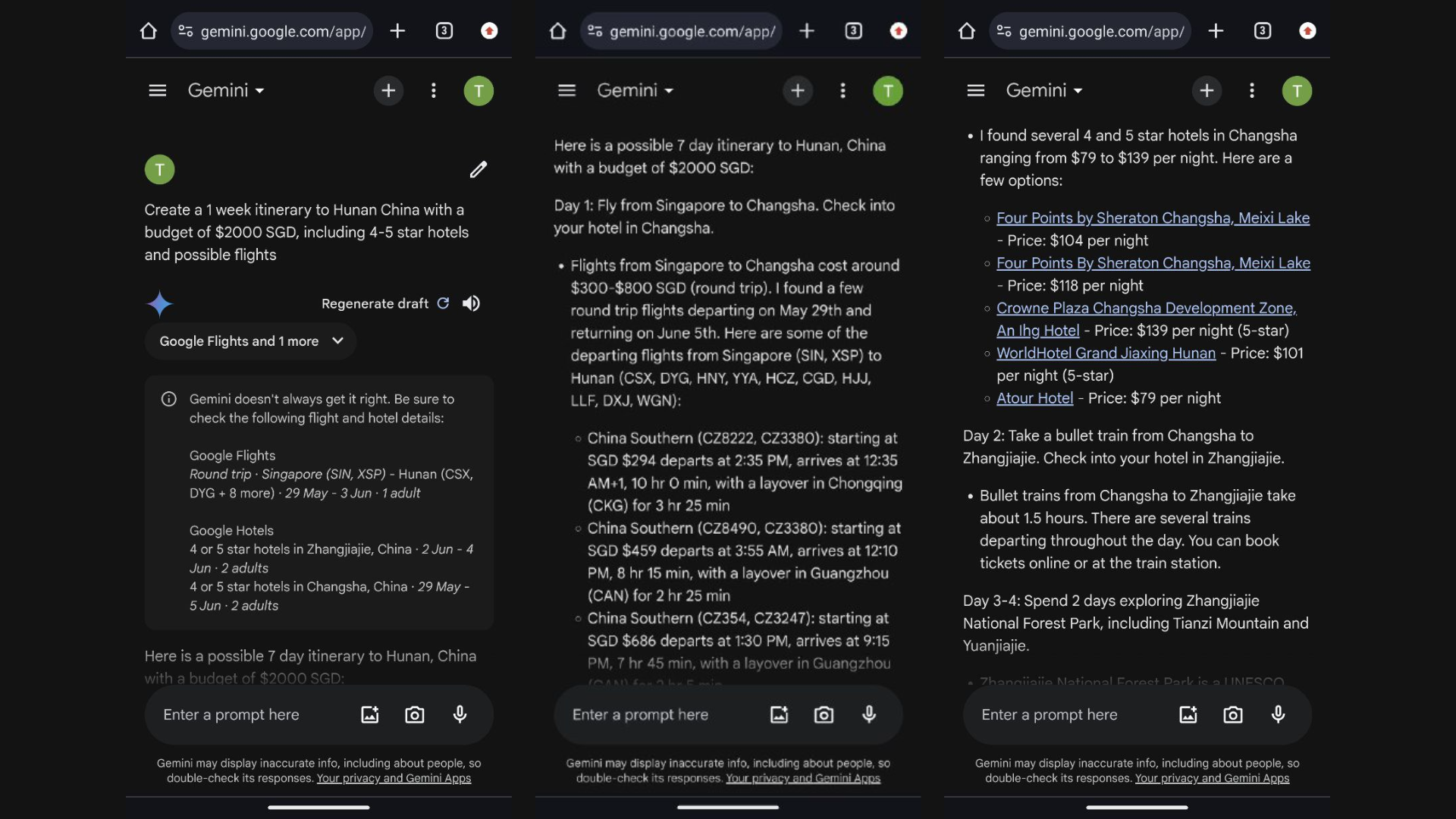
It followed our requirements to a tee, and even provided flight and accommodation options to choose from.
Google AI: Circle to Search
What Google says:
“Circle to Search is a new way to search anything on your phone with a simple gesture – without switching apps.”
We tried it:
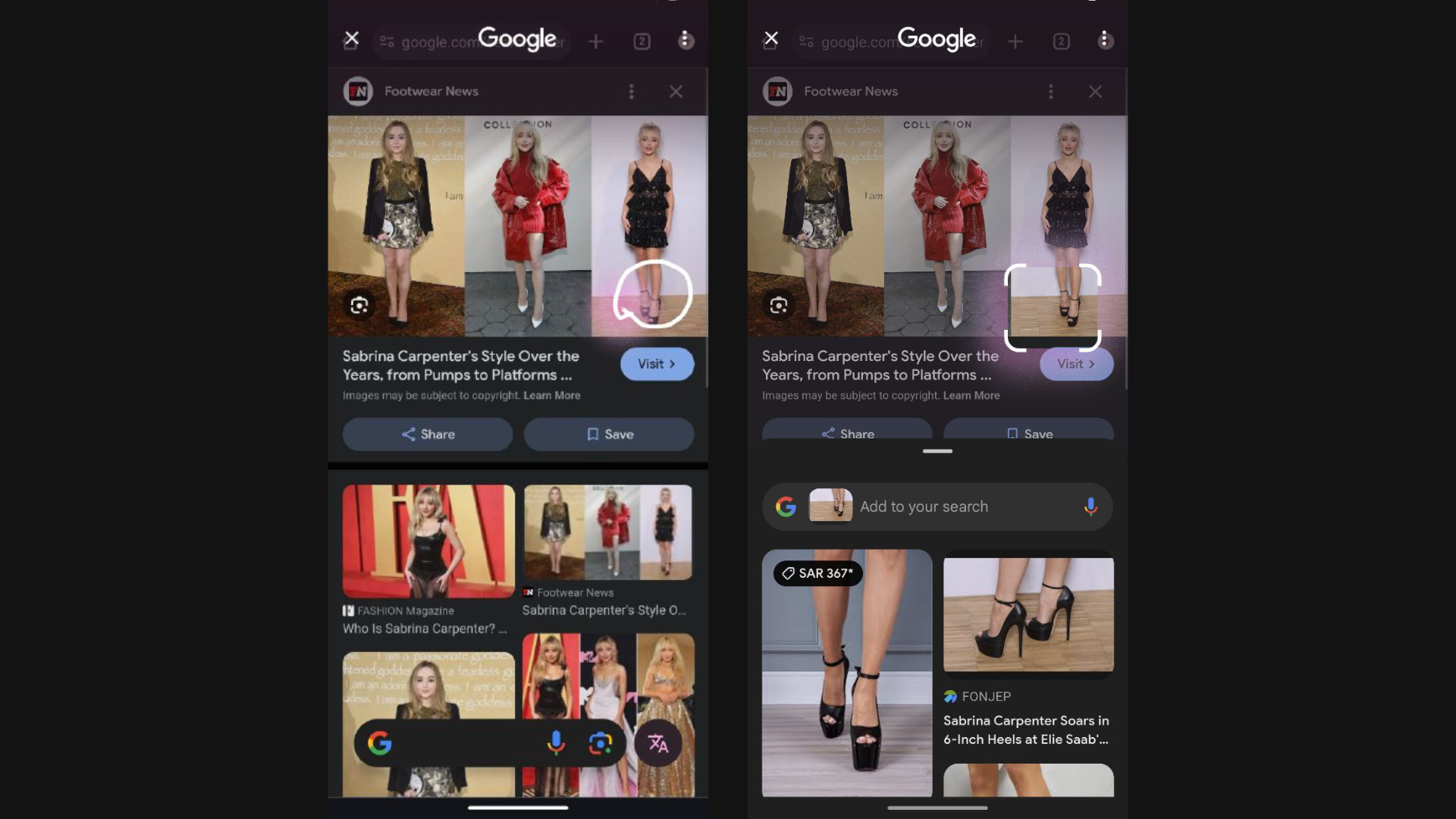
It has never been easier to find out what your favorite celebrities are wearing.
We tested the Circle to Search feature by searching for some adorable heels we spotted on Sabrina Carpenter, and true enough – it pulled up results with heels that looked identical to hers!
That aside, we also used this feature to identify a statue that was featured in a news article we read.
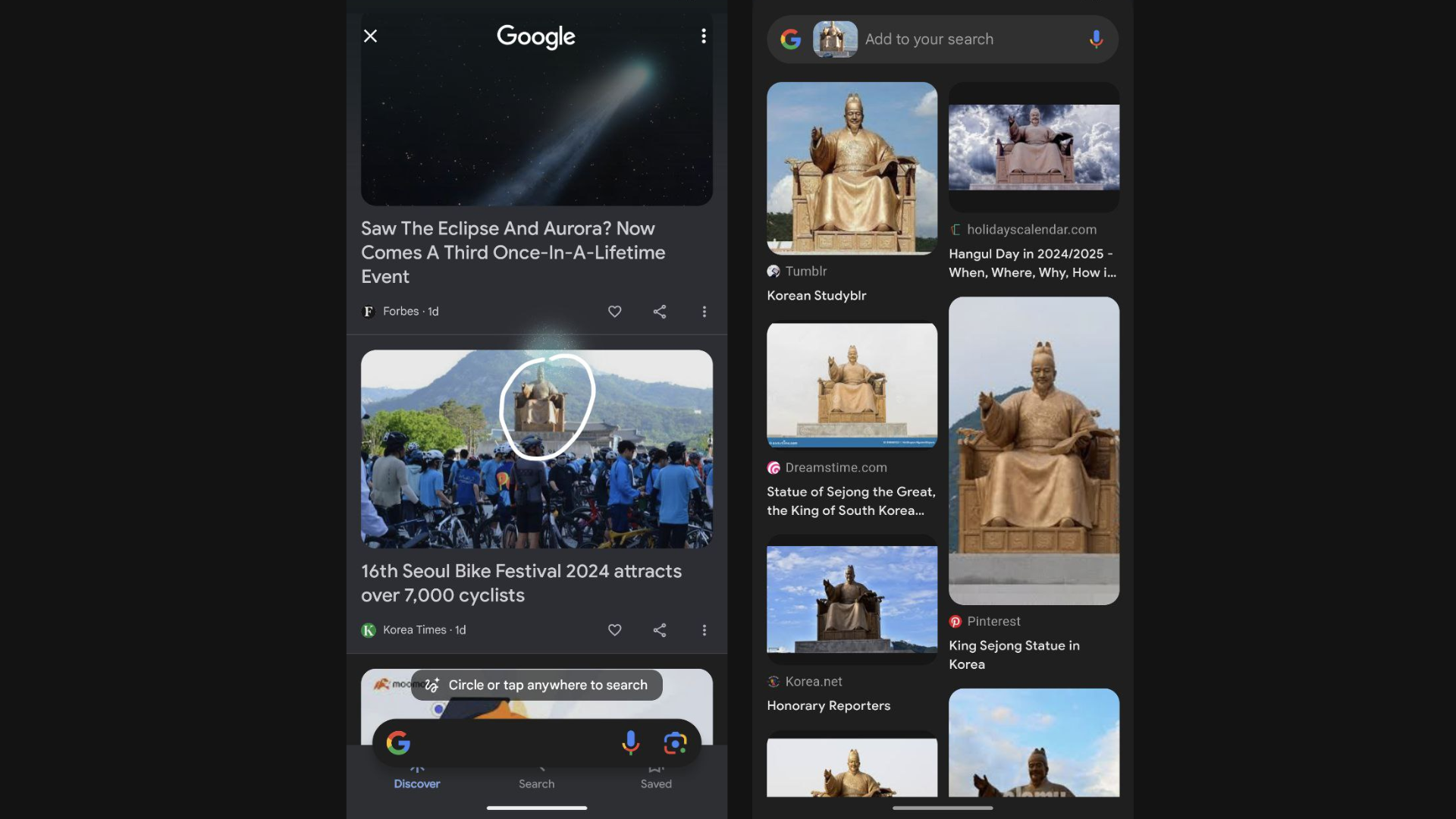
Not only did Circle to Search accurately identify the statue, it even pulled out informative articles for us to learn more about it.
Google AI: Assistant Voice Typing
What Google says:
“You can easily talk to Google to type, edit and send messages on average 2.5 times faster than typing on the keyboard. It also suggests emojis that are relevant to your messages and let you search the emoji to insert with your voice even without knowing the exact name for it.”
We tried it:
As you can see, the Assistant Voice Typing feature seamlessly helped us draft a message to a friend.
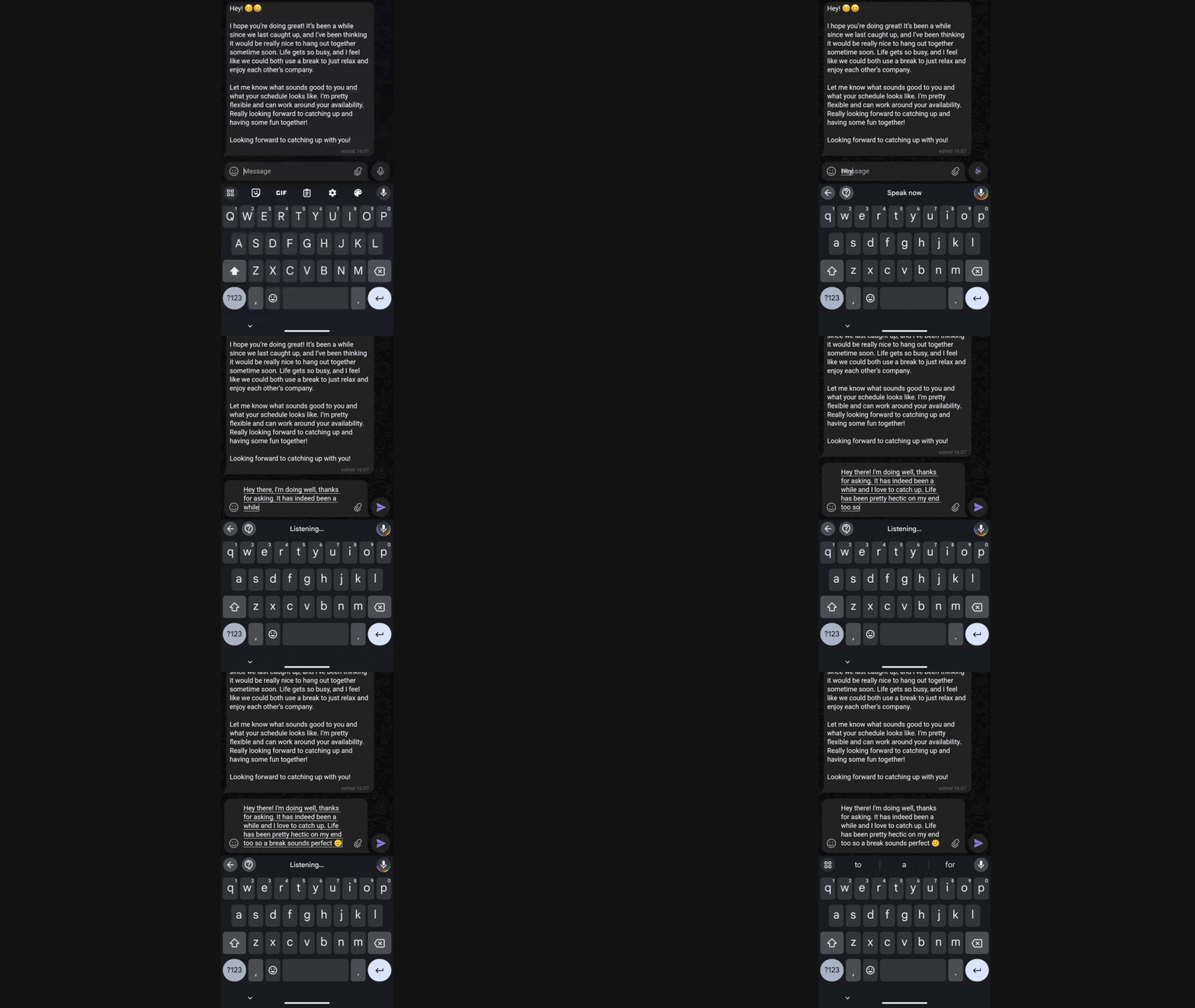
When we mentioned a “smiley face” at the end, the feature was also smart enough to add it as an emoji.
Google AI: Live Translate
What Google says:
“Live Translate makes real-time translation possible – not just text-based language but also spoken words, interpreting live audio from one speaker to another – with no app needed. It works across text, camera, videos, podcasts, phone calls, video calls, and audio messages.”
We tried it:
When we received a text message in Korean from a friend, Live Translate automatically detected that the text was written in a foreign language, and translated it to English.
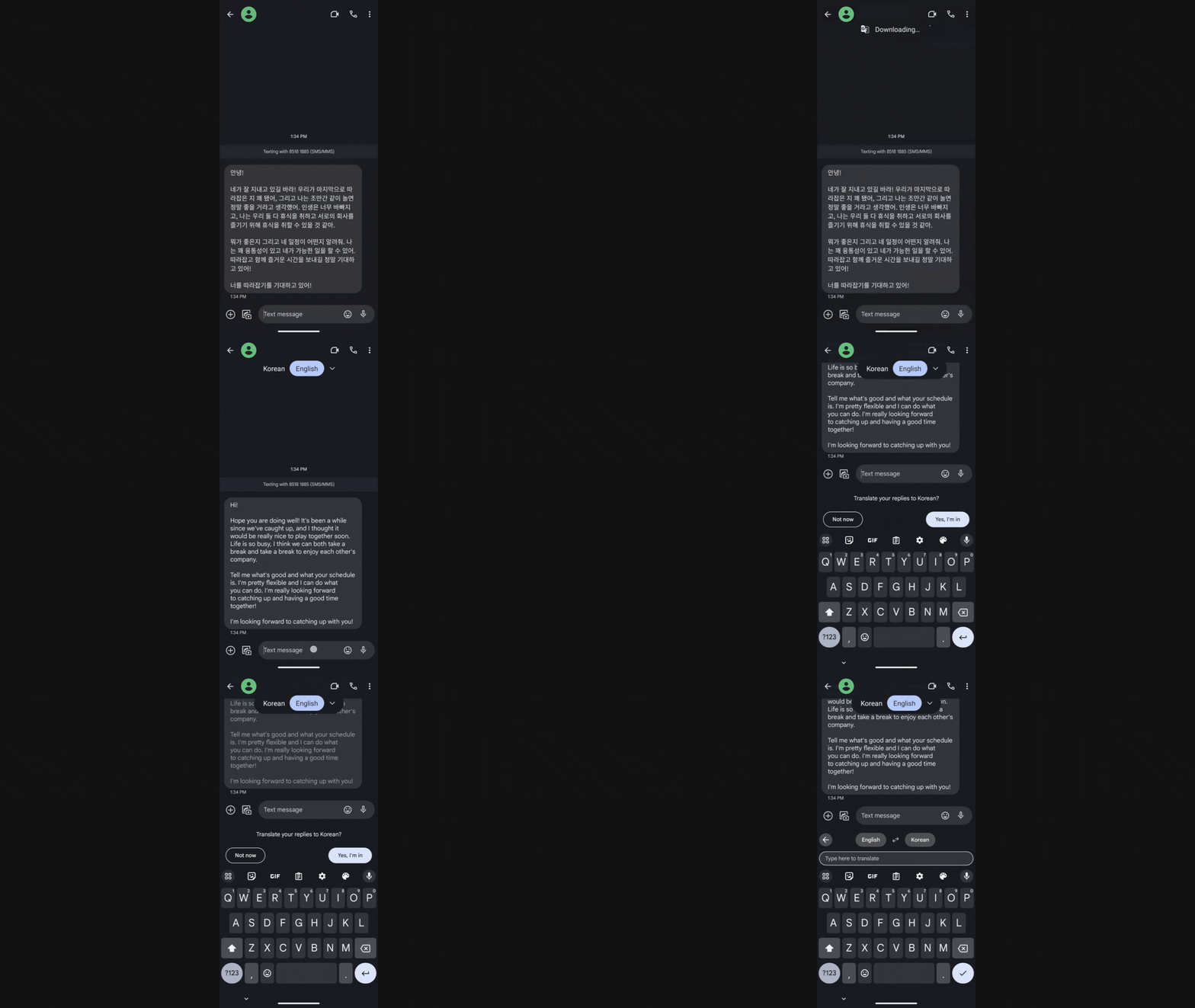
Talk about convenience!
Google AI: Photo Unblur
What Google says:
“Photo Unblur removes blur and visual noise so you can relive the moment as clearly as you remember it. It even works on pictures in your library taken with a different phone or camera and scanned images!”
We tried it:
This feature worked like magic, turning our blurry photo into a crisp, sharp one.

You can see the dog much more clearly in the “After” shot!
Google AI: Best Take
What Google says:
“Best Take can make every group photo a great group photo by blending similar photos into one fantastic picture where everyone looks their best.”
We tried it:
We took a couple of selfies where one of us had our eyes closed in one shot, and the other had her lips pursed on another shot.
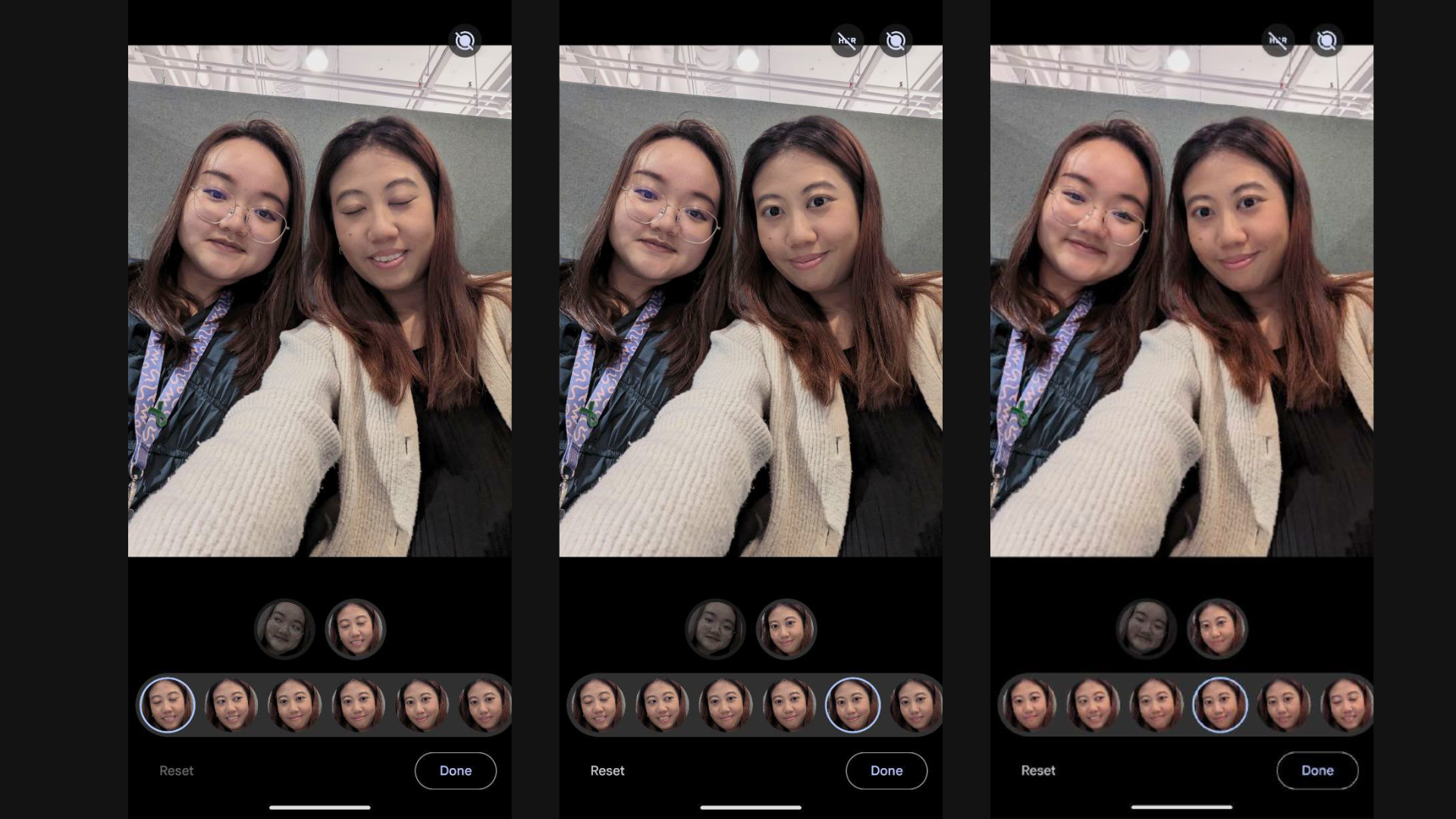
With Best Take, we could easily combine our most flattering faces together to form a selfie where both of us look good.
Google AI: Magic Eraser
What Google says:
“Magic Eraser makes it easier to remove photobombers, distractions or messy backgrounds from your photos. It also uses machine learning to determine exactly what you’re trying to remove.”
We tried it:
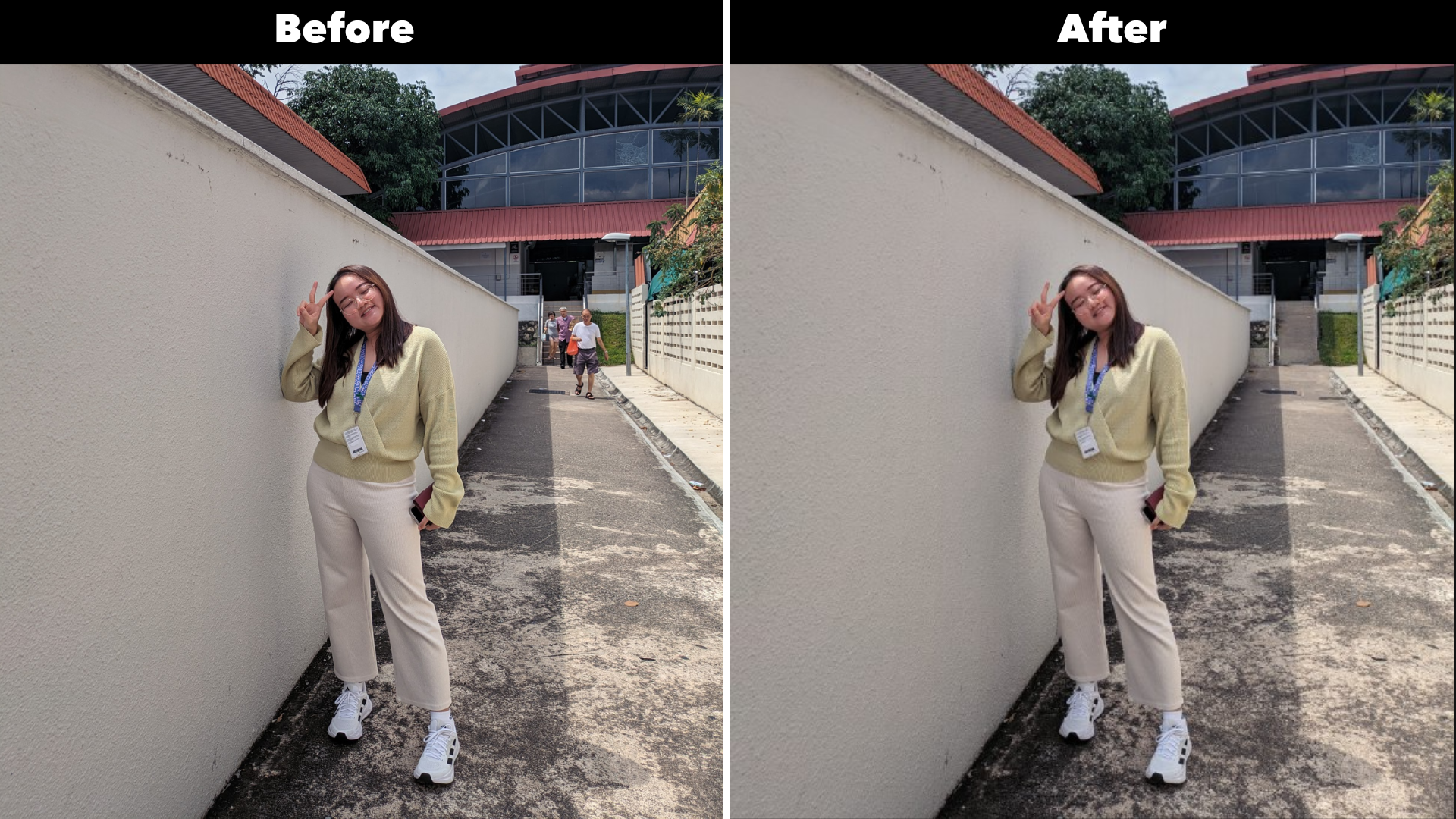
We used the Magic Eraser to edit our photo, and it effectively removed the distractions (the passer-bys in the background).
Google AI: Audio Magic Eraser
What Google says:
“Audio Magic Eraser reduces distracting sounds (from cars, wind or construction) in video with just a few taps so you can hear the ones you want.”
We tried it:
Google AI's Audio Magic Eraser identified the distracting sounds (Music, Noise, Speech) in our video, and made it easy for us to remove them from the video.
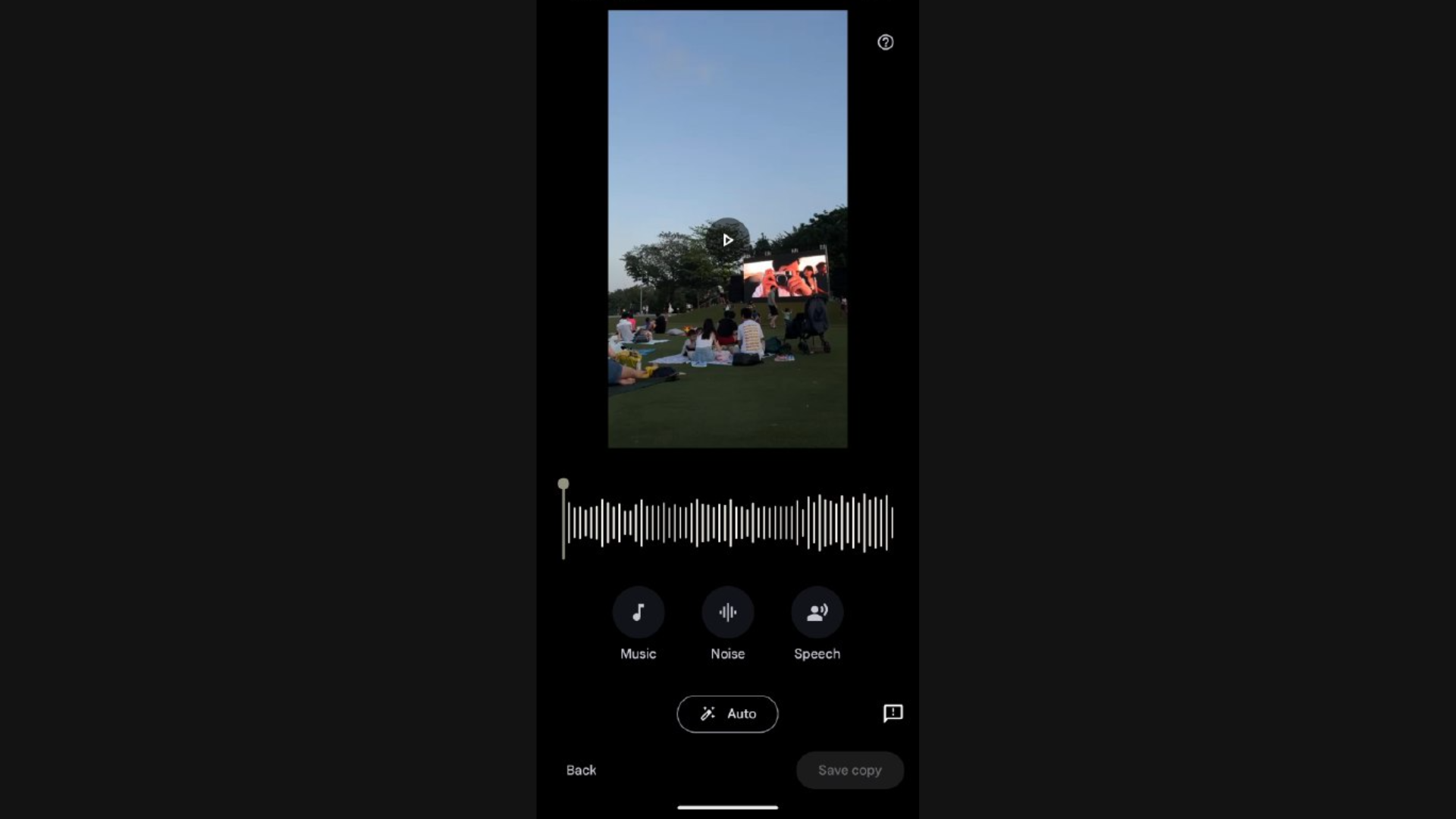
If you don’t want to remove the sounds completely, it’s possible to edit the sounds to simply reduce their volume.
Google AI: Magic Editor
What Google says:
“Magic Editor is a new and powerful generative AI-powered photo editor with more intuitive tools and suggestions that let you reimagine the way you edit.”
We tried it:
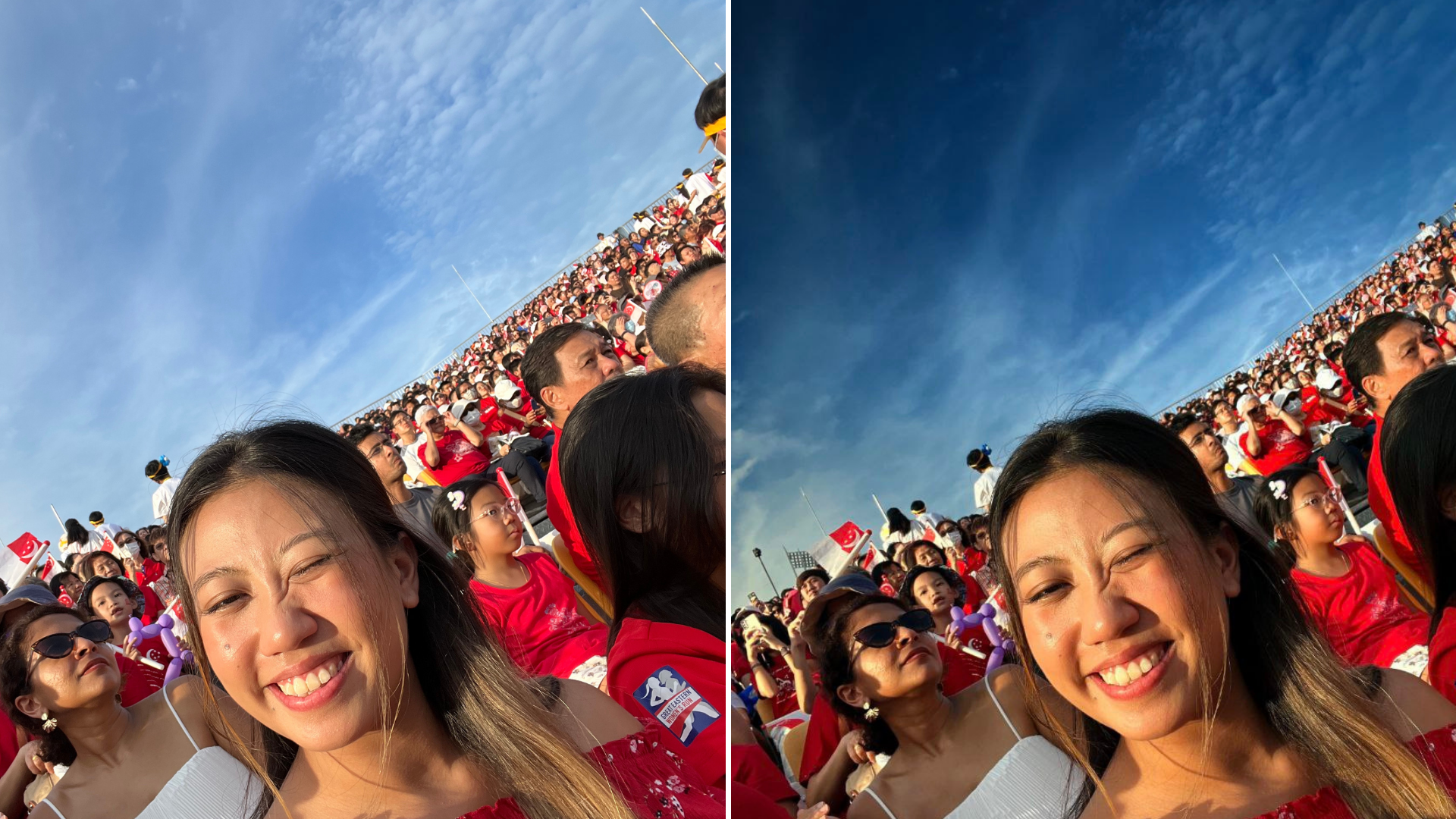
With this feature, anyone can turn into a professional photo-editor in seconds.
Let’s take this picture for instance – it's not a bad picture, but the sky is cloudy and looks a little dull.
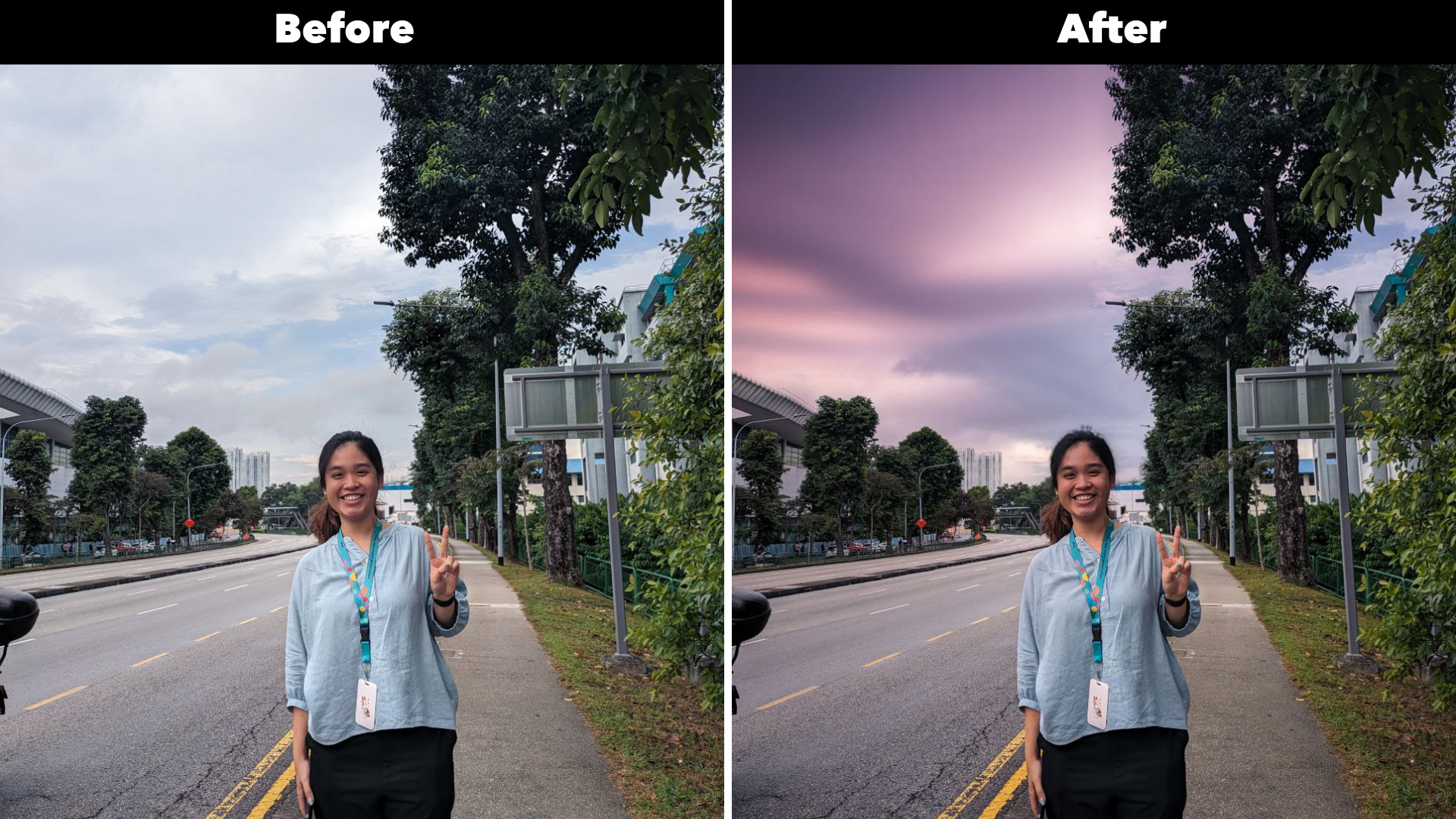
By using Magic Editor, we were able to easily edit the sky to get something more abstract and vibrant.
A final word on Google AI and Pixel
We’ve covered quite a few Google AI features in this article, but this isn’t an exhaustive list.
The ones we’ve featured aside, there are other Google AI features such as Call Assist and Real Tone.
Plus, did we mention that ALL these features are available on the latest Google Pixel 8a?
The Pixel 8a is Google’s most affordable AI-powered phone yet, and the best part is that it comes with 7 years of updates! 🤯
For those who want to get their hands on a Google Pixel 8a, buy via Singtel from now till 13 June 2024 to enjoy the following promos:
$100 Singtel voucher which you can use immediately to offset the cost of the phone
$50 Accessory voucher which you can use to purchase Google accessories such as Google Pixel Watch2 or Pixel Buds Pro
FREE ReadyRoam Asia plan which is valid until 31 Dec 2024 (for purchases made with Phone Plans and SIM Only Plans)
Keen on getting a Pixel 8a? Shop via these links below:
Disclaimers:
Requires Google Photos app. May not work on all images or image elements.
For Magic Editor, Best Take, Photo Unblur, Magic Eraser.
Requires Google photos app. Male not work on all audio elements.
For Audio Magic Eraser.
Gemini mobile app is available in selected languages and countries. Internet connection required. Check responses for accuracy.
Requires Internet connection and compatible apps and surfaces. Results may vary depending on visual matches.
For Circle to Search.