Change WiFi network name and password
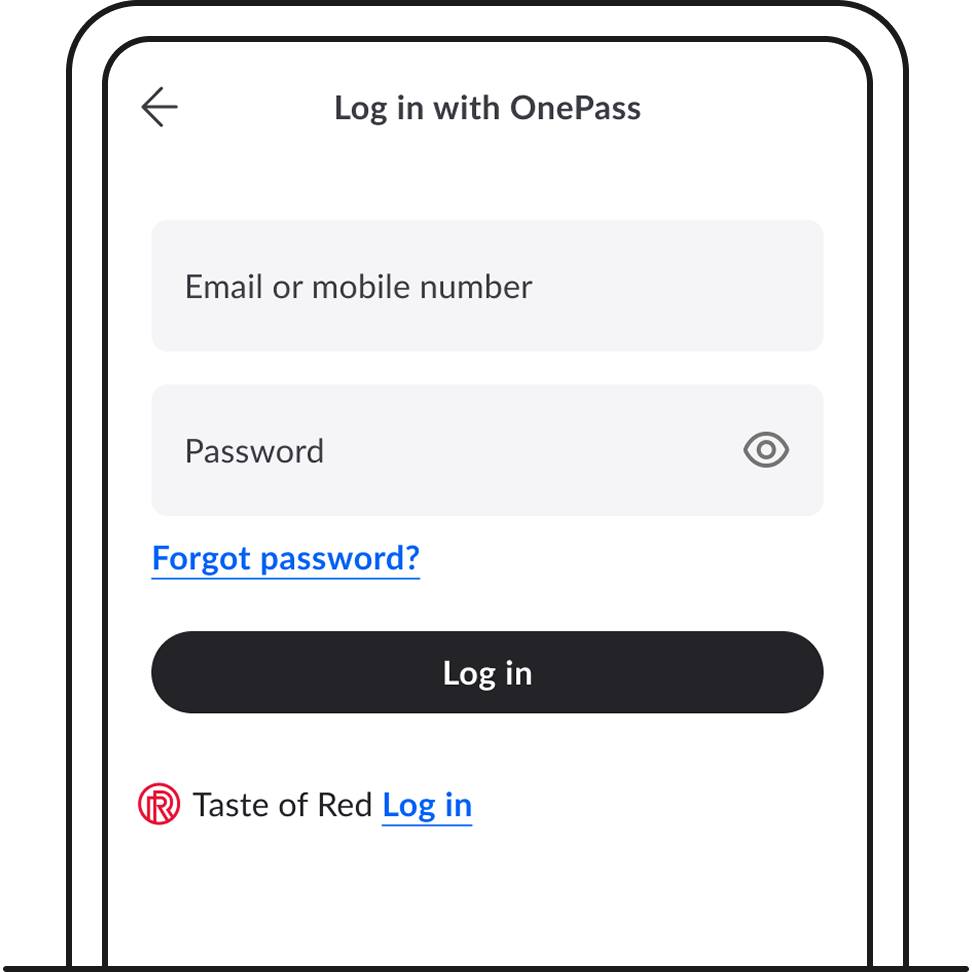
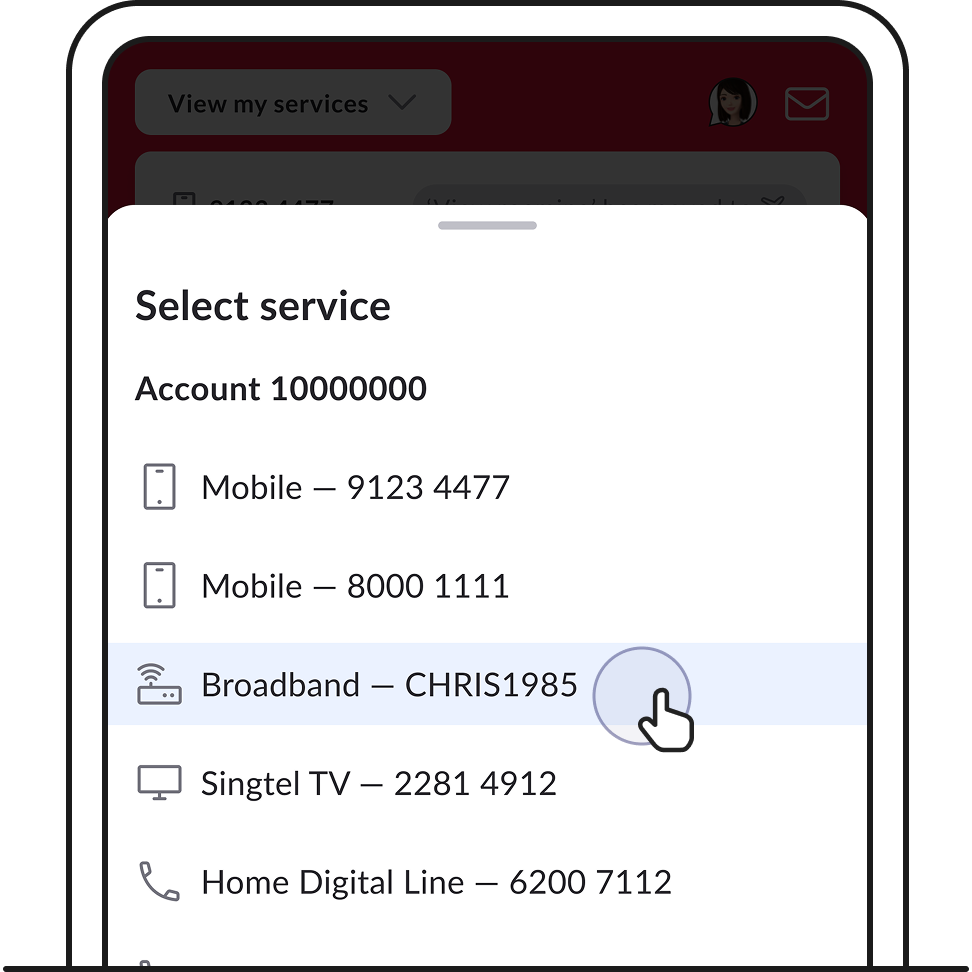
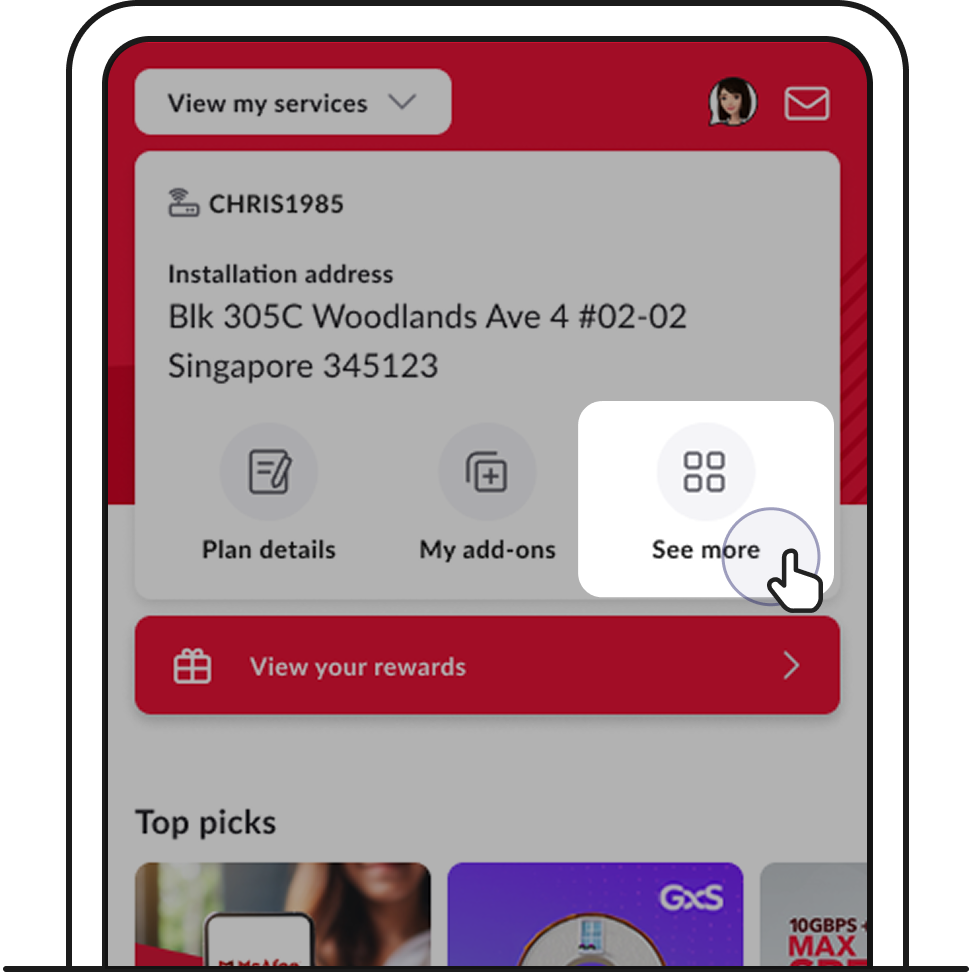
2. If you don’t see your Broadband service, tap View my services to switch services.
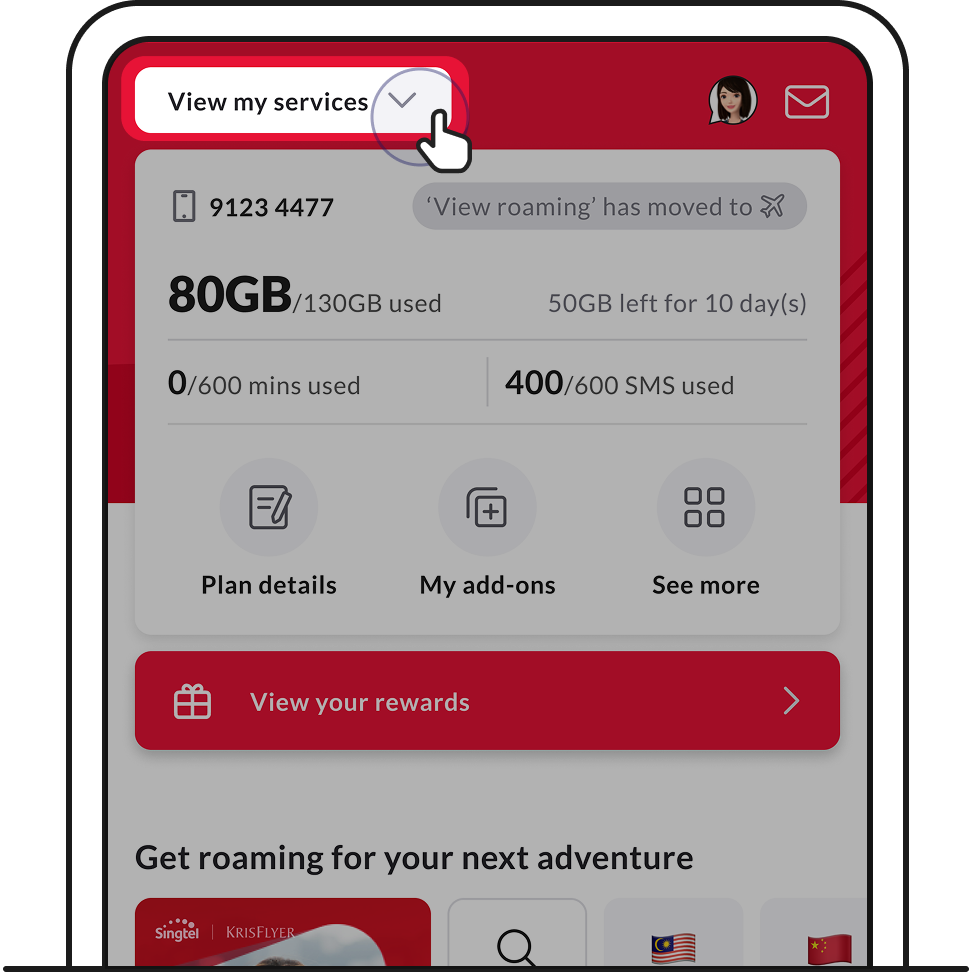
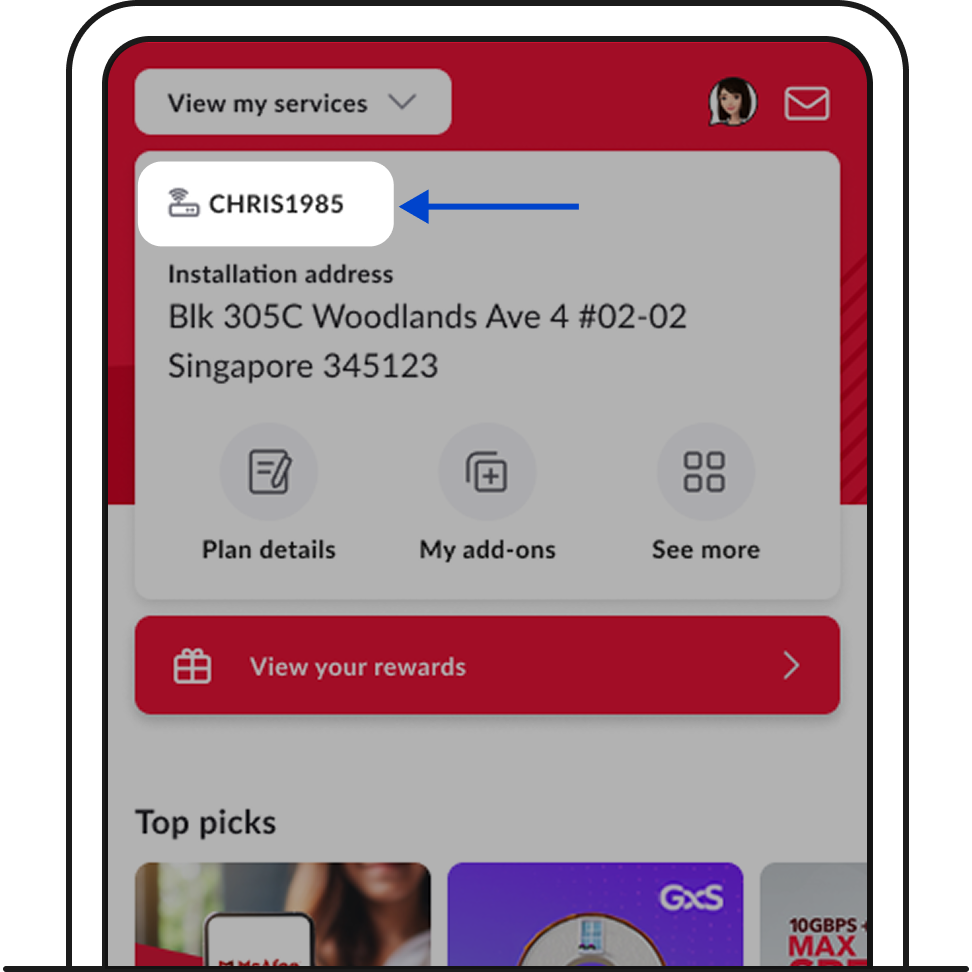
3. Tap on See more.
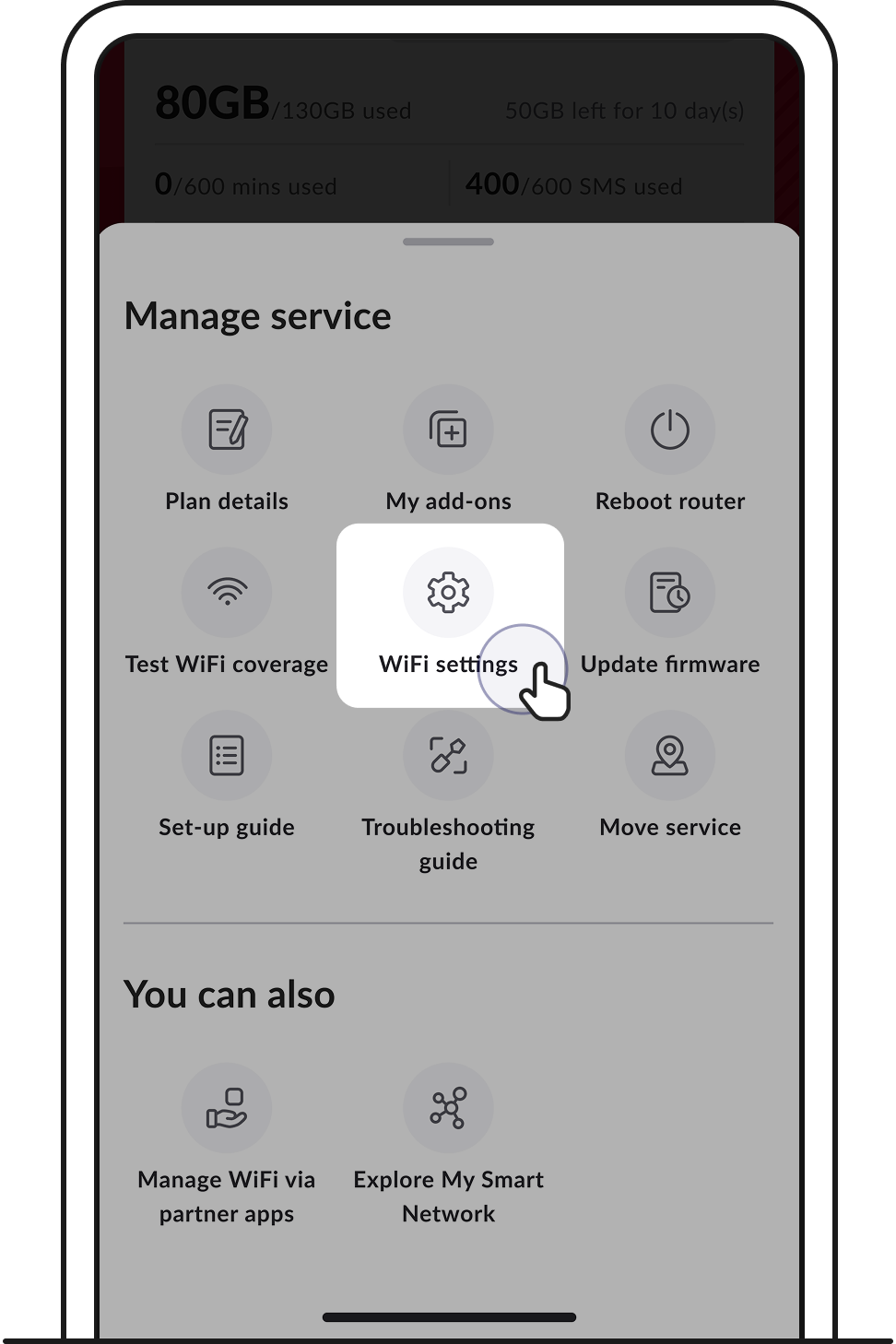
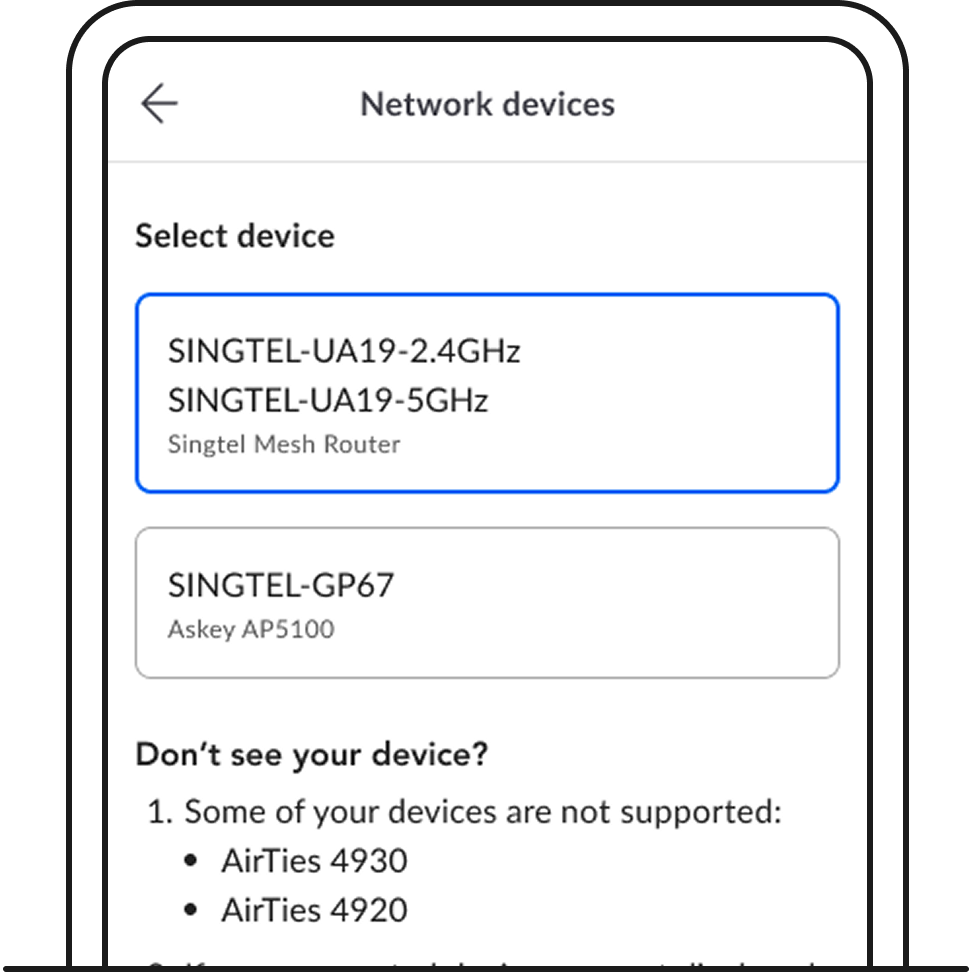
4. Select the device you would like to update.
5. Edit your WiFi name or password and tap Save changes.
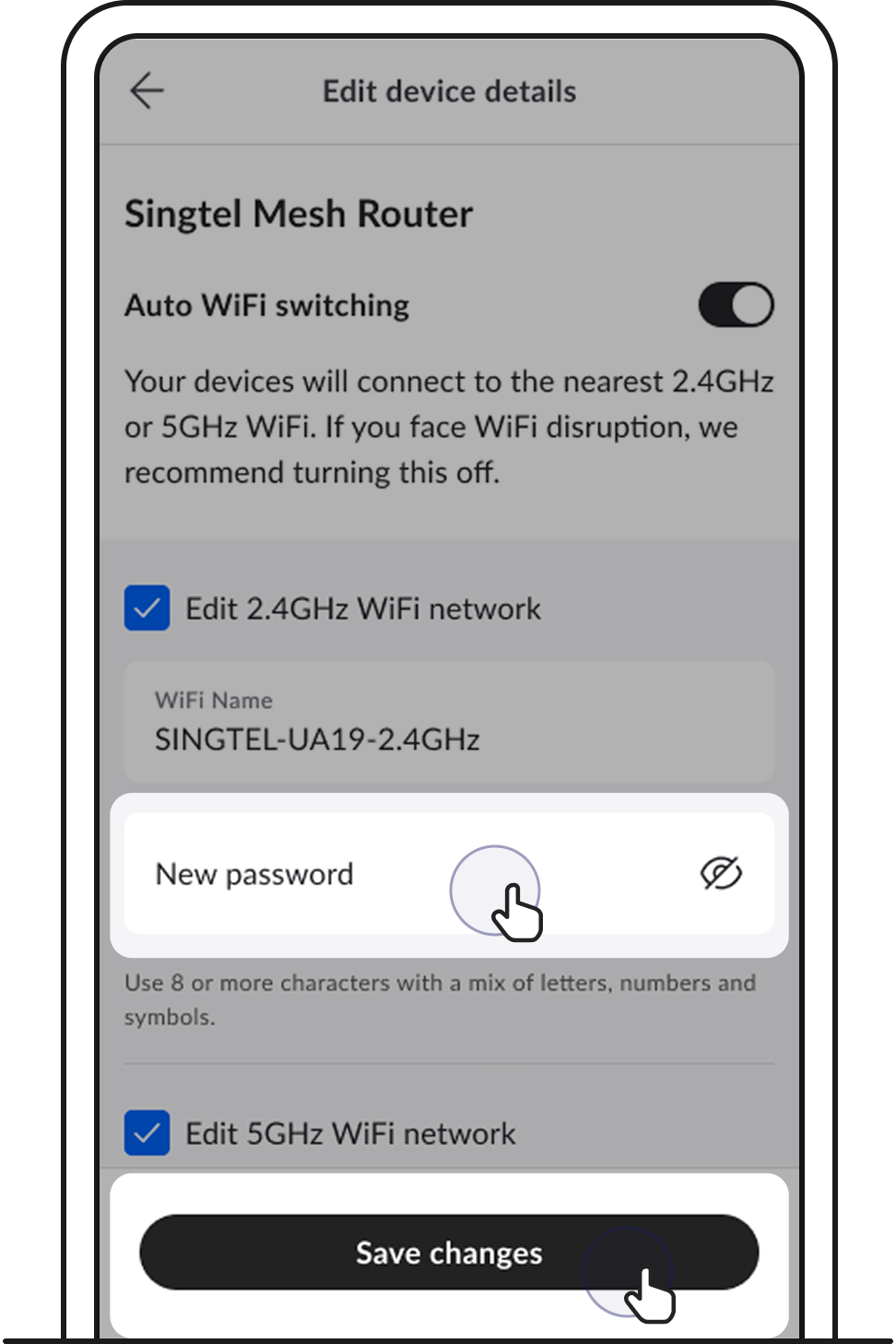
The update will take 1–2 mins and you’ll receive a confirmation SMS upon success. Reconnect your devices thereafter.
Important to note: To update your 2.4GHz or 5GHz network name, you’ll need to disable auto WiFi switching. Make sure the names are different to successfully make an update.
Optical network router (ONR)
Optical network terminal (ONT)
Router
Didn’t find what you are looking for?
Let us know what you need and we’ll connect you to the right team.
Call us
Available from 8:30AM–6:00PM
(Technical help: 24 hours daily)